







Question: PowerShell Please complete all steps. Thank You! it-ops as your test URL. We hope you get a No 7.11. Lab problems were detected report, meaning
PowerShell Please complete all steps. Thank You!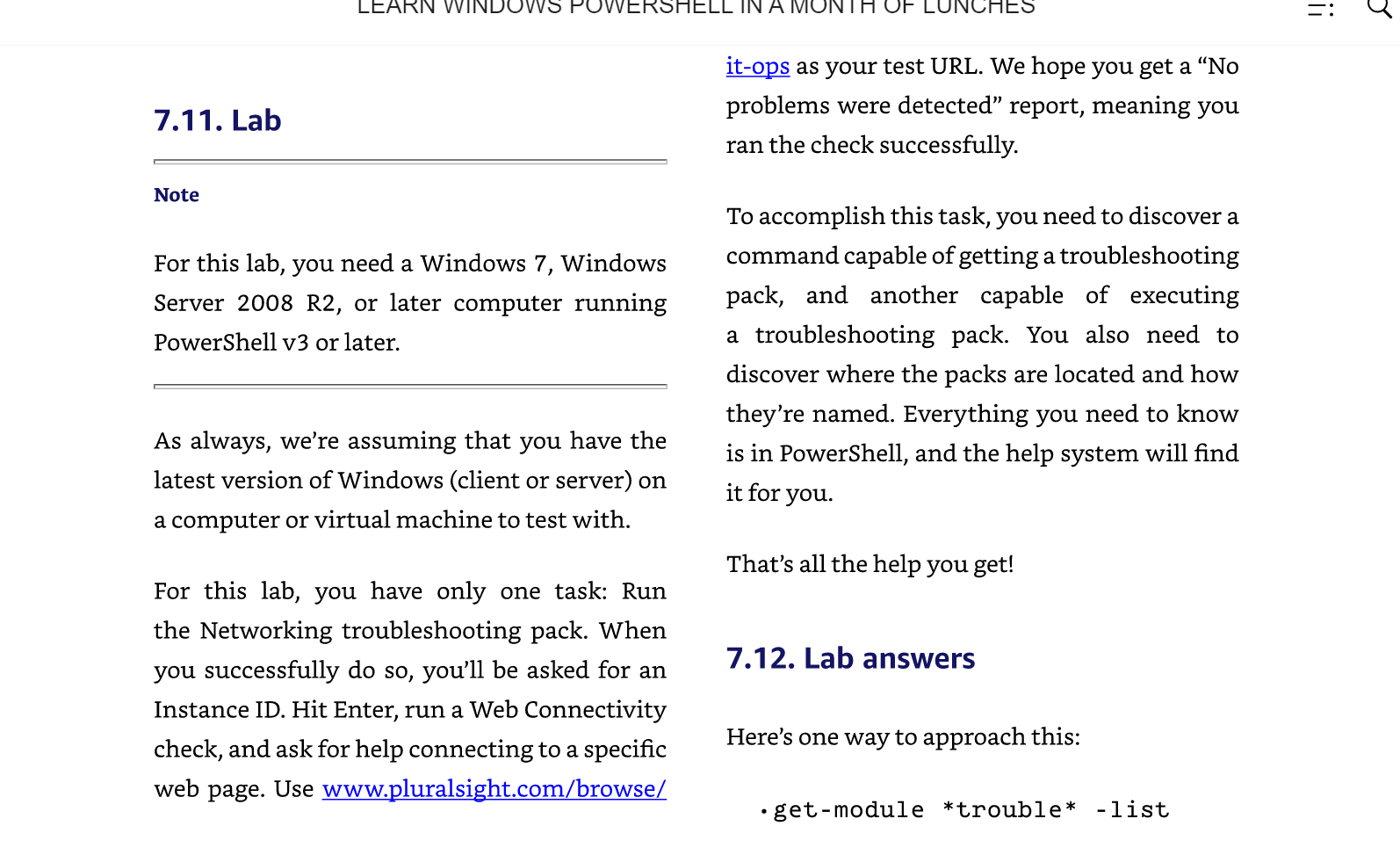
it-ops as your test URL. We hope you get a "No 7.11. Lab problems were detected" report, meaning you ran the check successfully. Note To accomplish this task, you need to discover a For this lab, you need a Windows 7, Windows command capable of getting a troubleshooting Server 2008 R2, or later computer running pack, and another capable of executing PowerShell v3 or later. a troubleshooting pack. You also need to discover where the packs are located and how they're named. Everything you need to know As always, we're assuming that you have the is in PowerShell, and the help system will find latest version of Windows (client or server) on it for you. a computer or virtual machine to test with. That's all the help you get! For this lab, you have only one task: Run the Networking troubleshooting pack. When you successfully do so, you'll be asked for an 7.12. Lab answers Instance ID. Hit Enter, run a Web Connectivity check, and ask for help connecting to a specific Here's one way to approach this: web page. Use www.pluralsight.com/browse/ -get-module *trouble* -list
Step by Step Solution
There are 3 Steps involved in it

Get step-by-step solutions from verified subject matter experts
 Study Help