







Question: PP04: 1) In this exercise, you create the BOM for your finished product, Rocker. Note the screen shown on the next page. In step #3,
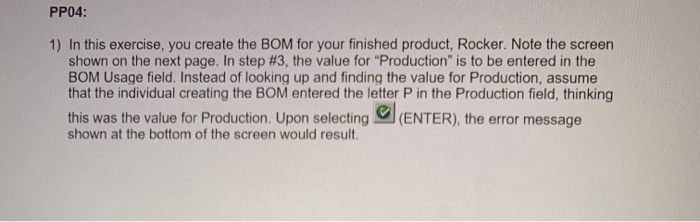
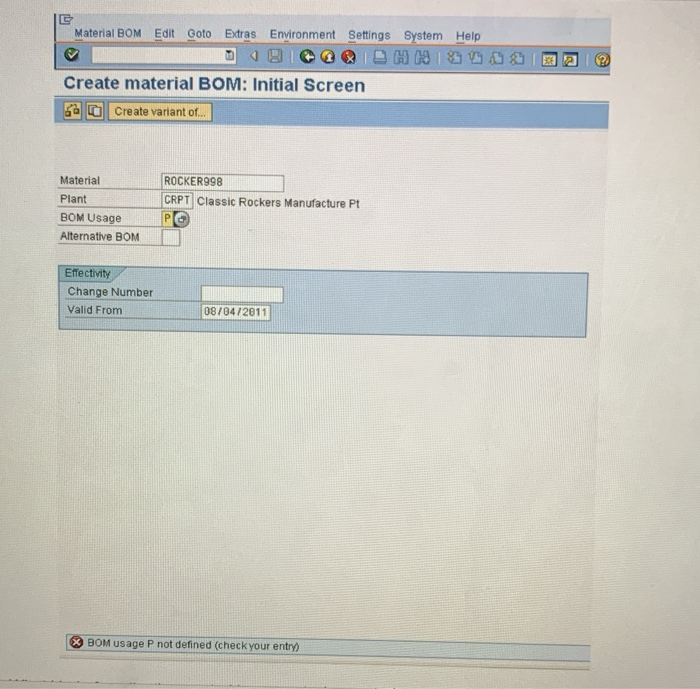
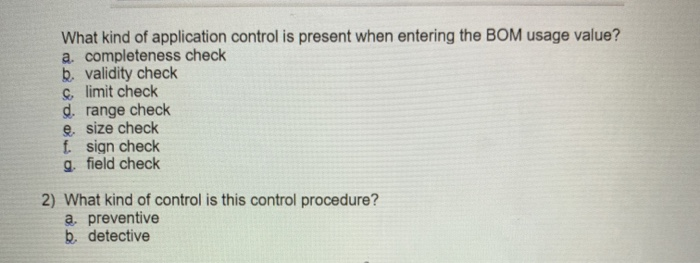
PP04: 1) In this exercise, you create the BOM for your finished product, Rocker. Note the screen shown on the next page. In step #3, the value for "Production" is to be entered in the BOM Usage field. Instead of looking up and finding the value for Production, assume that the individual creating the BOM entered the letter P in the Production field, thinking this was the value for Production. Upon selecting (ENTER), the error message shown at the bottom of the screen would result Material BOM Edit Goto Extras Environment Settings System Help H 09188 Create material BOM: Initial Screen 69 a Create variant of Material Plant ROCKER998 CRPT Classic Rockers Manufacture Pt BOM Usage Alternative BOM Effectivity Change Number Valid From 08/04/2011 X BOM usage P not defined (check your entry) What kind of application control is present when entering the BOM usage value? a completeness check b. validity check c. limit check d. range check e size check f sign check g. field check 2) What kind of control is this control procedure? a preventive b. detective
Step by Step Solution
There are 3 Steps involved in it

Get step-by-step solutions from verified subject matter experts
 Study Help