







Question: Practical 6 : File System and Management At the current location ( e . g . : / home / student ) , perform the
Practical : File System and Management
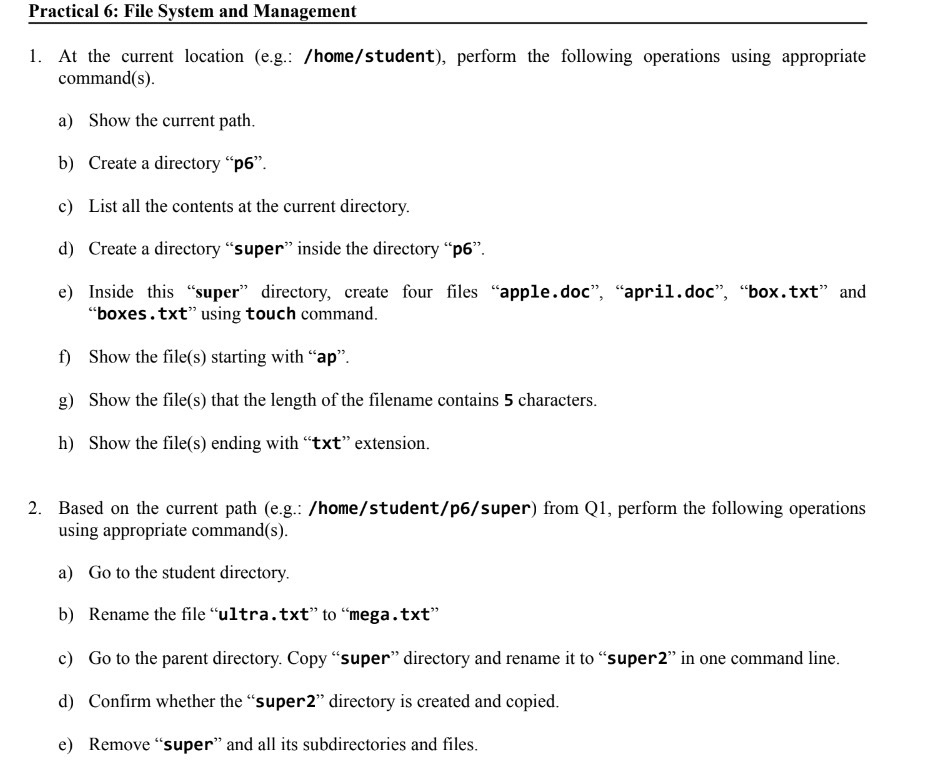
At the current location eg: homestudent perform the following operations using appropriate commands
a Show the current path.
b Create a directory p
c List all the contents at the current directory.
d Create a directory "super" inside the directory p
e Inside this "super" directory, create four files "apple.doc", "april.doc", "box.txt and "boxes.txt using touch command.
f Show the files starting with ap
g Show the files that the length of the filename contains characters.
h Show the files ending with txt extension.
Based on the current path eg: homestudentpsuper from Q perform the following operations using appropriate commands
a Go to the student directory.
b Rename the file "ultra.txt to "mega.txt
c Go to the parent directory. Copy "super" directory and rename it to "super in one command line.
d Confirm whether the "super directory is created and copied.
e Remove "super" and all its subdirectories and files.
Step by Step Solution
There are 3 Steps involved in it
1 Expert Approved Answer
Step: 1 Unlock

Question Has Been Solved by an Expert!
Get step-by-step solutions from verified subject matter experts
Step: 2 Unlock
Step: 3 Unlock
 Study Help