







Question: Practice the Linux commands. Create a document with screenshots to show you practiced and submit. Linux Commands Practise in Lab Command Is Is-R Is-a Description
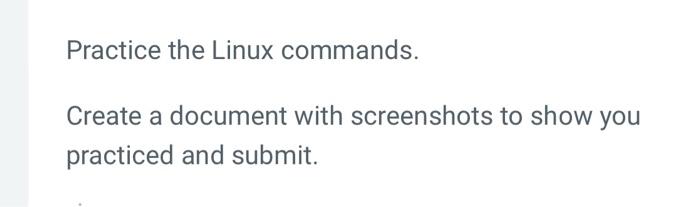
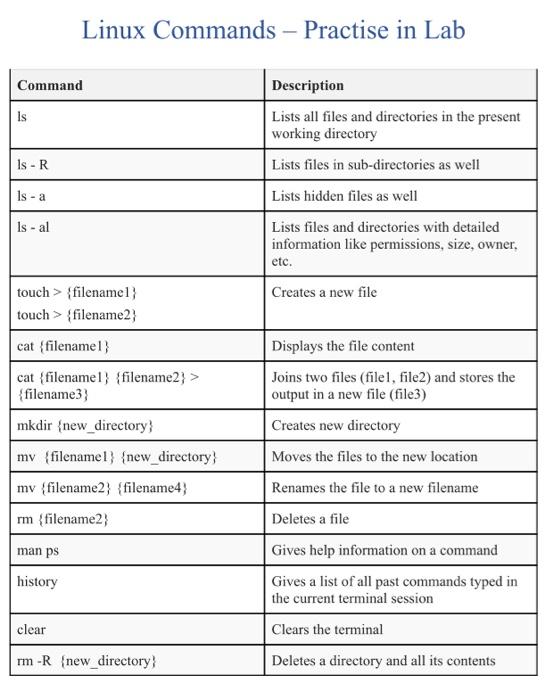
Practice the Linux commands. Create a document with screenshots to show you practiced and submit. Linux Commands Practise in Lab Command Is Is-R Is-a Description Lists all files and directories in the present working directory Lists files in sub-directories as well Lists hidden files as well Lists files and directories with detailed information like permissions, size, owner, etc. Creates a new file Is - al touch > {filenamel touch > {filename2 cat {filenamel) cat {filenamel) (filename2} > {filename3) mkdir (new_directory my {filenamel) {new_directory mv (filename2} {filename4} rm {filename2 Displays the file content Joins two files (filel, file2) and stores the output in a new file (file3) Creates new directory Moves the files to the new location Renames the file to a new filename Deletes a file Gives help information on a command Gives a list of all past commands typed in the current terminal session Clears the terminal man ps history clear rm-R {new_directory Deletes a directory and all its contents
Step by Step Solution
There are 3 Steps involved in it

Get step-by-step solutions from verified subject matter experts
 Study Help