







Question: Practice What You've Learned After Class, Feb. 27,2018 1. Manually insert the numbers 1 through 100 in Cells Al through A100. Use VBA for questions
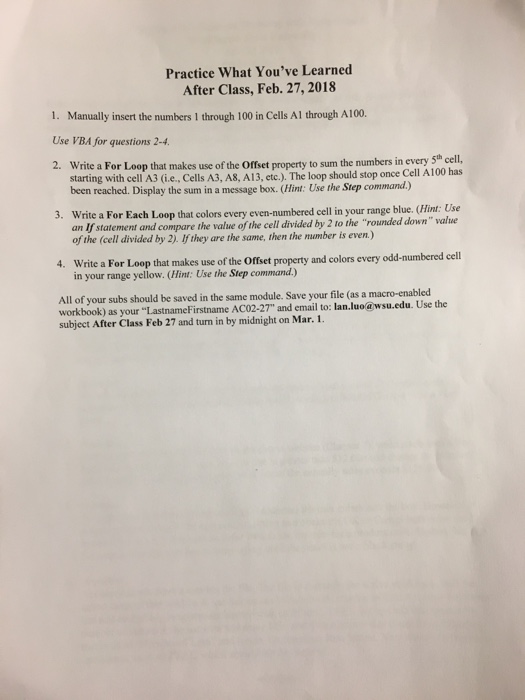
Practice What You've Learned After Class, Feb. 27,2018 1. Manually insert the numbers 1 through 100 in Cells Al through A100. Use VBA for questions 2-4 2. Write a For Loop that makes use of the Offset property to sum the numbers in every Sth cell, starting with cell A3 (ie., Cells A3, A8, A13, etc.),. The loop should stop once Cell A100 has been reached. Display the sum in a message box. (Hint: Use the Step command.) Write a For Each Loop that colors every even-numbered cell in your range blue. (Hint: Use an If of the (cell divided by 2). If they are the same, then the mumber is even) 3. statement and compare the value of the cell divided by 2 to the "rounded down" value 4. Write a For Loop that makes use of the Offset property and colors every odd-numbered cell in your range yellow. (Hint: Use the Step command.) All of your subs should be saved in the same module. Save your file (as a macro-enabled workbook) as your "LastnameFirstname AC02-27" and email to: lan.luo@wsu.edu. Use the subject After Class Feb 27 and turn in by midnight on Mar. 1
Step by Step Solution
There are 3 Steps involved in it

Get step-by-step solutions from verified subject matter experts
 Study Help