





Question: Pre-Assignment Instructions: 1. 2. To prepare you for this assignment, please read the content in Chapter 3: Bob's Bookroom, from QuickBooks and follow the embedded
Pre-Assignment Instructions: 1. 2. To prepare you
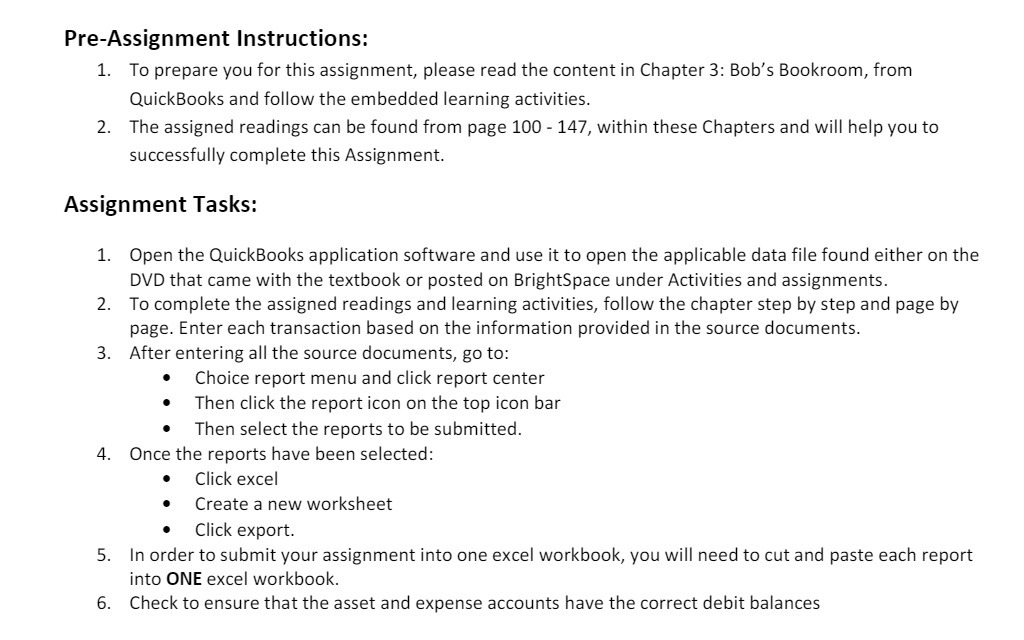
Pre-Assignment Instructions: 1. 2. To prepare you for this assignment, please read the content in Chapter 3: Bob's Bookroom, from QuickBooks and follow the embedded learning activities. The assigned readings can be found from page 100 - 147, within these Chapters and will help you to successfully complete this Assignment. Assignment Tasks: 1. 2. Open the QuickBooks application software and use it to open the applicable data file found either on the DVD that came with the textbook or posted on BrightSpace under Activities and assignments. To complete the assigned readings and learning activities, follow the chapter step by step and page by page. Enter each transaction based on the information provided in the source documents. After entering all the source documents, go to: - Choice report menu and click report center 0 Then click the rep0rt ic0n on the top icon bar - Then select the reports to be submitted. Once the reports have been selected: - Click excel 0 Create a new worksheet . Click export. In order to submit your assignment into one excel workbook, you will need to cut and paste each report into ONE excel workbook. Check to ensure that the asset and expense accounts have the correct debit balances

Step by Step Solution

There are 3 Steps involved in it

1 Expert Approved Answer
Step: 1 Unlock blur-text-image

Question Has Been Solved by an Expert!

Get step-by-step solutions from verified subject matter experts

Step: 2 Unlock
Step: 3 Unlock

Students Have Also Explored These Related Mathematics Questions!