







Question: Preliminary Tasks: Task 1 In this Lab, it's assumed that you have already created the Agents table and inserted sample data into it. If you
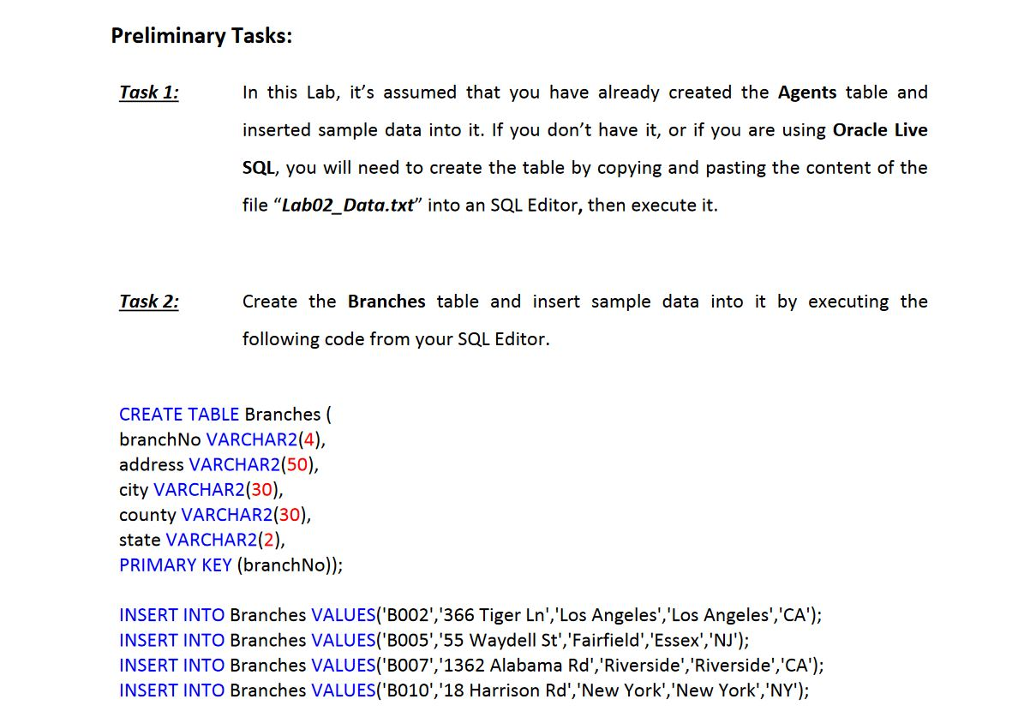
Preliminary Tasks: Task 1 In this Lab, it's assumed that you have already created the Agents table and inserted sample data into it. If you don't have it, or if you are using Oracle Live SQL, you will need to create the table by copying and pasting the content of the file "Lab02_Data.txt" into an SQL Editor, then execute it. Task 2 Create the Branches table and insert sample data into it by executing the following code from your SQL Editor. CREATE TABLE Branches ( branchNo VARCHAR2(4), address VARCHAR2(50), city VARCHAR2(30), county VARCHAR2(30), state VARCHAR2(2), PRIMARY KEY (branchNo)) INSERT INTO Branches VALUES( BO02','366 Tiger Ln','Los Angeles','Los Angeles','CA'); INSERT INTO Branches VALUES('B005','55 Waydell St','Fairfield','Essex','NJ'); INSERT INTO Branches VALUES('B007,'1362 Alabama Rd','Riverside','Riverside','CA'); INSERT INTO Branches VALUES('B010','18 Harrison Rd','New York','New York','NY')
Step by Step Solution
There are 3 Steps involved in it

Get step-by-step solutions from verified subject matter experts
 Study Help