







Question: Preparation You will need a LaunchPad and a laptop/computer with Keil uVision5 installed. Download the Lab starter project from Canvas. Starter project Lab7 Purpose The
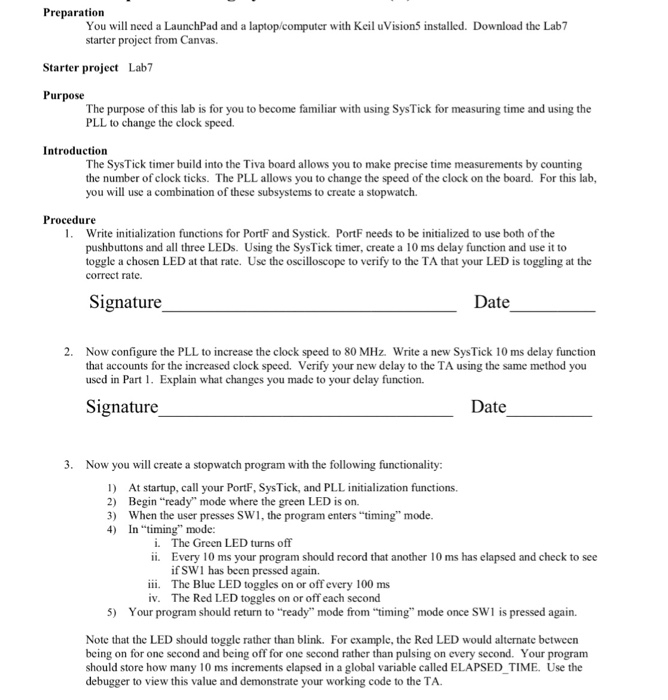
Preparation You will need a LaunchPad and a laptop/computer with Keil uVision5 installed. Download the Lab starter project from Canvas. Starter project Lab7 Purpose The purpose of this lab is for you to become familiar with using SysTick for measuring time and using the PLL to change the clock speed. Introduction The SysTick timer build into the Tiva board allows you to make precise time measurements by counting the number of clock ticks. The PLL allows you to change the speed of the clock on the board. For this lab, you will use a combination of these subsystems to create a stopwatch Procedure 1. Write initialization functions for PortF and Systick. PortF needs to be initialized to use both of the pushbuttons and all three LEDs. Using the SysTick timer, create a 10 ms delay function and use it to toggle a chosen LED at that rate. Use the oscilloscope to verify to the TA that your LED is toggling at the correct rate. Signature Date 2. Now configure the PLL to increase the clock speed to 80 MHz. Write a new SysTick 10 ms delay function that accounts for the increased clock speed. Verify your new delay to the TA using the same method you used in Par. Explain what changes you made to your delay function. Signature Date 3. Now you will create a stopwatch program with the following functionality: 1) At startup, call your PortF, SysTick, and PLL initialization functions. 2) Begin "ready" mode where the green LED is on. 3) When the user presses SW1, the program enters "timing" mode 4) In ming" mode: The Green LED turns off Every 10 ms your program should record that another 10 ms has elapsed and check to see if SWI has been pressed again. The Blue LED toggles on or off every 100 ms The Red LED toggles on or off each second i. ii. iii. iv. 5) Your program should return to "ready" mode from "timing" mode once SW1 is pressed again. Note that the LED should toggle rather than blink. For example, the Red LED would alternate between being on for one second and being off for one second rather than pulsing on every second. Your program should store how many 10 ms increments elapsed in a global variable called ELAPSED TIME. Use the debugger to view this value and demonstrate your working code to the TA Preparation You will need a LaunchPad and a laptop/computer with Keil uVision5 installed. Download the Lab starter project from Canvas. Starter project Lab7 Purpose The purpose of this lab is for you to become familiar with using SysTick for measuring time and using the PLL to change the clock speed. Introduction The SysTick timer build into the Tiva board allows you to make precise time measurements by counting the number of clock ticks. The PLL allows you to change the speed of the clock on the board. For this lab, you will use a combination of these subsystems to create a stopwatch Procedure 1. Write initialization functions for PortF and Systick. PortF needs to be initialized to use both of the pushbuttons and all three LEDs. Using the SysTick timer, create a 10 ms delay function and use it to toggle a chosen LED at that rate. Use the oscilloscope to verify to the TA that your LED is toggling at the correct rate. Signature Date 2. Now configure the PLL to increase the clock speed to 80 MHz. Write a new SysTick 10 ms delay function that accounts for the increased clock speed. Verify your new delay to the TA using the same method you used in Par. Explain what changes you made to your delay function. Signature Date 3. Now you will create a stopwatch program with the following functionality: 1) At startup, call your PortF, SysTick, and PLL initialization functions. 2) Begin "ready" mode where the green LED is on. 3) When the user presses SW1, the program enters "timing" mode 4) In ming" mode: The Green LED turns off Every 10 ms your program should record that another 10 ms has elapsed and check to see if SWI has been pressed again. The Blue LED toggles on or off every 100 ms The Red LED toggles on or off each second i. ii. iii. iv. 5) Your program should return to "ready" mode from "timing" mode once SW1 is pressed again. Note that the LED should toggle rather than blink. For example, the Red LED would alternate between being on for one second and being off for one second rather than pulsing on every second. Your program should store how many 10 ms increments elapsed in a global variable called ELAPSED TIME. Use the debugger to view this value and demonstrate your working code to the TA
Step by Step Solution
There are 3 Steps involved in it

Get step-by-step solutions from verified subject matter experts
 Study Help