







Question: Print Done Reconcile the given checking account. Compare the items appearing on the bank statement to the check register. Click the icon to view the
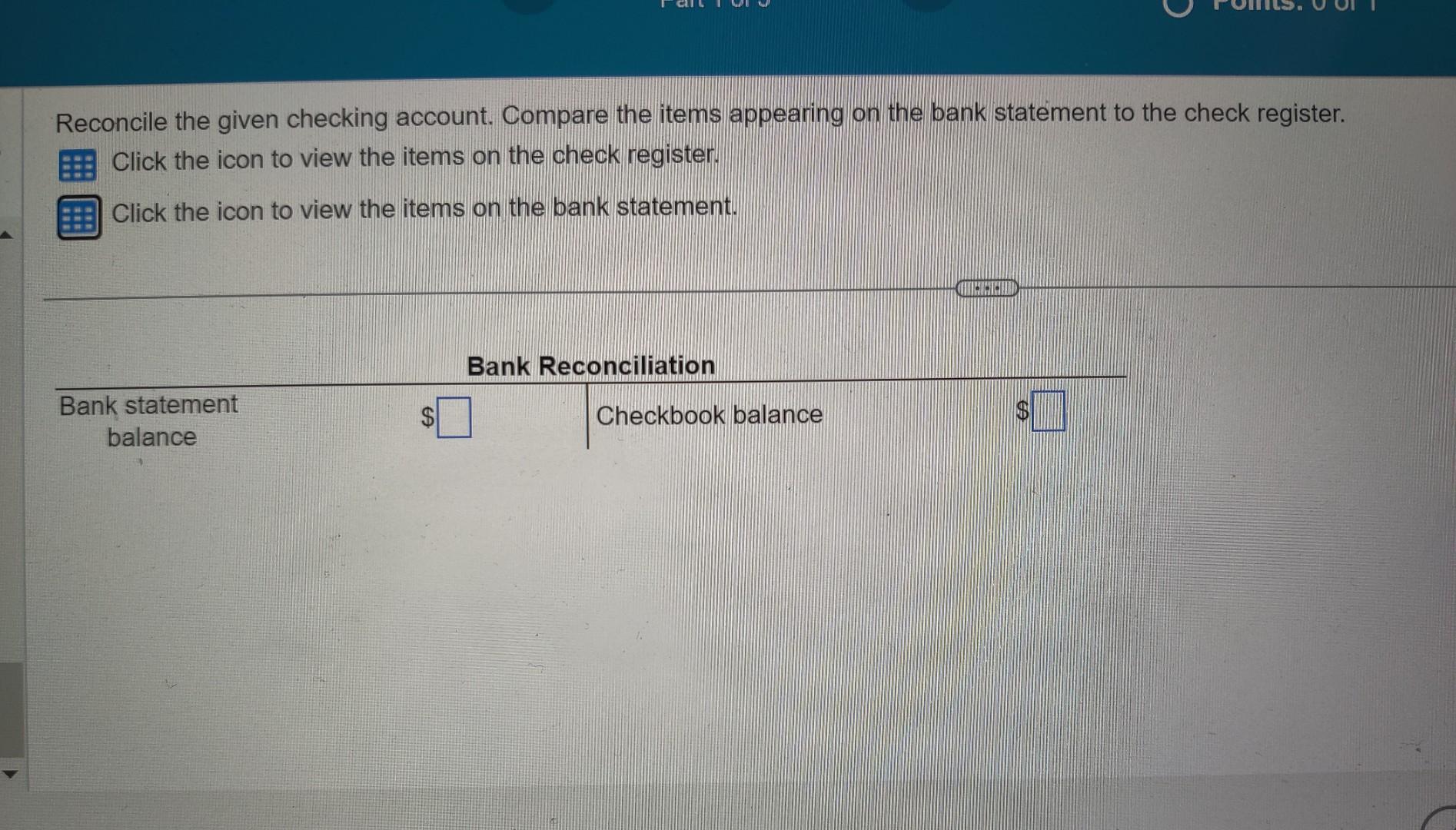
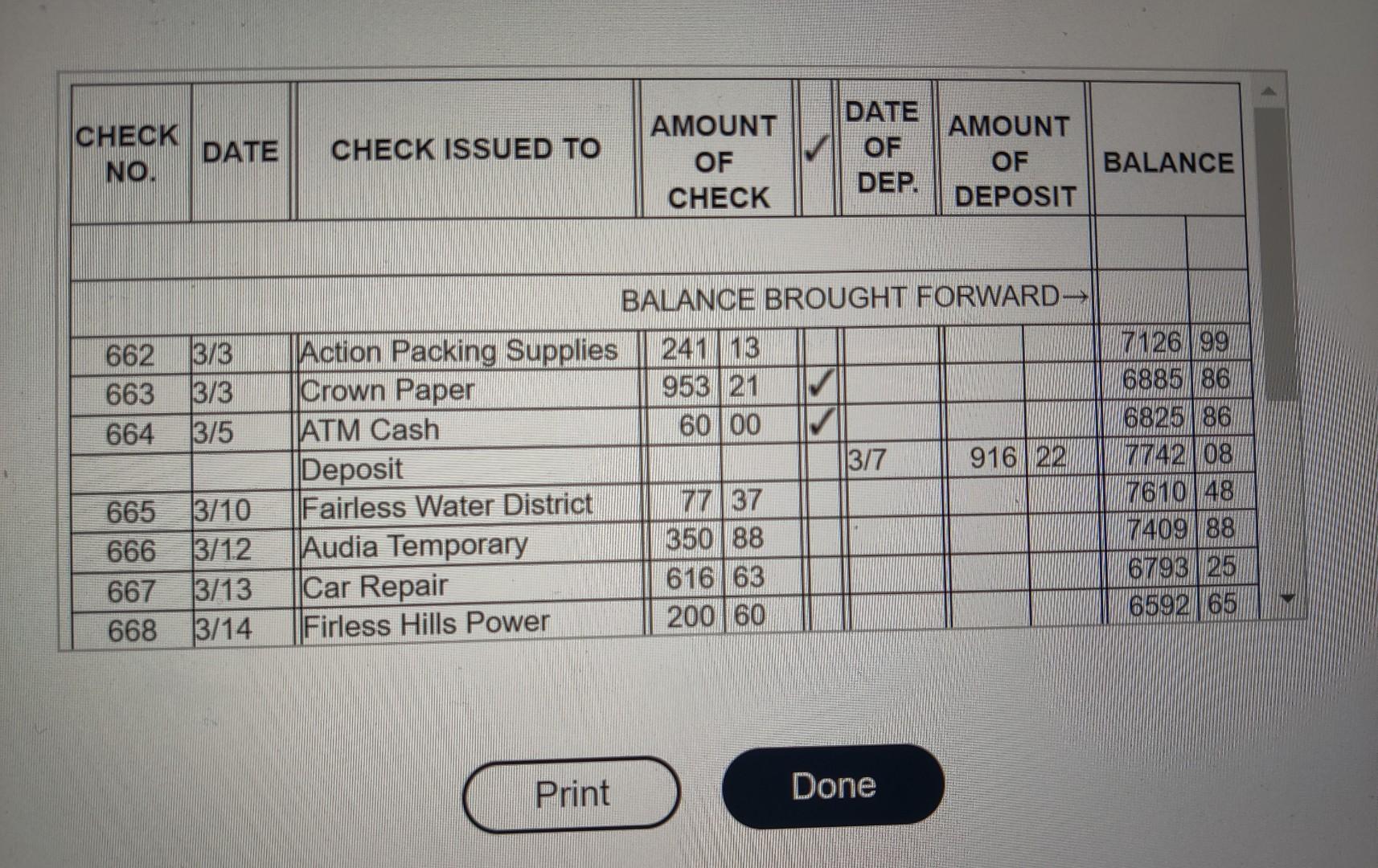
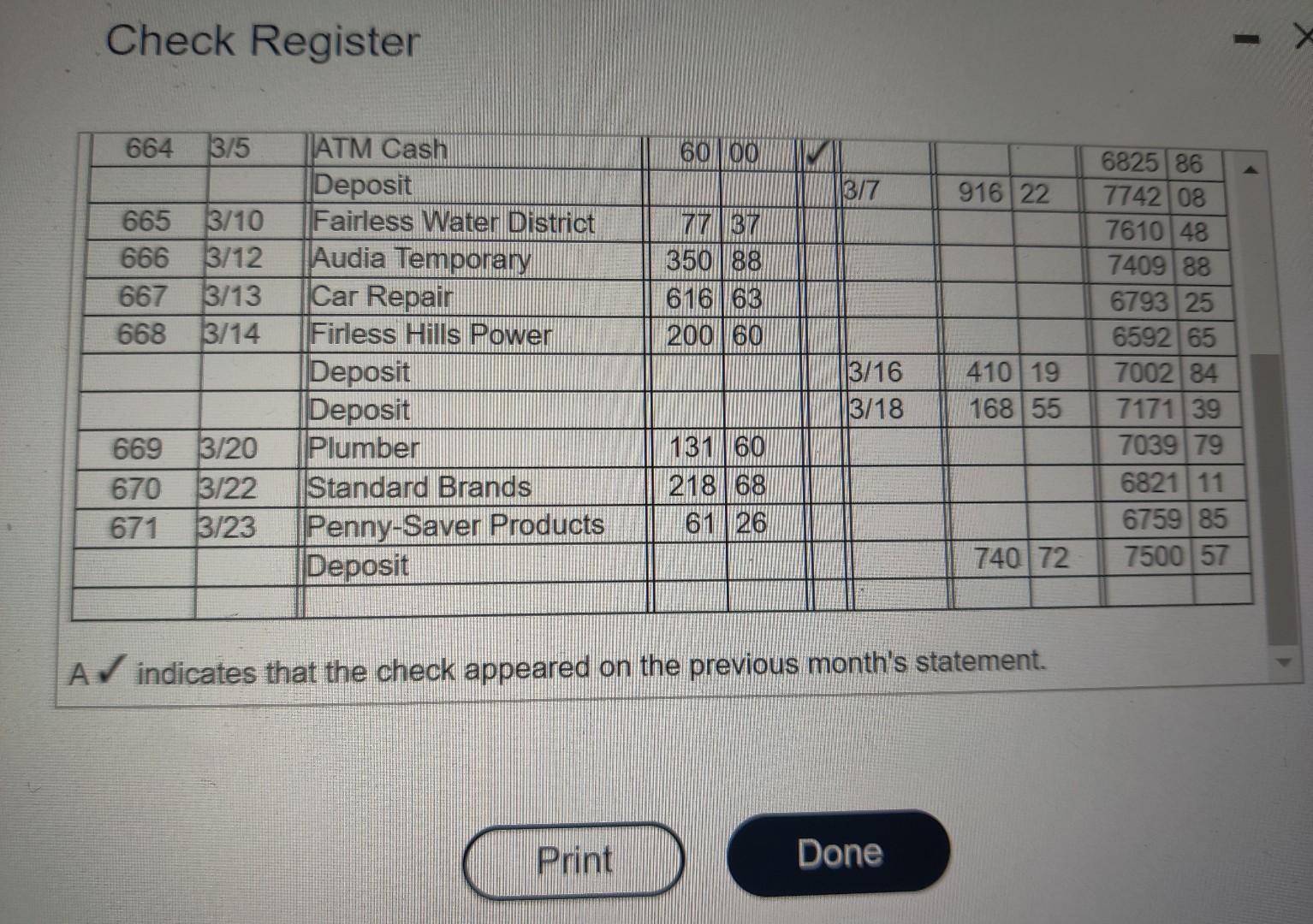
Print Done Reconcile the given checking account. Compare the items appearing on the bank statement to the check register. Click the icon to view the items on the check register. Click the icon to view the items on the bank statement. Check Register A indicates that the check appeared on the previous month's statement. Print Done Reconcile the given checking account. Compare the items appearing on the bank statement to the check register. Click the icon to view the items on the check register. Click the icon to view the items on the bank statement. Check Register A indicates that the check appeared on the previous month's statement
Step by Step Solution
There are 3 Steps involved in it

Get step-by-step solutions from verified subject matter experts
 Study Help