







Question: prm1013 project management tools , it will be in Ms project files This assignment will evaluate the following course learning outcomes (refer to the course
prm1013 project management tools , it will be in Ms project files
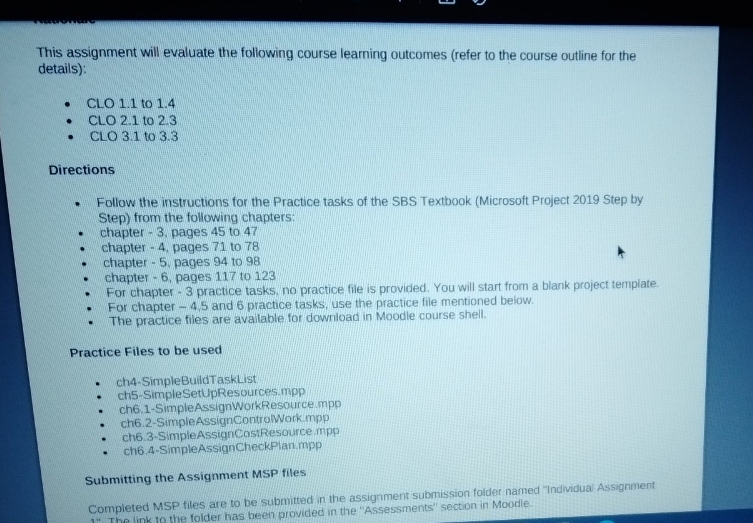
This assignment will evaluate the following course learning outcomes (refer to the course outline for the details): CLO 1.1 to 1.4 CLO 2.1 to 2.3 CLO 3.1 to 3.3 Directions "Follow the instructions for the Practice tasks of the SBS Textbook (Microsoft Project 2019 Step by Step) from the following chapters: chapter - 3. pages 45 to 47 chapter - 4, pages 71 to 78 chapter - 5, pages 94 to 98 chapter - 6, pages 117 to 123 For chapter - 3 practice tasks, no practice file is provided. You will start from a blank project template. For chapter - 4.5 and 6 practice tasks, use the practice file mentioned below. The practice files are available for download in Moodle course shell. Practice Files to be used ch4-SimpleBuildTaskList ch5-Simple SetUpResources.mpp ch6.1-SimpleAssignWorkResource mpp ch6.2-SimpleAssignControlWork.mpp ch6 3-SimpleAssignCostResource mpp cho.4-SimpleAssign CheckPlan.mpp Submitting the Assignment MSP files Completed MSP files are to be submitted in the assignment submission folder named "Individual Assignment k to the folder has been provided in the 'Assessments" section in Moodle
Step by Step Solution
There are 3 Steps involved in it

Get step-by-step solutions from verified subject matter experts
 Study Help