







Question: Problem 1 Auto differentiating function - single order Step 1 Write a m -file function named y=Diff(v,n) , where v is a symbolic single variable
Problem 1\ Auto differentiating function - single order\ Step 1 Write a
m-file function named
y=Diff(v,n), where\
vis a symbolic single variable\
nis a positive integer representing the order of differentiation\
yis the
nth derivative of the variable in the form of
Dnv.\ For example,\ syms
xy
abc\ Diff
(x,2)Step 2 Check for the positive and integer condition of the input n, and if it is not satisfied, then throw an error for it. For this purpose, look for isinf, floor, and error functions.\ Step 3 You should convert the symbolic variable
vand the number
nto strings, and then concentrate that with '
D'. The result string can be turned to a symbolic variable using the matlab built-in function sym.\ Hint: Check the matlab built-in functions sym, char, and num2str help documents. Also, check how can you concentrate multiple strings in MATLAB.\ Step 4 write a test script, name it testDiff.m that check the output of the function as the above test script.
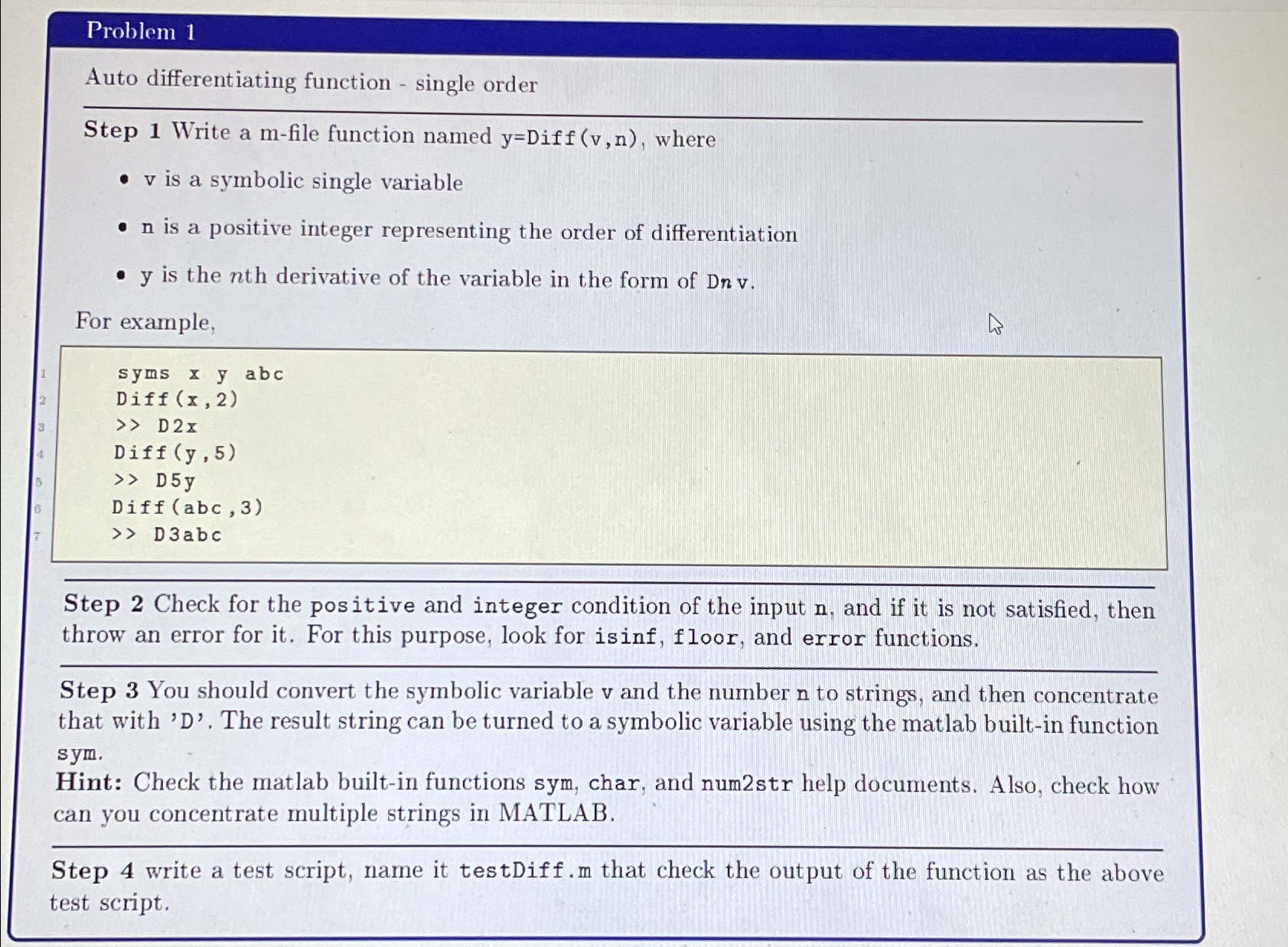
Step 1 Write a m-file function named y=Diff(v,n), where - v is a symbolic single variable - n is a positive integer representing the order of differentiation - y is the nth derivative of the variable in the form of Dnv. For example, syms x y abc Diff (x,2) ) D 2x Diff (y,5) D 5y Diff (abc,3) > D 3abc Step 2 Check for the positive and integer condition of the input n, and if it is not satisfied, then throw an error for it. For this purpose, look for isinf, floor, and error functions. Step 3 You should convert the symbolic variable v and the number n to strings, and then concentrate that with ' D '. The result string can be turned to a symbolic variable using the matlab built-in function sym. Hint: Check the matlab built-in functions sym, char, and num2str help documents. Also, check how can you concentrate multiple strings in MATLAB. Step 4 write a test script, name it testDiff.m that check the output of the function as the above test script
Step by Step Solution
There are 3 Steps involved in it

Get step-by-step solutions from verified subject matter experts
 Study Help