







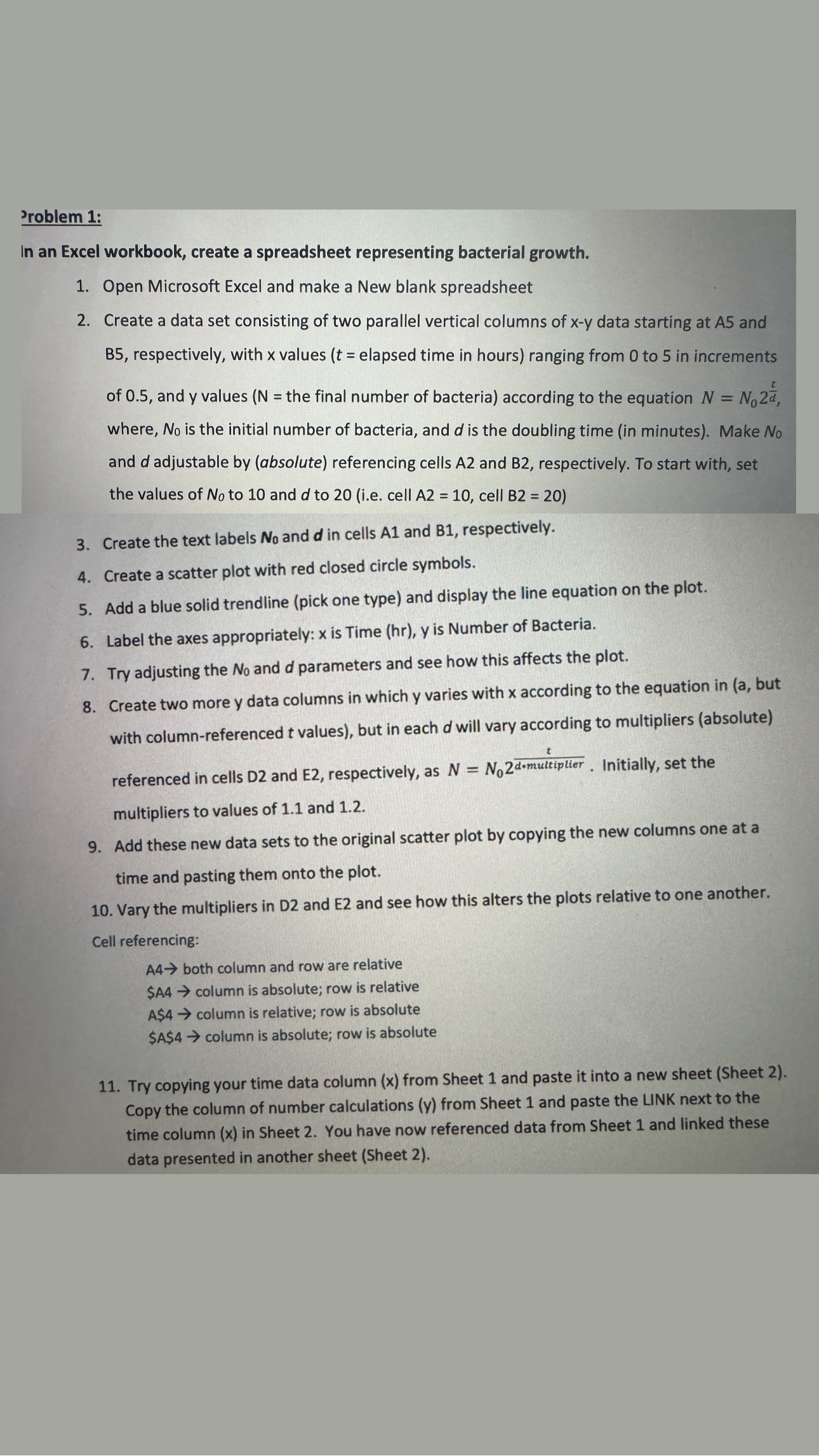
Question: Problem 1 : In an Excel workbook, create a spreadsheet representing bacterial growth. Open Microsoft Excel and make a New blank spreadsheet Create a data
Problem :
In an Excel workbook, create a spreadsheet representing bacterial growth.
Open Microsoft Excel and make a New blank spreadsheet
Create a data set consisting of two parallel vertical columns of data starting at and
respectively, with values elapsed time in hours ranging from to in increments
of and values the final number of bacteria according to the equation
where, is the initial number of bacteria, and is the doubling time in minutes Make
and adjustable by absolute referencing cells and respectively. To start with, set
the values of to and to ie cell cell B
Create the text labels and in cells and respectively.
Create a scatter plot with red closed circle symbols.
Add a blue solid trendline pick one type and display the line equation on the plot.
Label the axes appropriately: is Time hr is Number of Bacteria.
Try adjusting the and parameters and see how this affects the plot.
Create two more data columns in which varies with according to the equation in
with columnreferenced values but in each will vary according to multipliers absolute
referenced in cells D and E respectively, as Initially, set the
multipliers to values of and
Add these new data sets to the original scatter plot by copying the new columns one at a
time and pasting them onto the plot.
Vary the multipliers in D and E and see how this alters the plots relative to one another.
Cell referencing:
both column and row are relative
$A column is absolute; row is relative
A $ column is relative; row is absolute
$A $ column is absolute; row is absolute
Try copying your time data column x from Sheet and paste it into a new sheet Sheet
Copy the column of number calculations from Sheet and paste the LINK next to the
time column in Sheet You have now referenced data from Sheet and linked these
data presented in another sheet Sheet please provide picture
Step by Step Solution
There are 3 Steps involved in it
1 Expert Approved Answer
Step: 1 Unlock

Question Has Been Solved by an Expert!
Get step-by-step solutions from verified subject matter experts
Step: 2 Unlock
Step: 3 Unlock
 Study Help