







Question: Problem 1. Modify MouseDemo2 class into concentricCircles class. When exe- cuted, your class should open a window (frame) on the screen. Each time when a
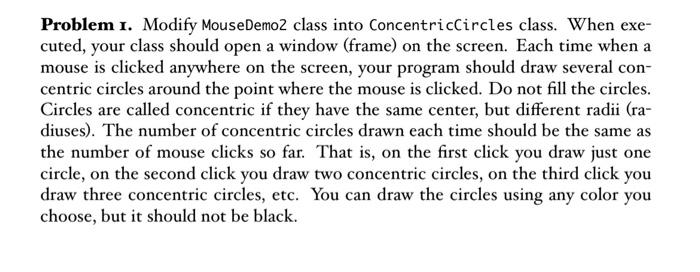
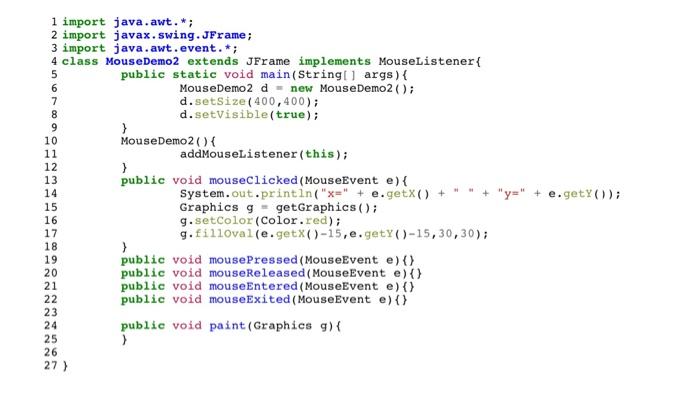
Problem 1. Modify MouseDemo2 class into concentricCircles class. When exe- cuted, your class should open a window (frame) on the screen. Each time when a mouse is clicked anywhere on the screen, your program should draw several con- centric circles around the point where the mouse is clicked. Do not fill the circles. Circles are called concentric if they have the same center, but different radii (ra- diuses). The number of concentric circles drawn each time should be the same as the number of mouse clicks so far. That is, on the first click you draw just one circle, on the second click you draw two concentric circles, on the third click you draw three concentric circles, etc. You can draw the circles using any color you choose, but it should not be black. 8 9 1 import java.awt.*; 2 import javax.swing.JFrame; 3 import java.awt.event.*; 4 class MouseDemo2 extends JFrame implements MouseListener{ 5 public static void main(String[] args) { 6 MouseDemo 2 d new MouseDemo2(); 7 d.setSize(400,400); d.setVisible(true); } 10 MouseDemo2() { 11 addMouseListener(this); 12 } 13 public void mouseClicked(MouseEvent e) { 14 System.out.println("x=" + e.getX() + + "y" + e.getY()); 15 Graphics g = getGraphics(); 16 g.setColor (Color.red); 17 g.filloval(e.getX()-15, e.getY()-15,30,30); 18 > 19 public void mousePressed(MouseEvent e) () 20 public void mouseReleased(MouseEvent e) () 21 public void mouseEntered(MouseEvent e) { } 22 public void mouseExited (MouseEvent e) () 23 24 public void paint (Graphics g) { > 26 27 ) UPOOD NNNNNNN
Step by Step Solution
There are 3 Steps involved in it

Get step-by-step solutions from verified subject matter experts
 Study Help