







Question: PROBLEM 1 . Modify the MATLAB program of Tutorial # 3 so that the code becomes a simple digital calculator. ( checkmark
PROBLEM
Modify the MATLAB program of Tutorial # so that the code becomes a simple digital calculator.
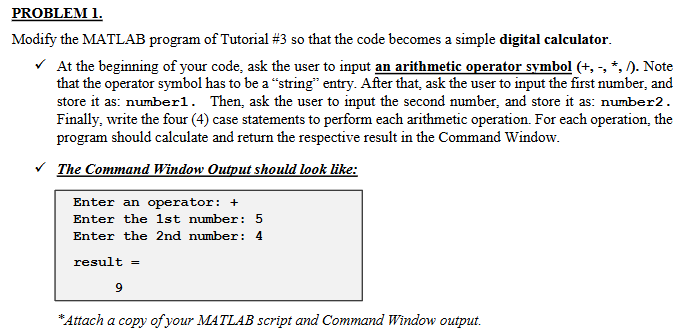
checkmark At the beginning of your code, ask the user to input an arithmetic operator symbol Note that the operator symbol has to be a "string" entry. After that, ask the user to input the first number, and store it as: number Then, ask the user to input the second number, and store it as: number Finally, write the four case statements to perform each arithmetic operation. For each operation, the program should calculate and return the respective result in the Command Window.
The Command Window Output should look like:
Enter an operator:
Enter the st number:
Enter the nd number:
result
Attach a copy of your MATLAB script and Command Window output.
Step by Step Solution
There are 3 Steps involved in it
1 Expert Approved Answer
Step: 1 Unlock

Question Has Been Solved by an Expert!
Get step-by-step solutions from verified subject matter experts
Step: 2 Unlock
Step: 3 Unlock
 Study Help