







Question: Problem # 1 : Open up your ' my _ script. m ' file that you created while working through Tutorial 2 . Then copy
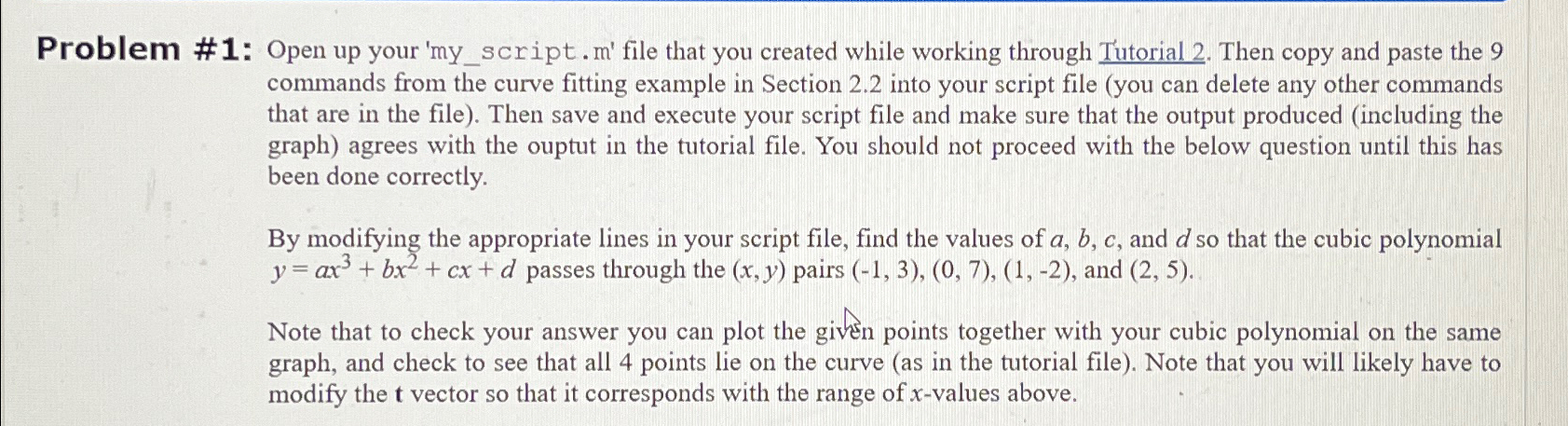
Problem #: Open up your myscript. file that you created while working through Tutorial Then copy and paste the commands from the curve fitting example in Section into your script file you can delete any other commands that are in the file Then save and execute your script file and make sure that the output produced including the graph agrees with the ouptut in the tutorial file. You should not proceed with the below question until this has been done correctly.
By modifying the appropriate lines in your script file, find the values of and so that the cubic polynomial passes through the pairs and
Note that to check your answer you can plot the given points together with your cubic polynomial on the same graph, and check to see that all points lie on the curve as in the tutorial file Note that you will likely have to modify the vector so that it corresponds with the range of values above.
Please note that i need to know the code, so that i don't have any rounding issues.
Step by Step Solution
There are 3 Steps involved in it
1 Expert Approved Answer
Step: 1 Unlock

Question Has Been Solved by an Expert!
Get step-by-step solutions from verified subject matter experts
Step: 2 Unlock
Step: 3 Unlock
 Study Help