







Question: PROBLEM 1 Total: 30 Points Write a MATLAB script that asks the user to enter a whole number (i.e., any whole number, positive, negative or
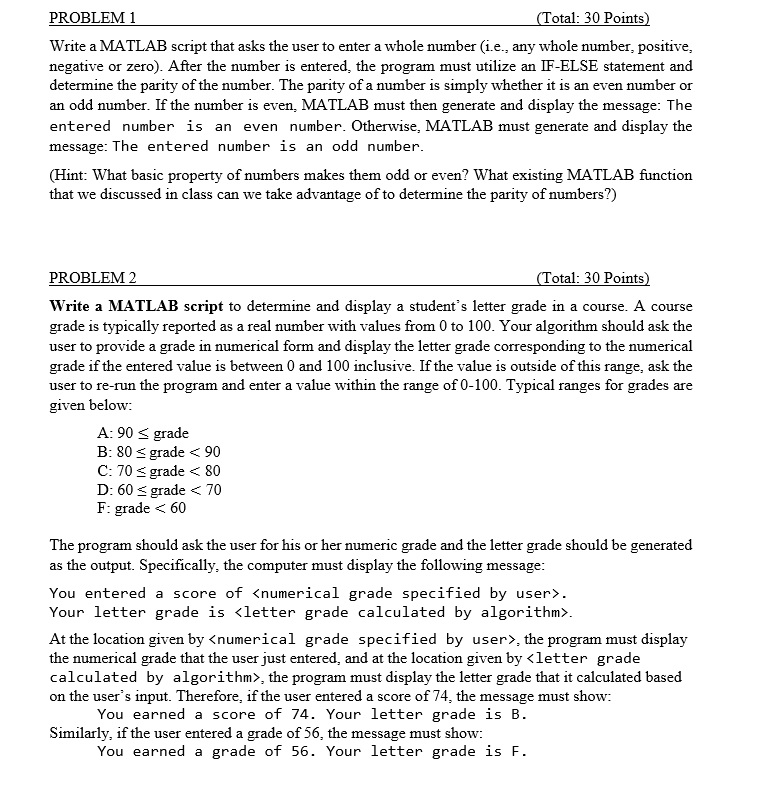
PROBLEM 1 Total: 30 Points Write a MATLAB script that asks the user to enter a whole number (i.e., any whole number, positive, negative or zero). After the number is entered, the program must utilize an IF-ELSE statement and determine the parity of the number. The parity of a number is simply whether it is an even number oi an odd number. If the number is even, MATLAB must then generate and display the message: The entered number is an even number. Otherwise, MATLAB must generate and display the message: The entered number is an odd number (Hint: What basic property of numbers makes them odd or even? What existing MATLAB function that we discussed in class can we take advantage of to determine the parity of numbers?) PROBLEM 2 Total: 30 Points Write a MATLAB script to determine and display a student's letter grade in a course. A course grade is typically reported as a real number with values from 0 to 100. Your algorithm should ask the user to provide a grade in numerical form and display the letter grade corresponding to the numerical grade if the entered value is between 0 and 100 inclusive. If the value is outside of this range, ask the user to re-run the program and enter a value within the range of 0-100. Typical ranges for grades are given below A: 90 S grade B: 80 grade . Your letter grade is
Step by Step Solution
There are 3 Steps involved in it

Get step-by-step solutions from verified subject matter experts
 Study Help