







Question: * Problem 1 - Vector Creation using Matlab 4 solutions submitted (max: Unlimited) | View my solutions Write a script with commands to create the
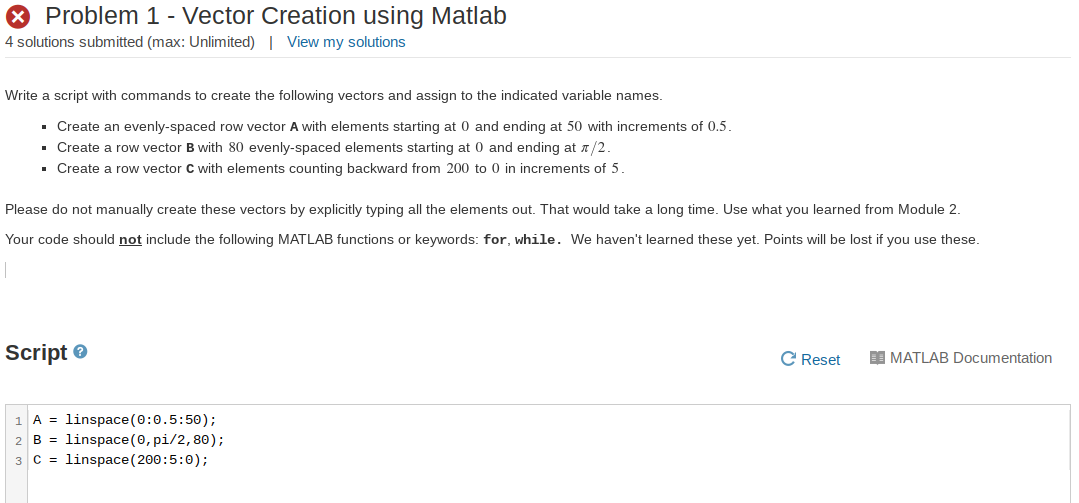
* Problem 1 - Vector Creation using Matlab 4 solutions submitted (max: Unlimited) | View my solutions Write a script with commands to create the following vectors and assign to the indicated variable names. Create an evenly spaced row vector A with elements starting at 0 and ending at 50 with increments of 0.5. Create a row vector B with 80 evenly-spaced elements starting at 0 and ending at /2. Create a row vector C with elements counting backward from 200 to 0 in increments of 5. Please do not manually create these vectors by explicitly typing all the elements out. That would take a long time. Use what you learned from Module 2. Your code should not include the following MATLAB functions or keywords: for, while. We haven't learned these yet. Points will be lost if you use these. Script C Reset I MATLAB Documentation 1 A = linspace(0:0.5:50); B = linspace(0, pi/2, 80); 3 C = linspace(200:5:0)
Step by Step Solution
There are 3 Steps involved in it

Get step-by-step solutions from verified subject matter experts
 Study Help