







Question: Problem 2 (70 points): This problem is intended to familiarize the students with Monte Carlo Simulation using @Risk software. The student is expected to self-learn
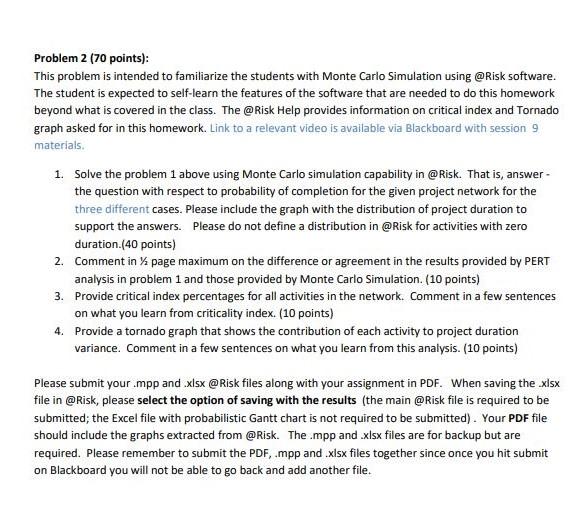
Problem 2 (70 points): This problem is intended to familiarize the students with Monte Carlo Simulation using @Risk software. The student is expected to self-learn the features of the software that are needed to do this homework beyond what is covered in the class. The @Risk Help provides information on critical index and Tornado graph asked for in this homework. Link to a relevant video is available via Blackboard with session 9 materials. 1. Solve the problem 1 above using Monte Carlo simulation capability in @Risk. That is, answer the question with respect to probability of completion for the given project network for the three different cases. Please include the graph with the distribution of project duration to support the answers. Please do not define a distribution in @Risk for activities with zero duration.(40 points) 2. Comment in 1/2 page maximum on the difference or agreement in the results provided by PERT analysis in problem 1 and those provided by Monte Carlo Simulation. (10 points) 3. Provide critical index percentages for all activities in the network. Comment in a few sentences on what you learn from criticality index. (10 points) 4. Provide a tornado graph that shows the contribution of each activity to project duration variance. Comment in a few sentences on what you learn from this analysis. (10 points) Please submit your .mpp and .xlsx @Risk files along with your assignment in PDF. When saving the .xlsx file in @Risk, please select the option of saving with the results (the main @Risk file is required to be submitted; the Excel file with probabilistic Gantt chart is not required to be submitted). Your PDF file should include the graphs extracted from @Risk. The .mpp and .xlsx files are for backup but are required. Please remember to submit the PDF, .mpp and .xlsx files together since once you hit submit on Blackboard you will not be able to go back and add another file
Step by Step Solution
There are 3 Steps involved in it

Get step-by-step solutions from verified subject matter experts
 Study Help