







Question: Problem 2 Download the data 'auto.csv darr ' to your Week 2 folder. Load the auto data and name it auto. Find the length and
Problem
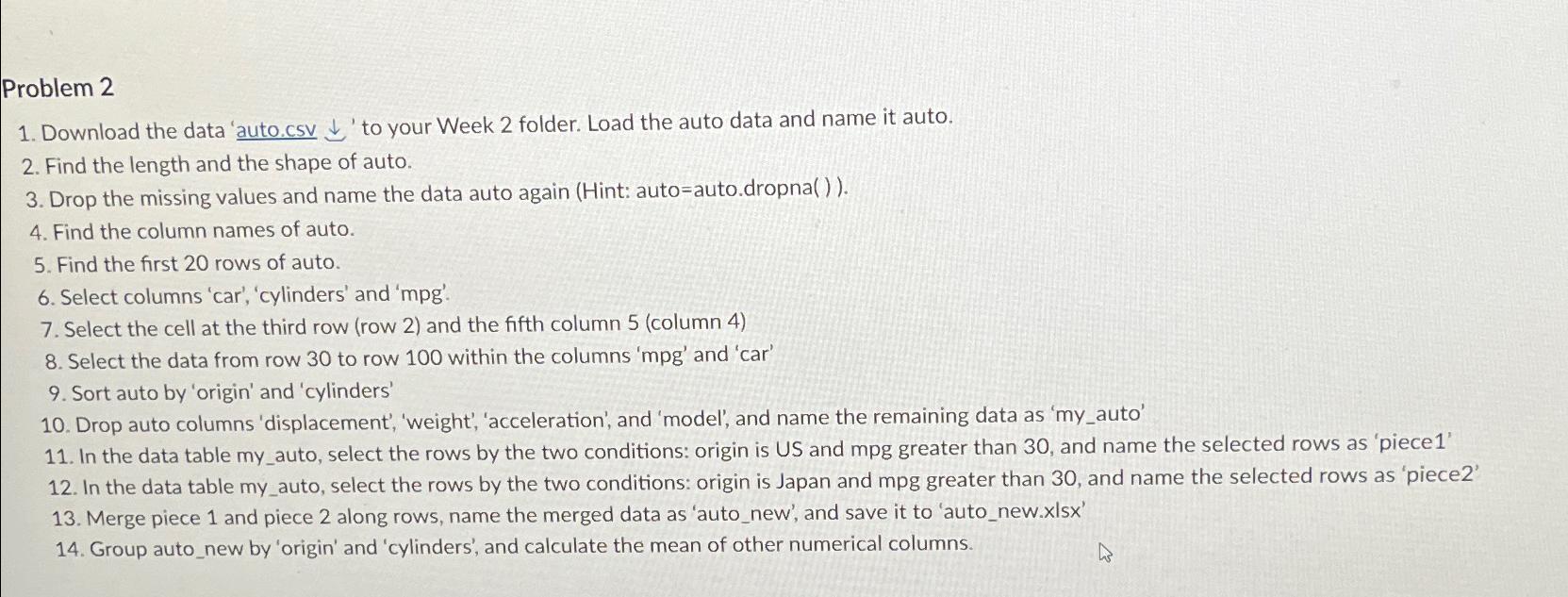
Download the data 'auto.csv darr to your Week folder. Load the auto data and name it auto.
Find the length and the shape of auto.
Drop the missing values and name the data auto again Hint: autoauto.dropna
Find the column names of auto.
Find the first rows of auto.
Select columns 'car', 'cylinders' and mpg
Select the cell at the third row row and the fifth column column
Select the data from row to row within the columns and 'car'
Sort auto by 'origin' and 'cylinders'
Drop auto columns 'displacement', 'weight', 'acceleration', and 'model', and name the remaining data as myauto'
In the data table myauto, select the rows by the two conditions: origin is US and mpg greater than and name the selected rows as 'piece
In the data table myauto, select the rows by the two conditions: origin is Japan and mpg greater than and name the selected rows as 'piece
Merge piece and piece along rows, name the merged data as 'autonew', and save it to 'autonew.xlsx
Group autonew by 'origin' and 'cylinders', and calculate the mean of other numerical columns.
Step by Step Solution
There are 3 Steps involved in it
1 Expert Approved Answer
Step: 1 Unlock

Question Has Been Solved by an Expert!
Get step-by-step solutions from verified subject matter experts
Step: 2 Unlock
Step: 3 Unlock
 Study Help