







Question: Problem 2 - For the following problems screenshot your code and output (View) Grading Rubric: (Total 50 points) 5 points for each question 1 point

Problem 2 - For the following problems screenshot your code and output (View)
Grading Rubric: (Total 50 points)
- 5 points for each question
- 1 point for posting view and output correctly
- 4 points for parts of the query (partial points awarded)
- The HR department needs your assistance in creating some queries. Display the last name, employee id and phone number of employees who earn more than 2000 per month.
- Create a report that displays the last name and phone number for employees who have a manager with a manager ID of 100.
- The HR department needs to find employees last name and salary who earn a salary between 6000 and 7000
or a salary between 8000 and 9000. Create a list of such employees in the ascending order of their hire date.
- Create a report to display the last name, job ID, and department id for employees whose last names end
with n. Order the Query in descending order by the hire date.
- Display the last name, job id, and email for all employees with last name Kochhar, De Haan, or Rajs.
- Display the first name, Commission percentage, and salary of all employees who earn a commission. Label
the columns First Name, Commission Percentage, and Monthly Salary, respectively.
- The HR department needs a report that displays the first name, last name, and email of all employees who were hired in 1998. Label the columns F Name, L Name, and Email, respectively.
- Create a report to display the last name, department id and salary of those that have the job title of Sales Representatives.
- Create a report to display the last name, salary, and department id of all employees who have a 10 digit
phone number. Sort the data in descending order first by last name and then department id. Use the columns numeric position in the ORDER BY clause.
- Members of the HR department want to have more flexibility with the queries that you are writing. They
would like a report that displays the last name, department id and salary of employees who earn more than an amount that the user specifies after a prompt. ENTER 10000 when prompted for a value in the dialog box. Screenshot the prompt box and the output (view) using that amount.
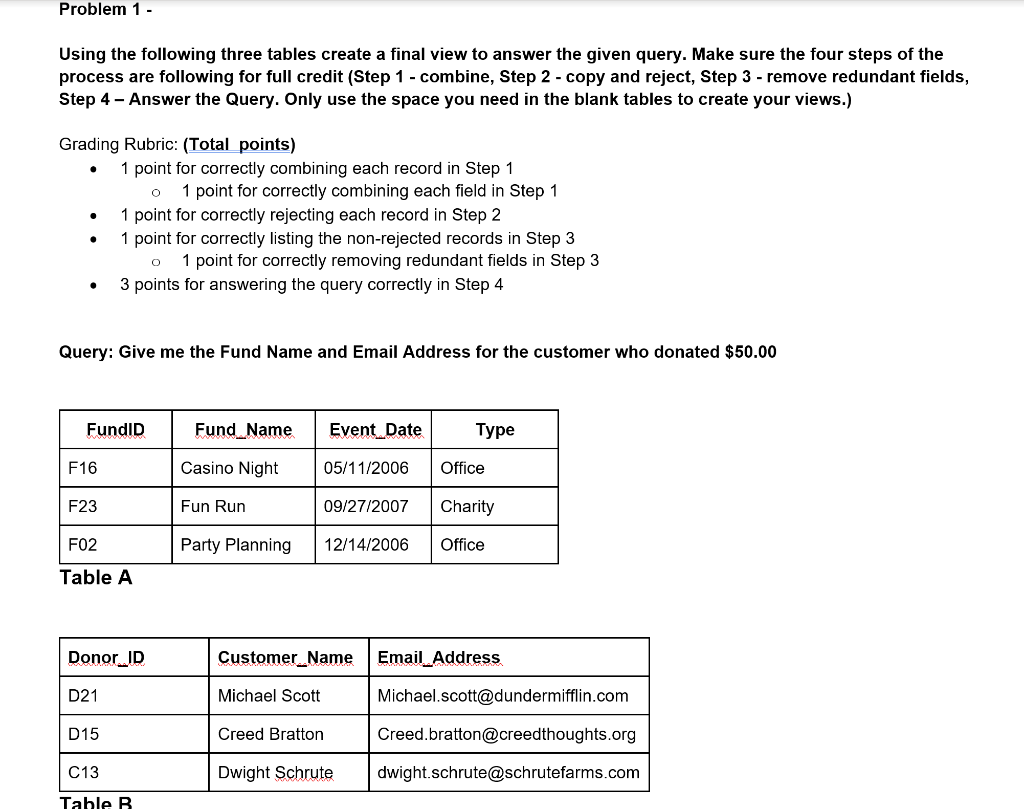
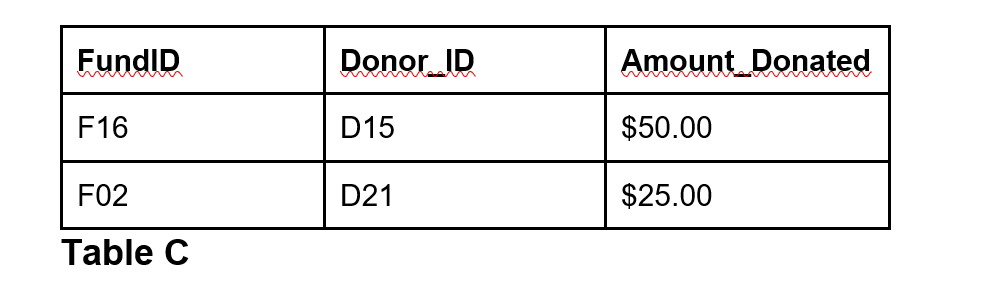
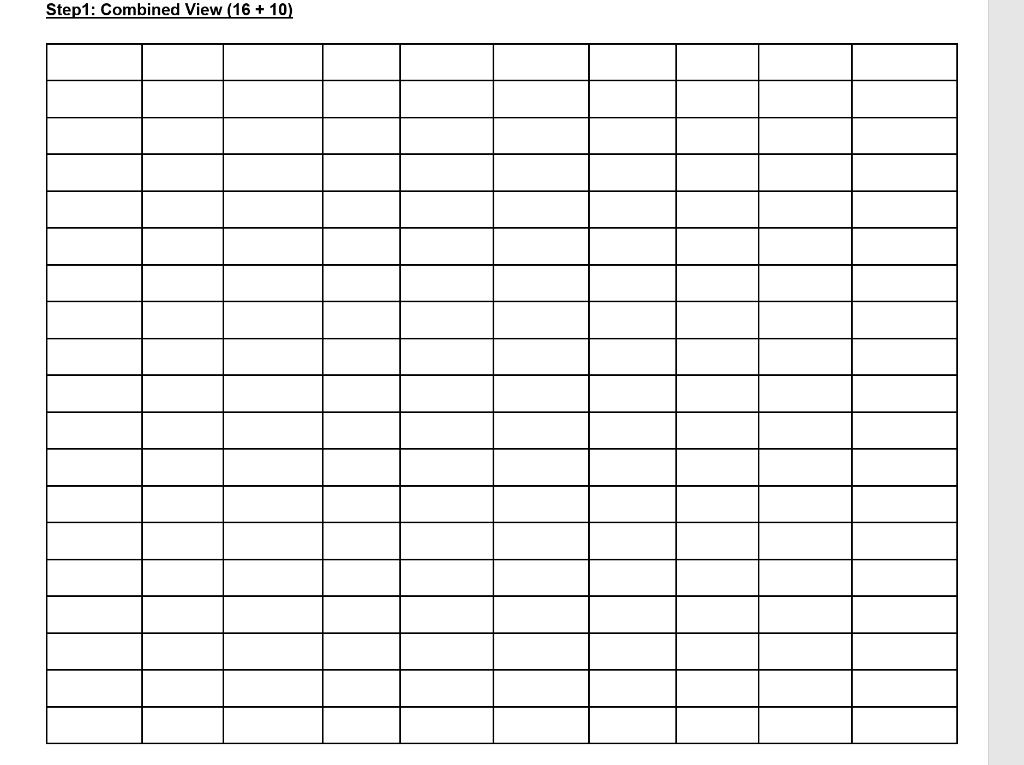
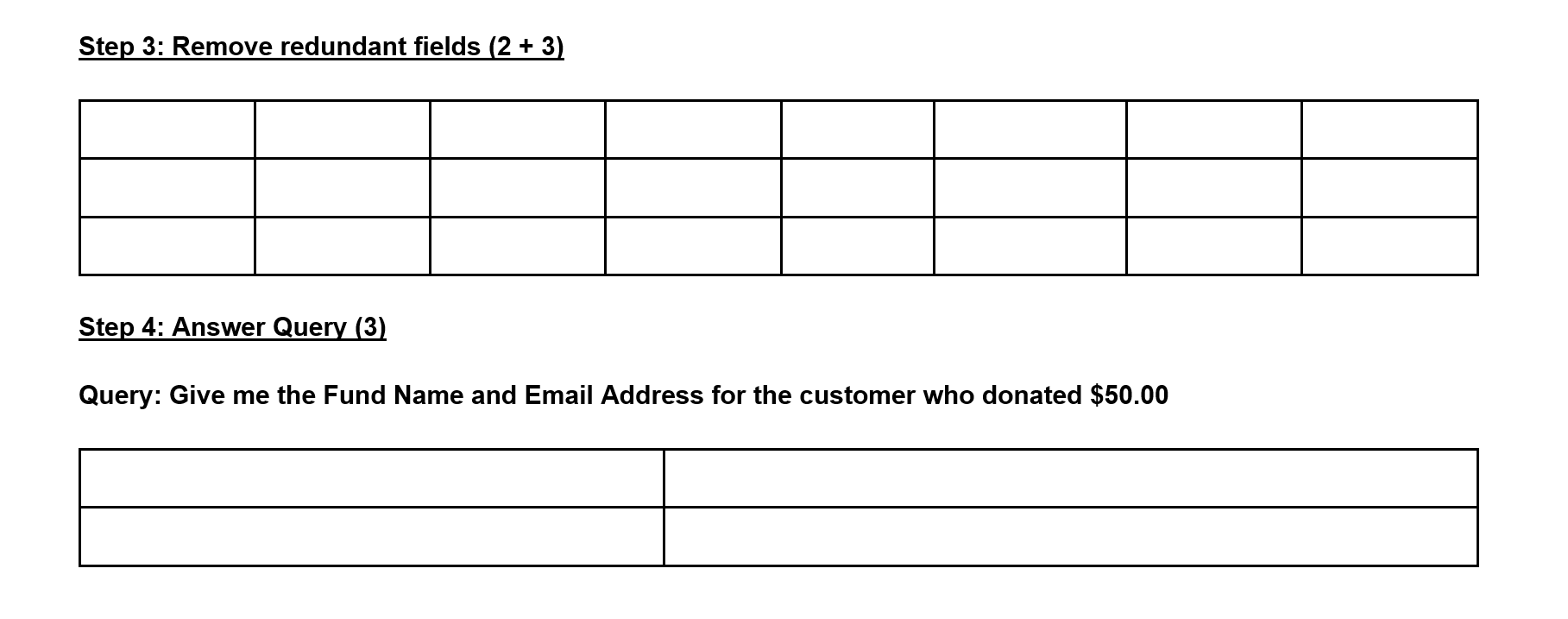
Problem 1 - Using the following three tables create a final view to answer the given query. Make sure the four steps of the process are following for full credit (Step 1 - combine, Step 2 - copy and reject, Step 3 - remove redundant fields, Step 4 - Answer the Query. Only use the space you need in the blank tables to create your views.) 0 Grading Rubric: (Total points) 1 point for correctly combining each record in Step 1 1 point for correctly combining each field in Step 1 1 point for correctly rejecting each record in Step 2 1 point for correctly listing the non-rejected records in Step 3 1 point for correctly removing redundant fields in Step 3 3 points for answering the query correctly in Step 4 . . . Query: Give me the Fund Name and Email Address for the customer who donated $50.00 FundID Fund_Name Event_Date Type F16 Casino Night 05/11/2006 Office F23 Fun Run 09/27/2007 Charity FO2 Party Planning 12/14/2006 Office Table A Donor JD Customer_Name Email Address D21 Michael Scott Michael.scott@dundermifflin.com D15 Creed Bratton Creed.bratton@creedthoughts.org C13 Dwight Schrute dwight.schrute@schrutefarms.com Table B FundID Donor ID Amount Donated F16 D15 $50.00 F02 D21 $25.00 Table C Step 1: Combined View (16 + 10) Step 2: Copy and Reject incorrect records (16) Problem 1 - Using the following three tables create a final view to answer the given query. Make sure the four steps of the process are following for full credit (Step 1 - combine, Step 2 - copy and reject, Step 3 - remove redundant fields, Step 4 - Answer the Query. Only use the space you need in the blank tables to create your views.) 0 Grading Rubric: (Total points) 1 point for correctly combining each record in Step 1 1 point for correctly combining each field in Step 1 1 point for correctly rejecting each record in Step 2 1 point for correctly listing the non-rejected records in Step 3 1 point for correctly removing redundant fields in Step 3 3 points for answering the query correctly in Step 4 . . . Query: Give me the Fund Name and Email Address for the customer who donated $50.00 FundID Fund_Name Event_Date Type F16 Casino Night 05/11/2006 Office F23 Fun Run 09/27/2007 Charity FO2 Party Planning 12/14/2006 Office Table A Donor JD Customer_Name Email Address D21 Michael Scott Michael.scott@dundermifflin.com D15 Creed Bratton Creed.bratton@creedthoughts.org C13 Dwight Schrute dwight.schrute@schrutefarms.com Table B FundID Donor ID Amount Donated F16 D15 $50.00 F02 D21 $25.00 Table C Step 1: Combined View (16 + 10) Step 2: Copy and Reject incorrect records (16)
Step by Step Solution
There are 3 Steps involved in it

Get step-by-step solutions from verified subject matter experts
 Study Help