







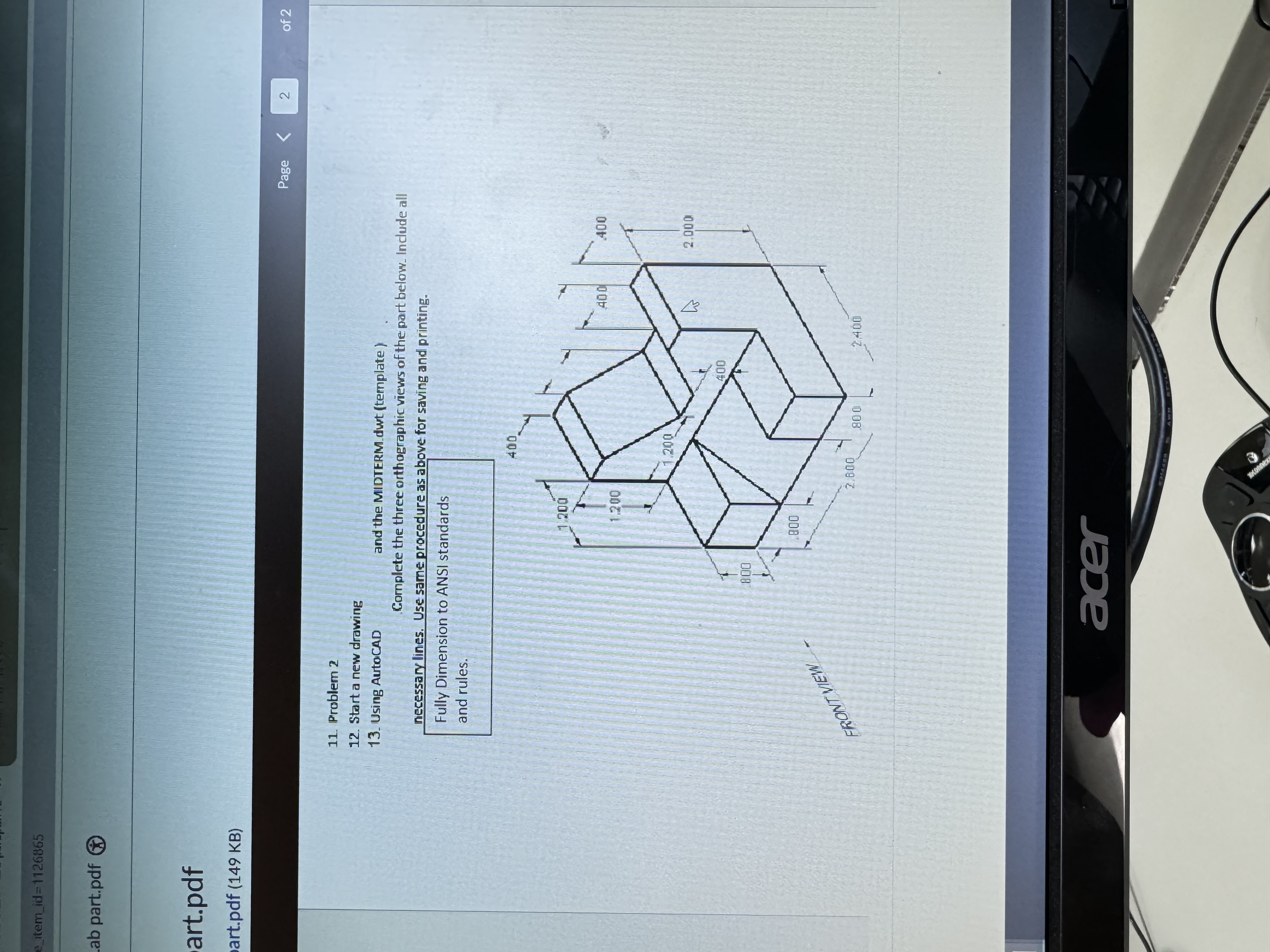
Question: Problem 2 Start a new drawing Using AutoCAD Complete the three orthographic views of the part below. Include all necessary lines. Use same procedure as
Problem
Start a new drawing
Using AutoCAD
Complete the three orthographic views of the part below. Include all
necessary lines. Use same procedure as above for saving and printing.
Fully Dimension to ANSI standards
and rules.
Step by Step Solution
There are 3 Steps involved in it
1 Expert Approved Answer
Step: 1 Unlock

Question Has Been Solved by an Expert!
Get step-by-step solutions from verified subject matter experts
Step: 2 Unlock
Step: 3 Unlock
 Study Help