







Question: Problem 2: Using MATLAB or any other software, plot the approximation to x(t) given by a truncated CTFS expansion x~(t)=k=NNakejk0t Although the above expression seemingly
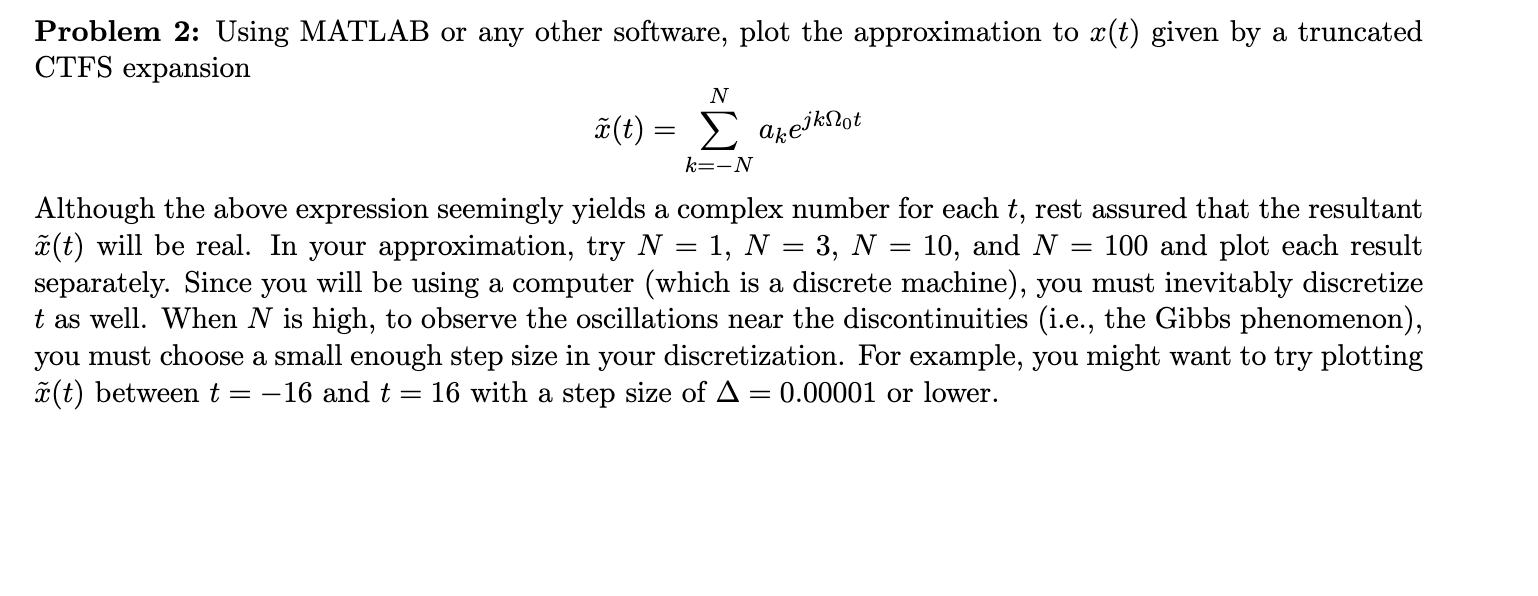
Problem 2: Using MATLAB or any other software, plot the approximation to x(t) given by a truncated CTFS expansion x~(t)=k=NNakejk0t Although the above expression seemingly yields a complex number for each t, rest assured that the resultant x~(t) will be real. In your approximation, try N=1,N=3,N=10, and N=100 and plot each result separately. Since you will be using a computer (which is a discrete machine), you must inevitably discretize t as well. When N is high, to observe the oscillations near the discontinuities (i.e., the Gibbs phenomenon), you must choose a small enough step size in your discretization. For example, you might want to try plotting x~(t) between t=16 and t=16 with a step size of =0.00001 or lower
Step by Step Solution
There are 3 Steps involved in it

Get step-by-step solutions from verified subject matter experts
 Study Help