







Question: Problem 4 : Training Predictions Problem 4 : Training Predictions We will now use the model to generate predictions for the training set. Use the
Problem : Training Predictions Problem : Training Predictions
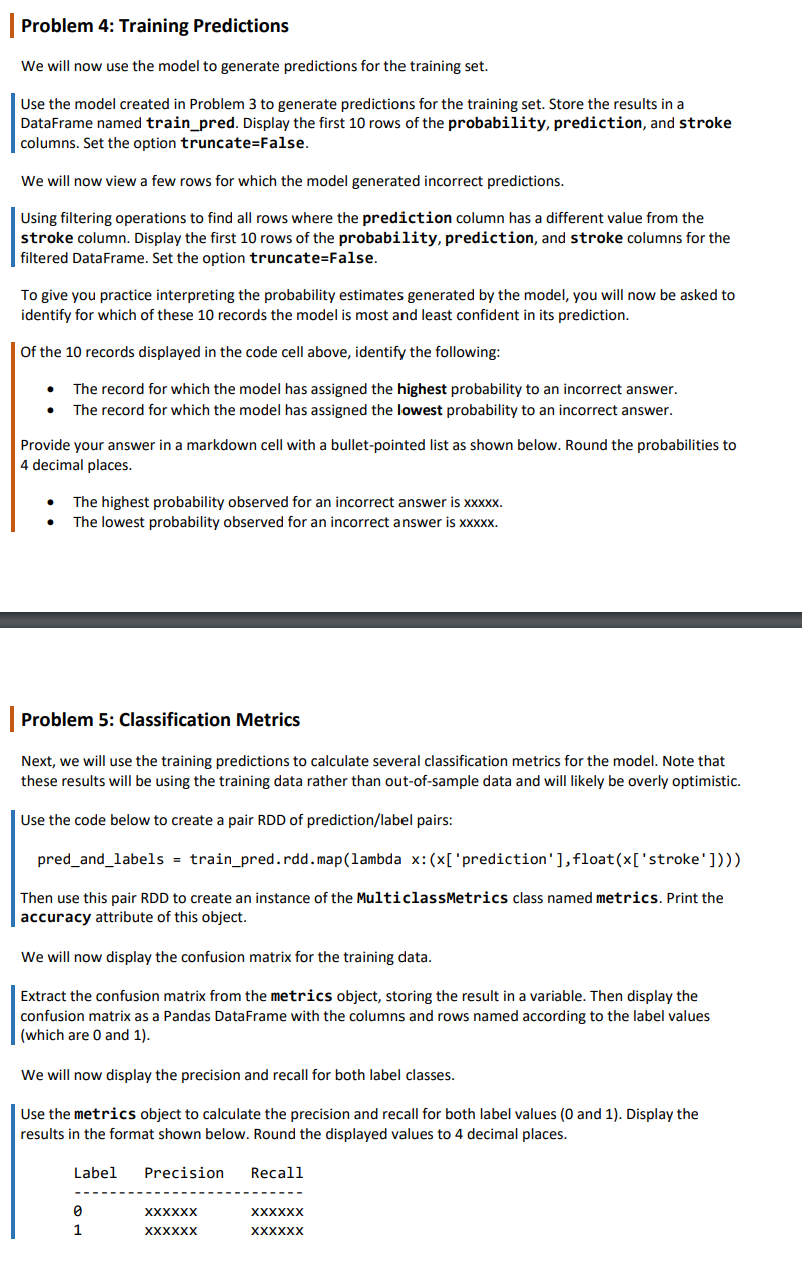
We will now use the model to generate predictions for the training set.
Use the model created in Problem to generate predictions for the training set. Store the results in a
DataFrame named trainpred. Display the first rows of the probability, prediction, and stroke
columns. Set the option truncateFalse.
We will now view a few rows for which the model generated incorrect predictions.
Using filtering operations to find all rows where the prediction column has a different value from the
stroke column. Display the first rows of the probability, prediction, and stroke columns for the
filtered DataFrame. Set the option truncateFalse.
To give you practice interpreting the probability estimates generated by the model, you will now be asked to
identify for which of these records the model is most and least confident in its prediction.
Of the records displayed in the code cell above, identify the following:
The record for which the model has assigned the highest probability to an incorrect answer.
The record for which the model has assigned the lowest probability to an incorrect answer.
Provide your answer in a markdown cell with a bulletpointed list as shown below. Round the probabilities to
decimal places.
The highest probability observed for an incorrect answer is xxxxx
The lowest probability observed for an incorrect answer is xxxxx
Problem : Classification Metrics
Next, we will use the training predictions to calculate several classification metrics for the model. Note that
these results will be using the training data rather than outofsample data and will likely be overly optimistic.
Use the code below to create a pair RDD of predictionlabel pairs:
predandlabels trainpred.rddmaplambda x:xpredictionfloatxstroke
Then use this pair RDD to create an instance of the MulticlassMetrics class named metrics. Print the
accuracy attribute of this object.
We will now display the confusion matrix for the training data.
Extract the confusion matrix from the metrics object, storing the result in a variable. Then display the
confusion matrix as a Pandas DataFrame with the columns and rows named according to the label values
which are and
We will now display the precision and recall for both label classes.
Use the metrics object to calculate the precision and recall for both label values and Display the
results in the format shown below. Round the displayed values to decimal places.
We will now use the model to generate predictions for the training set.
Use the model created in Problem to generate predictions for the training set. Store the results in a
DataFrame named trainpred. Display the first rows of the probability, prediction, and stroke
columns. Set the option truncateFalse.
We will now view a few rows for which the model generated incorrect predictions.
Using filtering operations to find all rows where the prediction column has a different value from the
stroke column. Display the first rows of the probability, prediction, and stroke columns for the
filtered DataFrame. Set the option truncateFalse.
To give you practice interpreting the probability estimates generated by the model, you will now be asked to
identify for which of these records the model is most and least confident in its prediction.
Of the records displayed in the code cell above, identify the following:
The record for which the model has assigned the highest probability to an incorrect answer.
The record for which the model has assigned the lowest probability to an incorrect answer.
Provide your answer in a markdown cell with a bulletpointed list as shown below. Round the probabilities to
decimal places.
The highest probability observed for an incorrect answer is xxxxx
The lowest probability observed for an incorrect answer is xxxxx
Step by Step Solution
There are 3 Steps involved in it
1 Expert Approved Answer
Step: 1 Unlock

Question Has Been Solved by an Expert!
Get step-by-step solutions from verified subject matter experts
Step: 2 Unlock
Step: 3 Unlock
 Study Help