







Question: Problem Description in C + + Write a program that will prompt the user for the names of two files, one containing a coded message
Problem Description in C
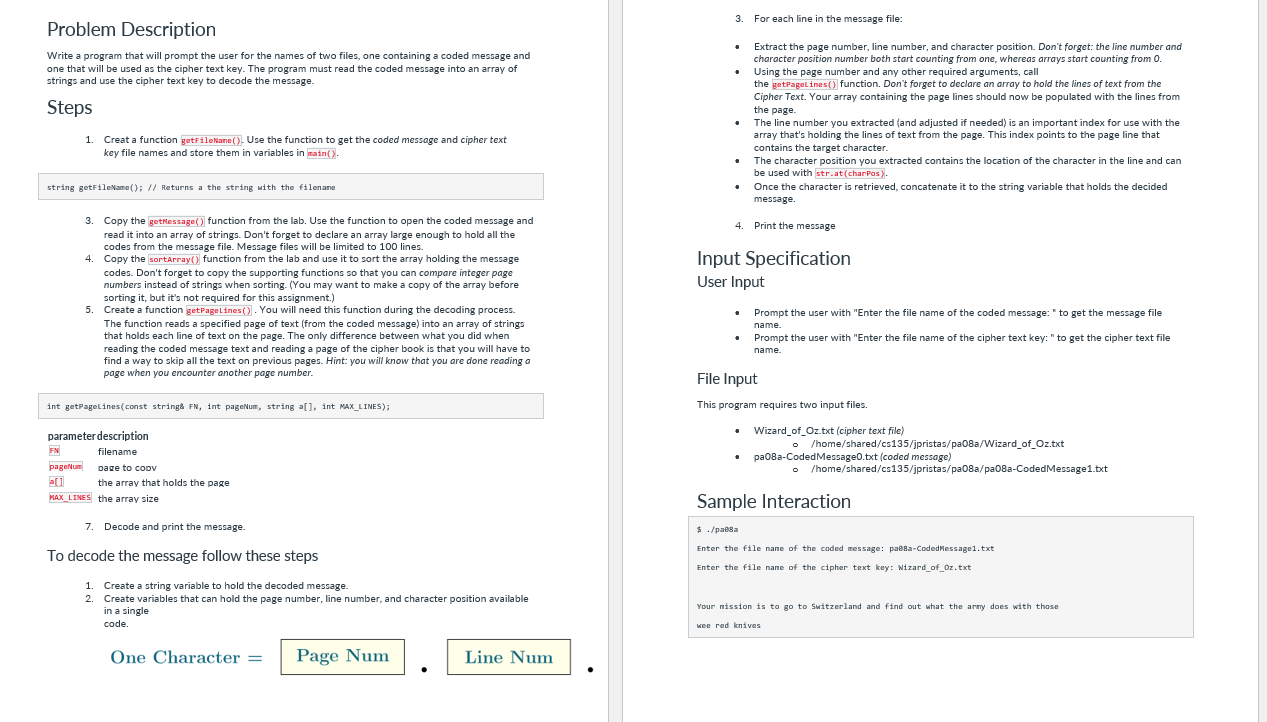
Write a program that will prompt the user for the names of two files, one containing a coded message and
one that will be used as the cipher text key. The program must read the coded message into an array of
strings and use the cipher text key to decode the message.
Steps
Creat a function getfilekane Use the function to get the coded message and cipher text
key file names and store them in variables in rain
string getFileVame; Returns a the string with the filenane
Copy the getmessage function from the lab. Use the function to open the coded message and
read it into an array of strings. Don't forget to declare an array large enough to hold all the
codes from the message file. Message files will be limited to lines.
Copy the sortarray function from the lab and use it to sort the array holding the message
codes. Don't forget to copy the supporting functions so that you can compare integer page
numbers instead of strings when sorting. You may want to make a copy of the array before
sorting it but it's not required for this assignment.
Create a function getpagelines You will need this function during the decoding process.
The function reads a specified page of text from the coded message into an array of strings
that holds each line of text on the page. The only difference between what you did when
reading the coded message text and reading a page of the cipher book is that you will have to
find a way to skip all the text on previous pages. Hint: you will know that you are done reading a
page when you encounter another page number.
int getPagelinesconst string FN int pageNum, string a int NaxLINES;
parameter description
FN
filename
pagenum
Dage to coov
the array that holds the page
the array size
Decode and print the message.
To decode the message follow these steps
Create a string variable to hold the decoded message.
Create variables that can hold the page number, line number, and character position available
in a single
code.
For each line in the message file:
Extract the page number, line number, and character position. Don't forget: the line number and
character position number both start counting from one, whereas arrays start counting from
Using the page number and any other required arguments, call
the getpagelines function. Don't forget to declare an array to hold the lines of text from the
Cipher Text. Your array containing the page lines should now be populated with the lines from
the page.
The line number you extracted and adjusted if needed is an important index for use with the
array that's holding the lines of text from the page. This index points to the page line that
contains the target character.
The character position you extracted contains the location of the character in the line and can
be used with
stratcharpas
Once the character is retrieved, concatenate it to the string variable that holds the decided
message.
Print the message
Input Specification
User Input
Prompt the user with "Enter the file name of the coded message: to get the message file
name.
Prompt the user with "Enter the file name of the cipher text key: to get the cipher text file
name.
File Input
This program requires two input files.
WizardofOztxt cipher text file
homesharedcsjpristaspaaWizardofOztxt
paaCodedMessagetxt coded message
homesharedcsjpristaspaapaaCodedMessagetxt
Sample Interaction
$paesa
Enter the file nane of the coded message: paedaCodedMessagetxt
Enter the file nane of the cipher text key: WizardofOztxt
Your mission is to go to Switzerland and find out what the arny does with those
wee red knives
Step by Step Solution
There are 3 Steps involved in it
1 Expert Approved Answer
Step: 1 Unlock

Question Has Been Solved by an Expert!
Get step-by-step solutions from verified subject matter experts
Step: 2 Unlock
Step: 3 Unlock
 Study Help