







Question: Problem Statement: Given a CSV file with source vertex, target vertex, and weight, generate the corresponding minimum spanning tree ( MST ) . The generated
Problem Statement:
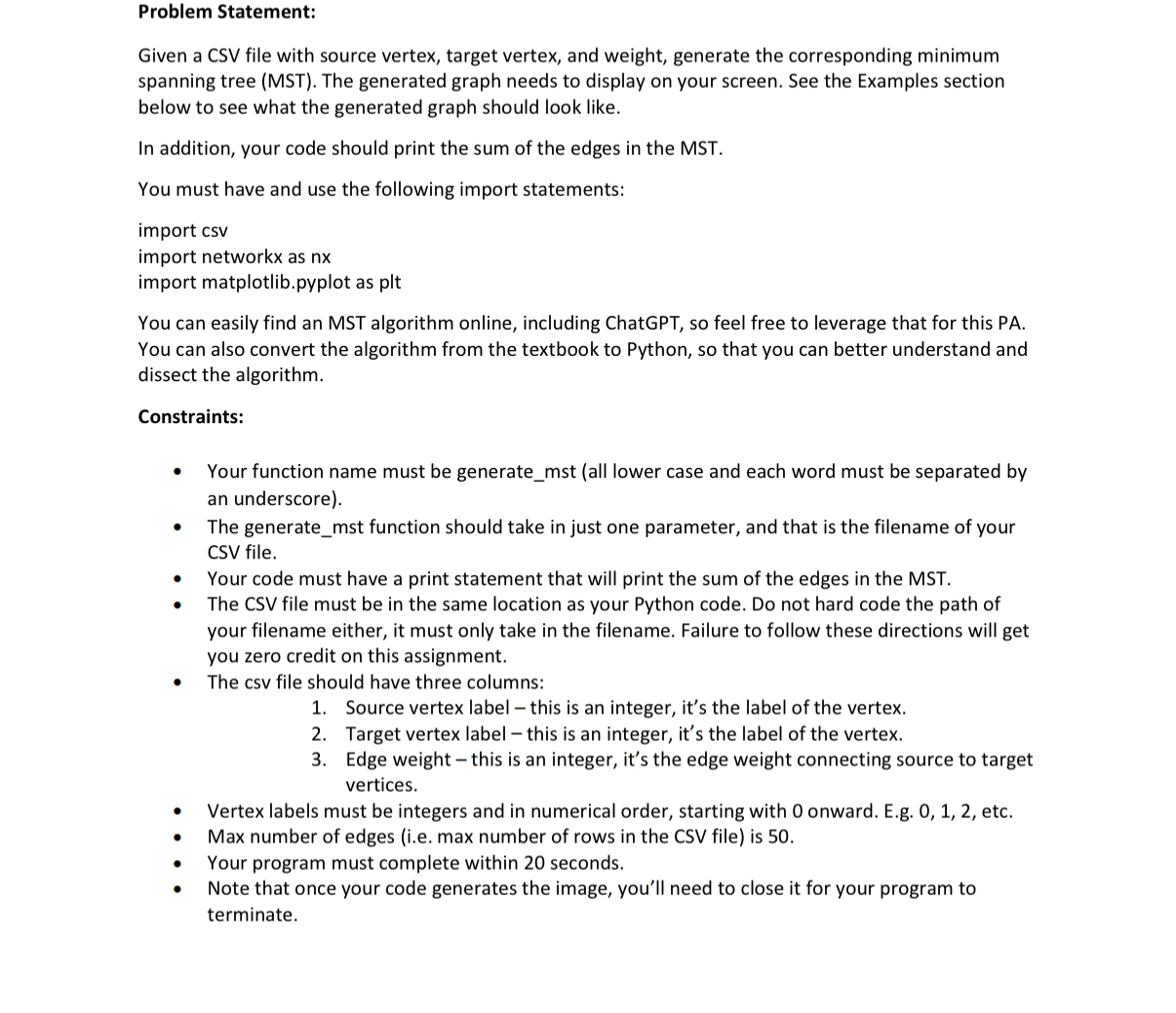
Given a CSV file with source vertex, target vertex, and weight, generate the corresponding minimum spanning tree MST The generated graph needs to display on your screen. See the Examples section below to see what the generated graph should look like.
In addition, your code should print the sum of the edges in the MST
You must have and use the following import statements:
import csv
import networkx as nx
import matplotlib.pyplot as plt
You can easily find an MST algorithm online, including ChatGPT, so feel free to leverage that for this PA You can also convert the algorithm from the textbook to Python, so that you can better understand and dissect the algorithm.
Constraints:
Your function name must be generatemst all lower case and each word must be separated by an underscore
The generatemst function should take in just one parameter, and that is the filename of your CSV file.
Your code must have a print statement that will print the sum of the edges in the MST
The CSV file must be in the same location as your Python code. Do not hard code the path of your filename either, it must only take in the filename. Failure to follow these directions will get you zero credit on this assignment.
The csv file should have three columns:
Source vertex label this is an integer, it's the label of the vertex.
Target vertex label this is an integer, it's the label of the vertex.
Edge weight this is an integer, it's the edge weight connecting source to target vertices.
Vertex labels must be integers and in numerical order, starting with onward. Eg etc.
Max number of edges ie max number of rows in the CSV file is
Your program must complete within seconds.
Note that once your code generates the image, you'll need to close it for your program to terminate.
Step by Step Solution
There are 3 Steps involved in it
1 Expert Approved Answer
Step: 1 Unlock

Question Has Been Solved by an Expert!
Get step-by-step solutions from verified subject matter experts
Step: 2 Unlock
Step: 3 Unlock
 Study Help