







Question: Problem statement In this program, you are to design and implement the turtle graphics application. Turtle graphics was introduced in 1960s as a part of
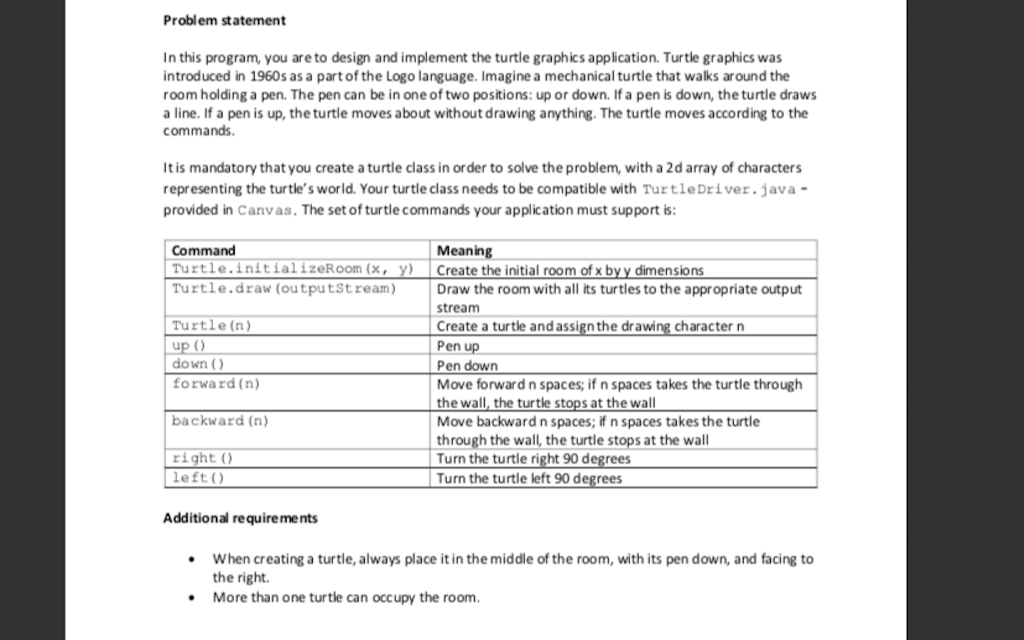
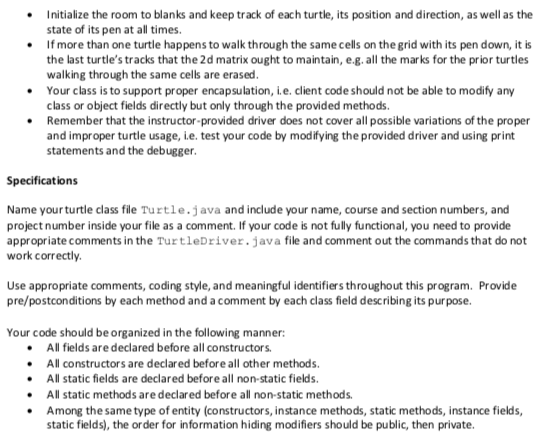

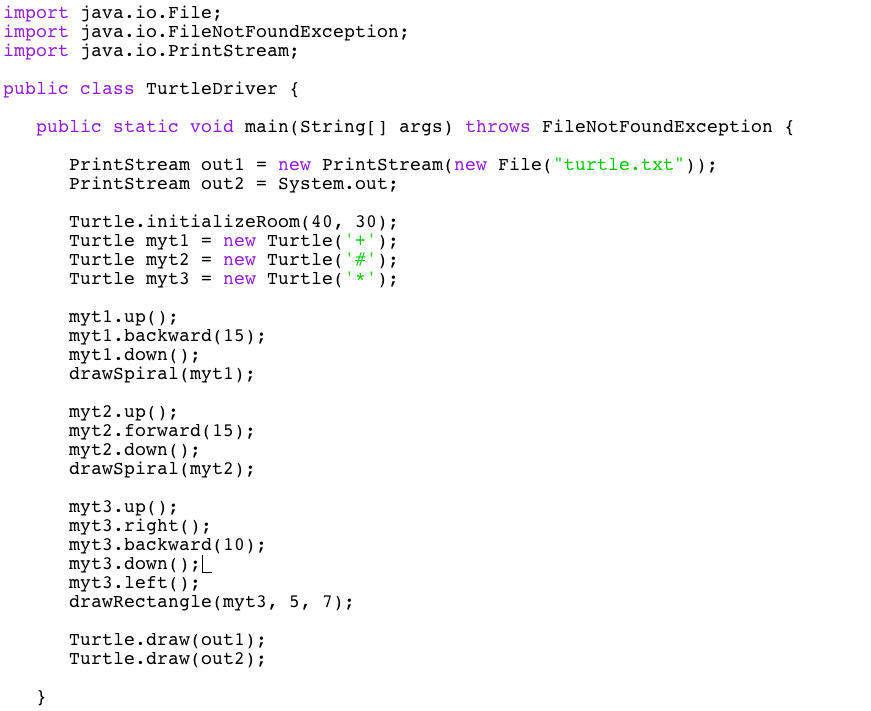
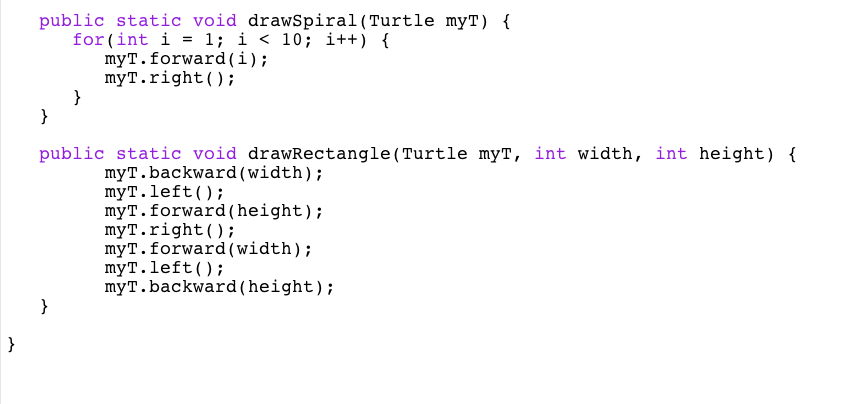
Problem statement In this program, you are to design and implement the turtle graphics application. Turtle graphics was introduced in 1960s as a part of the Logo language. Imagine a mechanical turtle that walks around the room holding a pen. The pen can be in one of two positions: up or down. If a pen is down, the turtle draws a line. If a pen is up, the turtle moves about without drawing anything. The turtle moves according to the commands It is mandatory that you create a turtle class in order to solve the problem, with a 2d array of characters representing the turtle's world. Your turtle class needs to be compatible with TurtleDriver.java- provided in Canvas. The set of turtle commands your application must support is Meaning Command Turtle.initializeRoom (x, y) Create the initial room of x byy dimensions Turtle.draw (outputstream) Draw the room with all its turtles to the appropriate output stream Create a turtle andassignthe drawing character n Pen up Pen down Move forward n spaces; if n spaces takes the turtle through the wall, the turtle stops at the wall Move backward n spaces; if n spaces takes the turtle through the wall, the turtle stops at the wall Turn the turtle right 90 degrees Turn the turtle left 90 degrees Turtle (n) down () forward (n) backward (n) right ) left () Additional requirements When creating a turtle, always place it in the middle of the room, with its pen down, and facing to the right. More than one turtle can occupy the room Problem statement In this program, you are to design and implement the turtle graphics application. Turtle graphics was introduced in 1960s as a part of the Logo language. Imagine a mechanical turtle that walks around the room holding a pen. The pen can be in one of two positions: up or down. If a pen is down, the turtle draws a line. If a pen is up, the turtle moves about without drawing anything. The turtle moves according to the commands It is mandatory that you create a turtle class in order to solve the problem, with a 2d array of characters representing the turtle's world. Your turtle class needs to be compatible with TurtleDriver.java- provided in Canvas. The set of turtle commands your application must support is Meaning Command Turtle.initializeRoom (x, y) Create the initial room of x byy dimensions Turtle.draw (outputstream) Draw the room with all its turtles to the appropriate output stream Create a turtle andassignthe drawing character n Pen up Pen down Move forward n spaces; if n spaces takes the turtle through the wall, the turtle stops at the wall Move backward n spaces; if n spaces takes the turtle through the wall, the turtle stops at the wall Turn the turtle right 90 degrees Turn the turtle left 90 degrees Turtle (n) down () forward (n) backward (n) right ) left () Additional requirements When creating a turtle, always place it in the middle of the room, with its pen down, and facing to the right. More than one turtle can occupy the room
Step by Step Solution
There are 3 Steps involved in it

Get step-by-step solutions from verified subject matter experts
 Study Help