







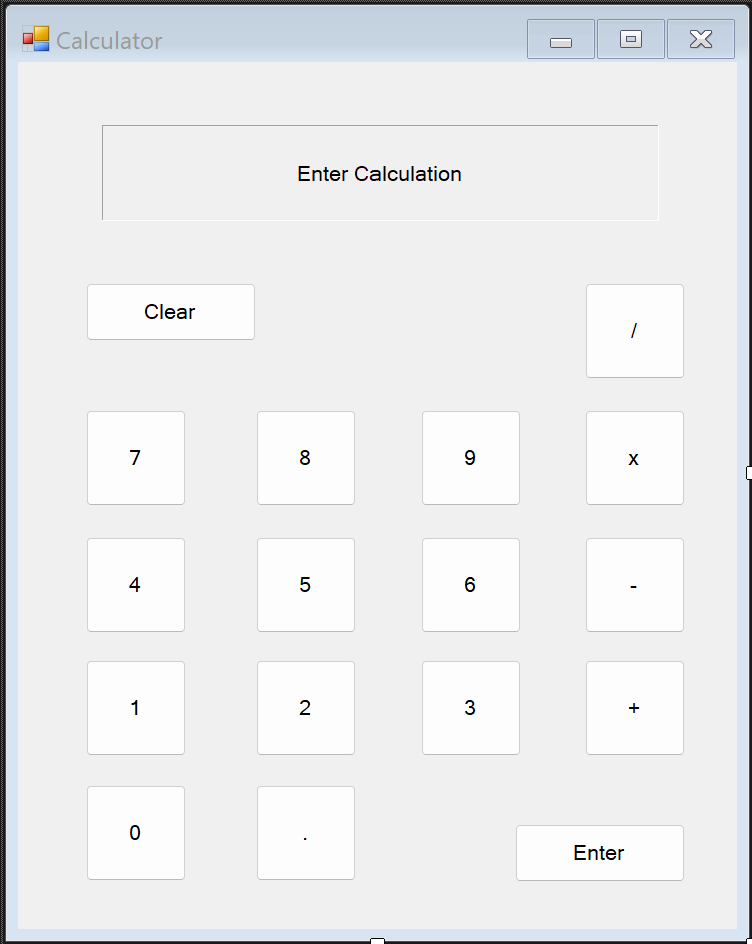
Question: Problem Statement: W e have a nearly completed calculator desktop application. However, the calculate method i s missing the computation aspects o f the program,
Problem Statement:
have a nearly completed calculator desktop application. However, the calculate method missing
the computation aspects the program, and need your help! Dive into the code, and add the
missing mathematical functionality. You will need only fix this portion the code.
Code tasks:
Identify the method within the code behind.
ONLY MODIFY THIS METHOD!
Complete the switch statement:
Develop cases that will match the
Use the two variables, and found within the method.
Display the result the control.
Optional: Find bugs within the program for brownie points.
Hints:
Use the debugger learn what variable inputs and outputs will
Place intelligent breakpoint stop the program where you need information
using System;
using System.Collections.Generic;
using System.ComponentModel;
using System.Data;
using System.Drawing;
using System.Linq;
using System.Text;
using System.Threading.Tasks;
using System.Windows.Forms;
namespace Calculator
public partial class Calc : Form
private string currentNumber "Empty";
private string currentOperation "Blank";
public Calc
InitializeComponent;
private void ButtonNumberClickobject sender EventArgs e
Button btn sender as Button;
if labelResultText "Enter Calculation" labelResult.Text "Syntax Error" initial
labelResult.Text btnText;
else if labelResultText labelResult.Text x labelResult.Text labelResult.Text handles number after operation
labelResult.Text btnText;
else if currentOperation "Blank" && currentNumber labelResult.Text handles new number after enter click
labelResult.Text btnText;
else grow number
labelResult.Text labelResult.Text btnText;
private void ButtonOperationClickobject sender EventArgs e
Button btn sender as Button;
if labelResultText "Enter Calculation" initial
do nothing
return;
else if currentOperation "Blank" first operation
currentNumber labelResult.Text;
else
calculate
ButtonEnterClicksender e;
currentOperation btnText;
labelResult.Text btnText;
private void ButtonClearClickobject sender EventArgs e reset
labelResult.Text "Enter Calculation";
currentNumber "Empty";
currentOperation "Blank";
private void ButtonEnterClickobject sender EventArgs e
if labelResultText currentOperation handle case without second number
labelResult.Text "Syntax Error";
currentNumber "Empty";
currentOperation "Blank";
return;
Calculate;
currentNumber labelResult.Text;
currentOperation "Blank";
private void Calculate
string firstNumber currentNumber;
string secondNumber labelResult.Text;
switch currentOperation
case perform division
case perform multiplication
case perform subtraction
case perform addition
Enter Calculation
default: reset
ButtonClearClicknull null;
break;
Step by Step Solution
There are 3 Steps involved in it
1 Expert Approved Answer
Step: 1 Unlock

Question Has Been Solved by an Expert!
Get step-by-step solutions from verified subject matter experts
Step: 2 Unlock
Step: 3 Unlock
 Study Help