







Question: Procedure Part 1 : Finding the Field Strength around a single charged particle. Click on the + 1 n C charge ( ) and drag
Procedure Part : Finding the Field Strength around a single charged particle.
Click on the charge and drag it out and place it so that the center of the cross is lined up with the intersection of two darker lines. Make a quick sketch of the electric field generated by a charge in the "Step portion of the data section. Complete the questions for Step in the analysis section. Replace the charge with a charge
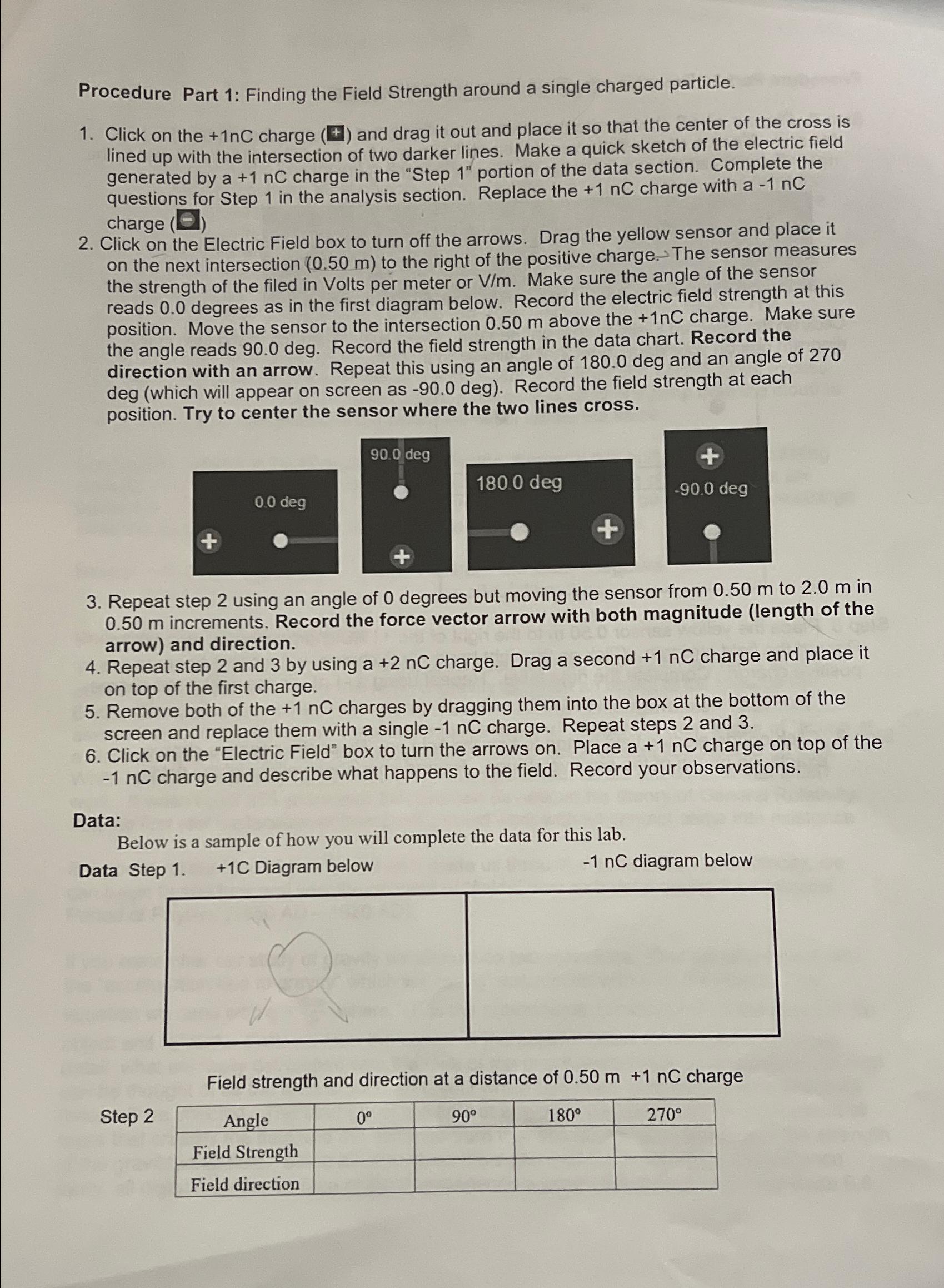
Click on the Electric Field box to turn off the arrows. Drag the yellow sensor and place it on the next intersection to the right of the positive charge. The sensor measures the strength of the filed in Volts per meter or Vm Make sure the angle of the sensor reads degrees as in the first diagram below. Record the electric field strength at this position. Move the sensor to the intersection above the charge. Make sure the angle reads deg. Record the field strength in the data chart. Record the direction with an arrow. Repeat this using an angle of deg and an angle of deg which will appear on screen as deg Record the field strength at each position. Try to center the sensor where the two lines cross.
Repeat step using an angle of degrees but moving the sensor from to in increments. Record the force vector arrow with both magnitude length of the arrow and direction.
Repeat step and by using a charge. Drag a second charge and place it on top of the first charge.
Remove both of the charges by dragging them into the box at the bottom of the screen and replace them with a single charge. Repeat steps and
Click on the "Electric Field" box to turn the arrows on Place charge on top of the charge and describe what happens to the field. Record your observations.
Data:
Below is a sample of how you will complete the data for this lab.
Data Step C Diagram below
diagram below
Field strength and direction at a distance of charge
Step
tableAngle
Step by Step Solution
There are 3 Steps involved in it
1 Expert Approved Answer
Step: 1 Unlock

Question Has Been Solved by an Expert!
Get step-by-step solutions from verified subject matter experts
Step: 2 Unlock
Step: 3 Unlock
 Study Help