



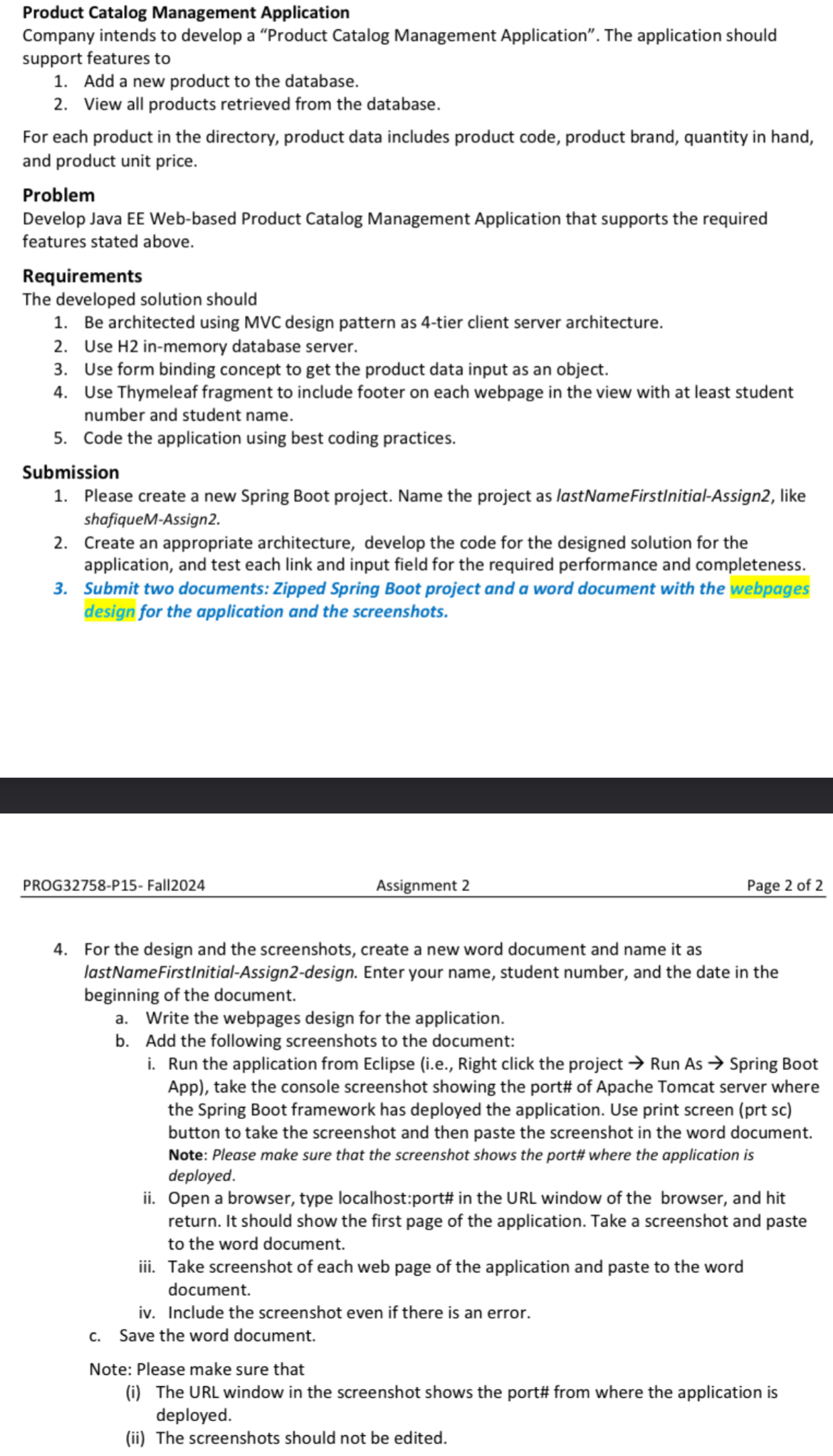
Question: Product Catalog Management Application Company intends to develop a Product Catalog Management Application. The application should support features to Add a new product to the
Product Catalog Management Application
Company intends to develop a "Product Catalog Management Application". The application should support features to
Add a new product to the database.
View all products retrieved from the database.
For each product in the directory, product data includes product code, product brand, quantity in hand, and product unit price.
Problem
Develop Java EE Webbased Product Catalog Management Application that supports the required features stated above.
Requirements
The developed solution should
Be architected using MVC design pattern as tier client server architecture.
Use H inmemory database server.
Use form binding concept to get the product data input as an object.
Use Thymeleaf fragment to include footer on each webpage in the view with at least student number and student name.
Code the application using best coding practices.
Submission
Please create a new Spring Boot project. Name the project as lastNameFirstnitialAssign like shafiqueMAssign
Create an appropriate architecture, develop the code for the designed solution for the application, and test each link and input field for the required performance and completeness.
Submit two documents: Zipped Spring Boot project and a word document with the webpages design for the application and the screenshots.
PROGP Fall
Assignment
Page of
For the design and the screenshots, create a new word document and name it as lastNameFirstInitialAssigndesign. Enter your name, student number, and the date in the beginning of the document.
a Write the webpages design for the application.
b Add the following screenshots to the document:
i Run the application from Eclipse ie Right click the project Run As Spring Boot App take the console screenshot showing the port# of Apache Tomcat server where the Spring Boot framework has deployed the application. Use print screen prt sc button to take the screenshot and then paste the screenshot in the word document.
Note: Please make sure that the screenshot shows the port# where the application is deployed.
ii Open a browser, type localhost:port# in the URL window of the browser, and hit return. It should show the first page of the application. Take a screenshot and paste to the word document.
iii. Take screenshot of each web page of the application and paste to the word document.
iv Include the screenshot even if there is an error.
c Save the word document.
Note: Please make sure that
i The URL window in the screenshot shows the port# from where the application is deployed.
ii The screenshots should not be edited.
Step by Step Solution
There are 3 Steps involved in it
1 Expert Approved Answer
Step: 1 Unlock

Question Has Been Solved by an Expert!
Get step-by-step solutions from verified subject matter experts
Step: 2 Unlock
Step: 3 Unlock