







Question: program # 2 OSpgm2c_4 CGS3767 Operating Systems for IT Professor: Michael Robinson e-mail : michael.robinson@cs.fiu.edu ********* !!!!*** USE THE TOOLS THAT WE HAVE LEARNED
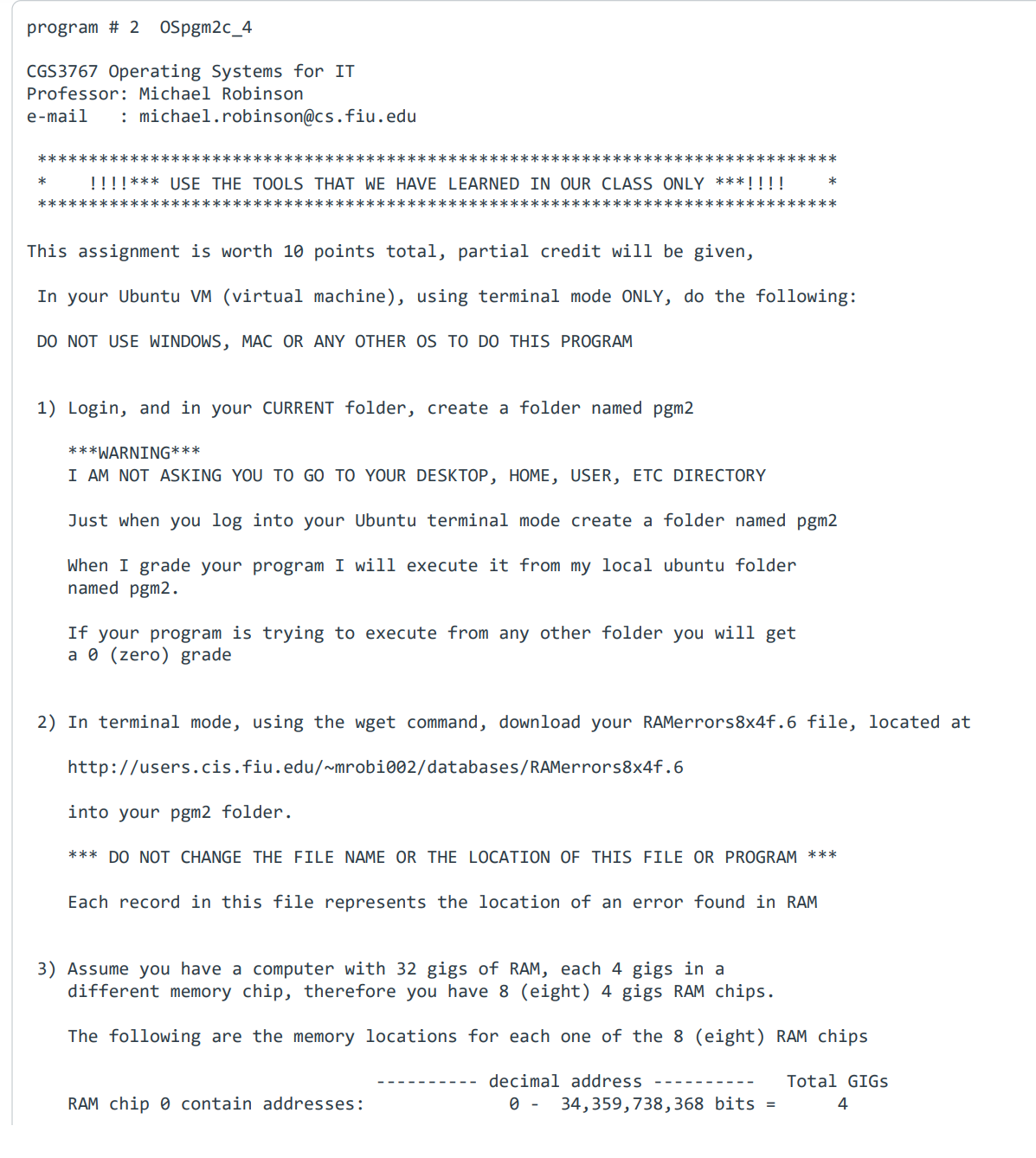
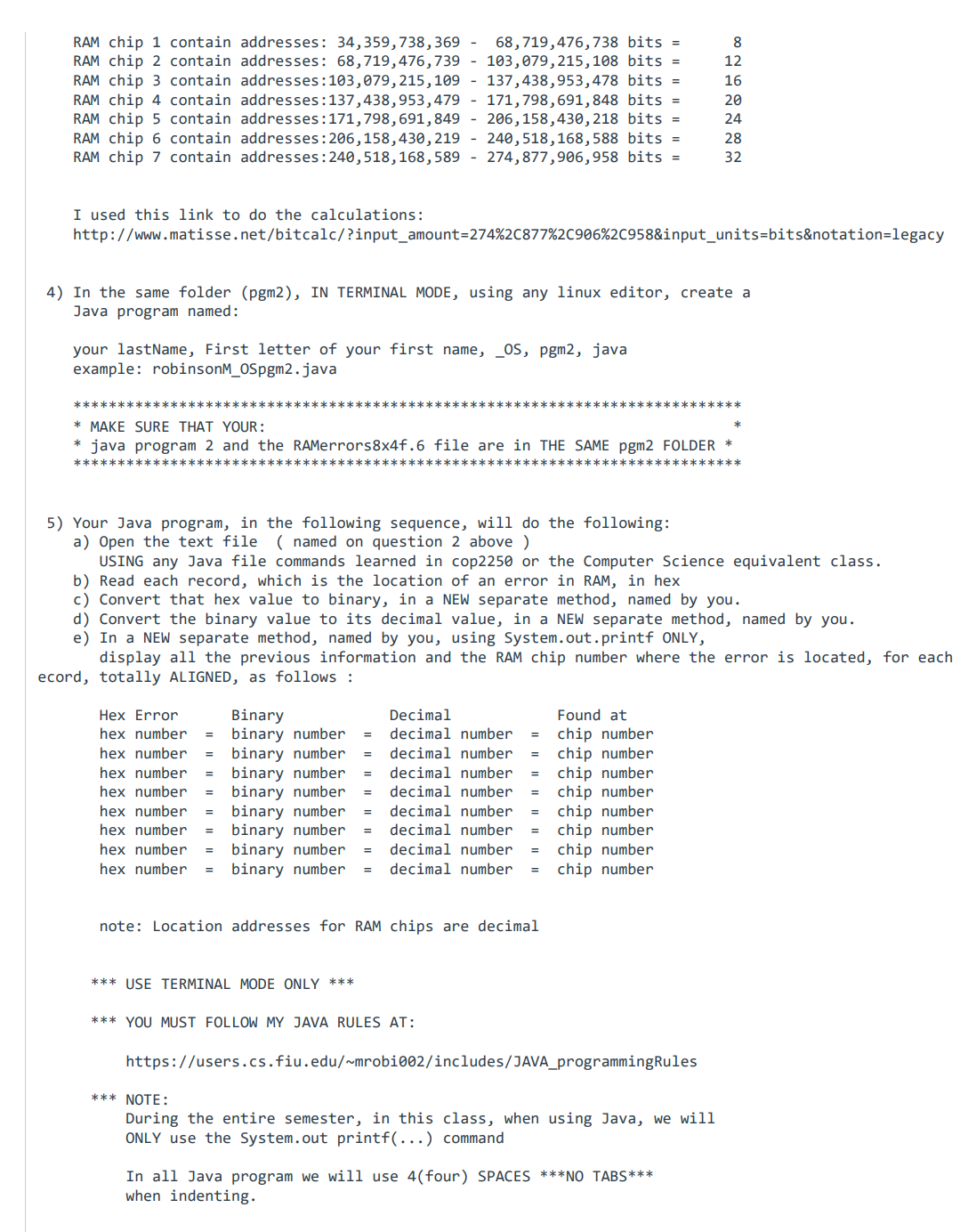
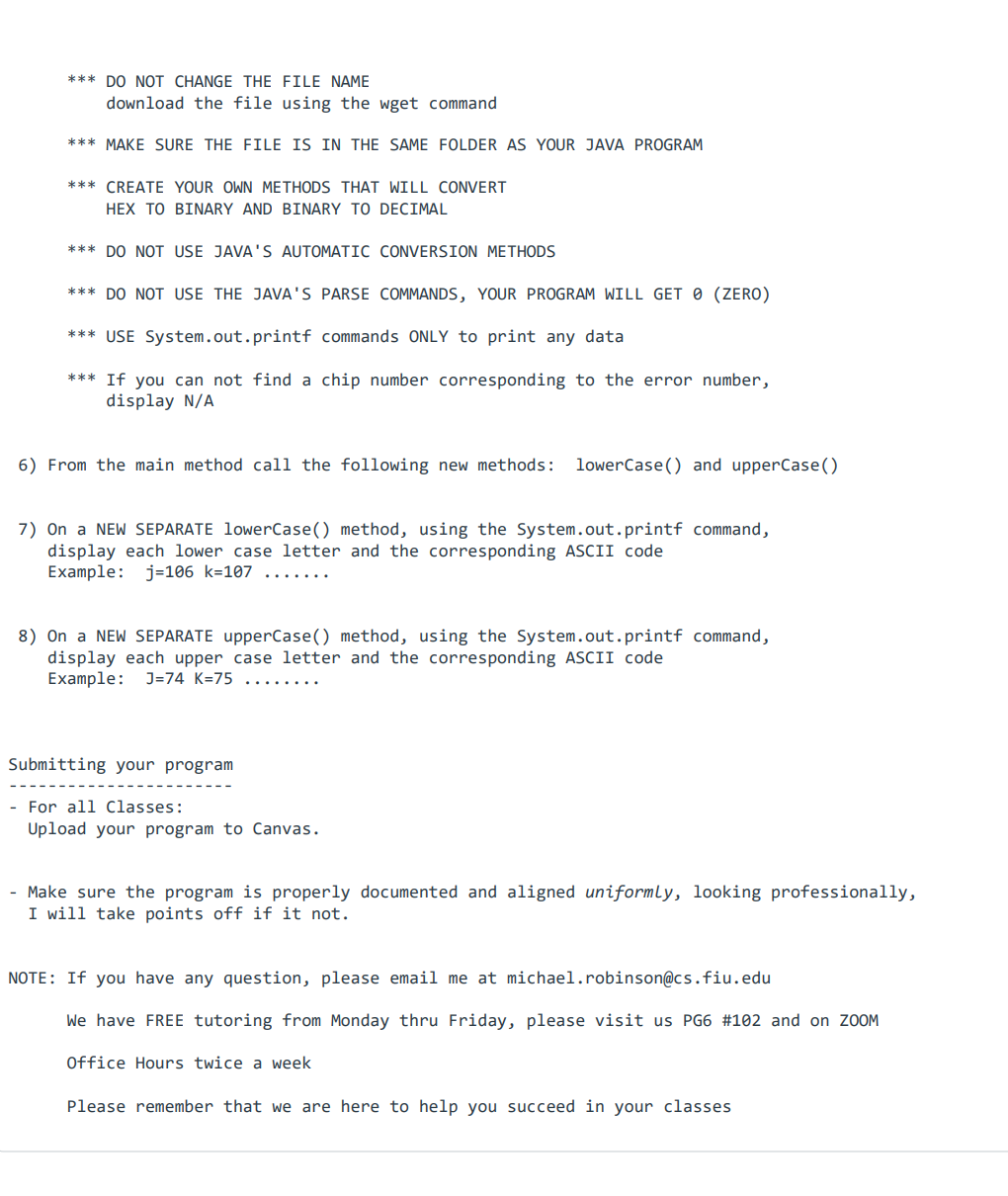
program # 2 OSpgm2c_4 CGS3767 Operating Systems for IT Professor: Michael Robinson e-mail : michael.robinson@cs.fiu.edu ********* !!!!*** USE THE TOOLS THAT WE HAVE LEARNED IN OUR CLASS ONLY ***!!!! ************** 1) Login, and in your CURRENT folder, create a folder named pgm2 ********** This assignment is worth 10 points total, partial credit will be given, In your Ubuntu VM (virtual machine), using terminal mode ONLY, do the following: DO NOT USE WINDOWS, MAC OR ANY OTHER OS TO DO THIS PROGRAM *********** ***WARNING*** I AM NOT ASKING YOU TO GO TO YOUR DESKTOP, HOME, USER, ETC DIRECTORY Just when you log into your Ubuntu terminal mode create a folder named pgm2 When I grade your program I will execute it from my local ubuntu folder named pgm2. If your program is trying to execute from any other folder you will get a 0 (zero) grade into your pgm2 folder. 2) In terminal mode, using the wget command, download your RAMerrors8x4f.6 file, located at http://users.cis.fiu.edu/~mrobi002/databases/RAMerrors8x4f.6 *** DO NOT CHANGE THE FILE NAME OR THE LOCATION OF THIS FILE OR PROGRAM *** Each record in this file represents the location of an error found in RAM RAM chip contain addresses: 3) Assume you have a computer with 32 gigs of RAM, each 4 gigs in a different memory chip, therefore you have 8 (eight) 4 gigs RAM chips. The following are the memory locations for each one of the 8 (eight) RAM chips decimal address 0 - 34,359,738,368 bits = Total GIGS 4 RAM chip 1 contain addresses: 34,359,738,369 - 68,719,476,738 bits = RAM chip 2 contain addresses: 68,719,476,739 103,079,215,108 bits = RAM chip 3 contain addresses: 103,079,215,109 137,438,953,478 bits = RAM chip 4 contain addresses:137,438,953,479 171,798,691,848 bits = RAM chip 5 contain addresses: 171,798, 691,849 - 206,158,430,218 bits = RAM chip 6 contain addresses: 206,158,430,219 240,518,168,588 bits = RAM chip 7 contain addresses: 240, 518,168,589 274,877,906,958 bits = I used this link to do the calculations: http://www.matisse.net/bitcalc/?input_amount=274%2C877%2C906%2C958&input_units-bits¬ation=legacy your lastName, First letter of your first name, _OS, pgm2, java example: robinsonM_OSpgm2.java 4) In the same folder (pgm2), IN TERMINAL MODE, using any linux editor, create a Java program named: ********** * MAKE SURE THAT YOUR : java program 2 and the RAMerrors8x4f.6 file are in THE SAME pgm2 FOLDER * ********* 5) Your Java program, in the following sequence, will do the following: a) Open the text file (named on question 2 above ) USING any Java file commands learned in cop2250 or the Computer Science equivalent class. b) Read each record, which is the location of an error in RAM, in hex c) Convert that hex value to binary, in a NEW separate method, named by you. d) Convert the binary value to its decimal value, in a NEW separate method, named by you. e) In a NEW separate method, named by you, using System.out.printf ONLY, Hex Error hex number = hex number = hex number = hex number = hex number = hex number = hex number = hex number display all the previous information and the RAM chip number where the error is located, for each ecord, totally ALIGNED, as follows: Binary binary number binary number binary number binary number binary number binary number binary number = = decimal number = binary number = decimal number = = *** USE TERMINAL MODE ONLY *** = = Decimal decimal number = decimal number = decimal number = decimal number = = Found at chip number chip number chip number chip number decimal number chip number decimal number = chip number chip number chip number note: Location addresses for RAM chips are decimal 8 12 16 20 24 28 32 *** YOU MUST FOLLOW MY JAVA RULES AT: https://users.cs.fiu.edu/~mrobi002/includes/JAVA_programmingRules *** NOTE: During the entire semester, in this class, when using Java, we will ONLY use the System.out printf(...) command In all Java program we will use 4(four) SPACES ***NO TABS*** when indenting. *** DO NOT CHANGE THE FILE NAME download the file using the wget command *** MAKE SURE THE FILE IS IN THE SAME FOLDER AS YOUR JAVA PROGRAM *** CREATE YOUR OWN METHODS THAT WILL CONVERT HEX TO BINARY AND BINARY TO DECIMAL *** DO NOT USE JAVA'S AUTOMATIC CONVERSION METHODS *** DO NOT USE THE JAVA'S PARSE COMMANDS, YOUR PROGRAM WILL GET 0 (ZERO) *** USE System.out.printf commands ONLY to print any data *** If you can not find a chip number corresponding to the error number, display N/A 6) From the main method call the following new methods: lowerCase() and upperCase() 7) On a NEW SEPARATE lowerCase() method, using the System.out.printf command, display each lower case letter and the corresponding ASCII code Example: j=106 k=107 8) On a NEW SEPARATE upperCase() method, using the System.out.printf command, display each upper case letter and the corresponding ASCII code Example: J=74 K=75 Submitting your program - For all Classes: Upload your program to Canvas. - Make sure the program is properly documented and aligned uniformly, looking professionally, I will take points off if it not. NOTE: If you have any question, please email me at michael.robinson@cs.fiu.edu We have FREE tutoring from Monday thru Friday, please visit us PG6 #102 and on ZOOM Office Hours twice a week Please remember that we are here to help you succeed in your classes
Step by Step Solution
There are 3 Steps involved in it

Get step-by-step solutions from verified subject matter experts
 Study Help