







Question: program arduino, language C 1) Acknowledge that you have read and understood the warning concerning damage to your accelerometer 2) Connect your accelerometer to your
program arduino, language C
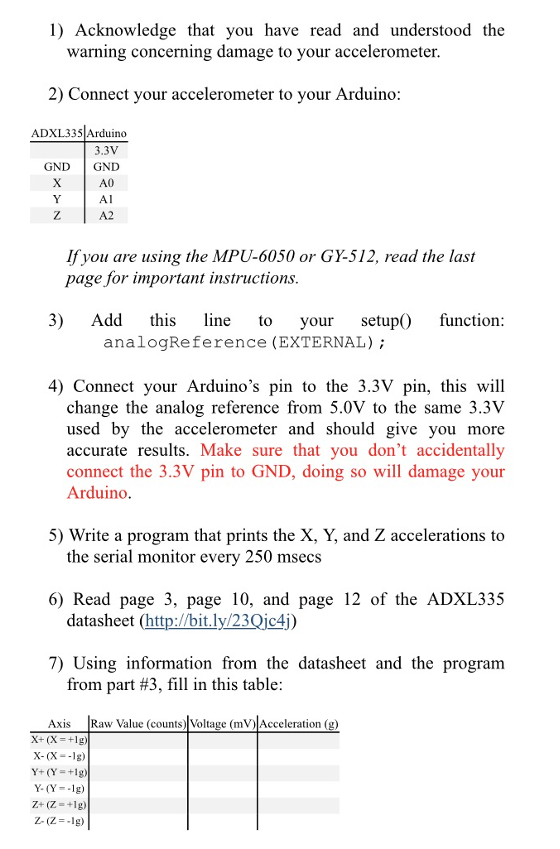
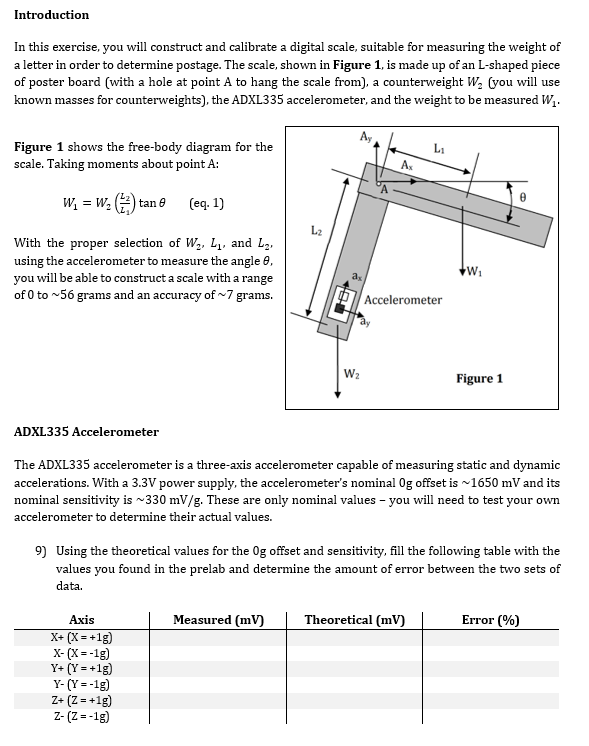
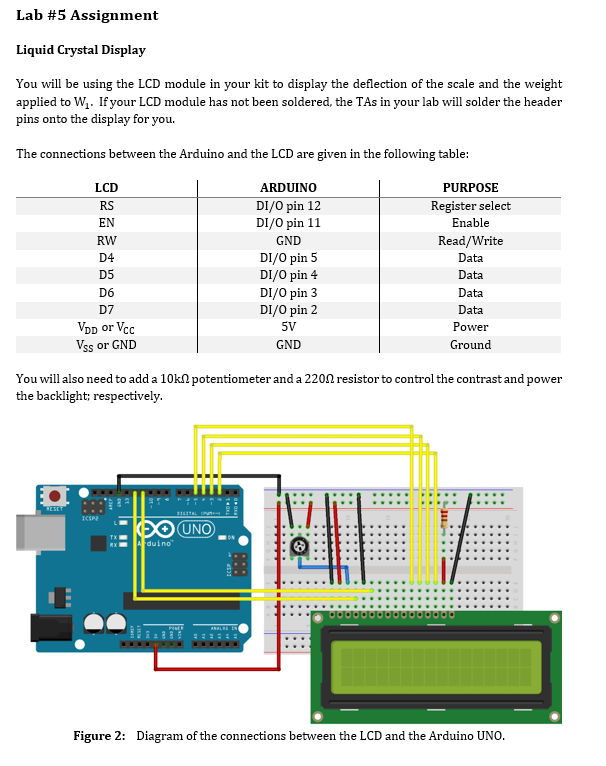
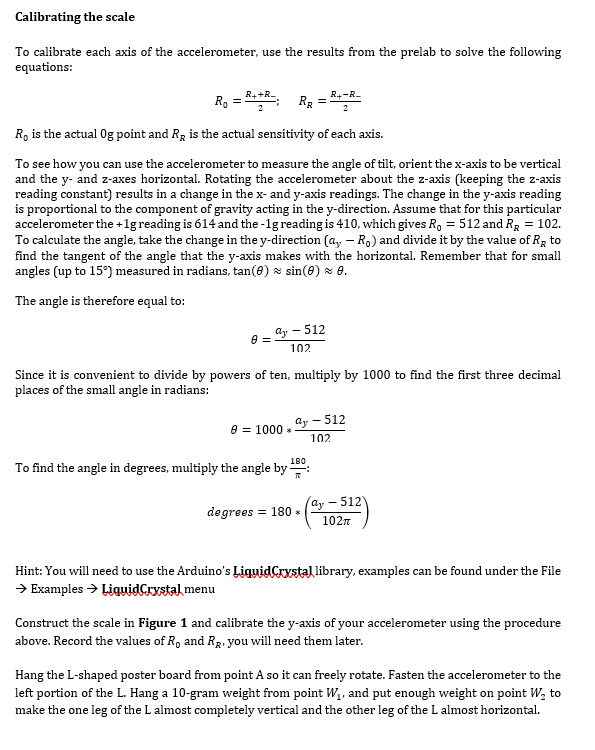
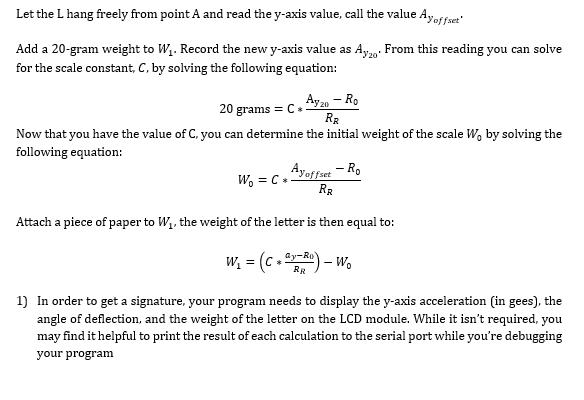
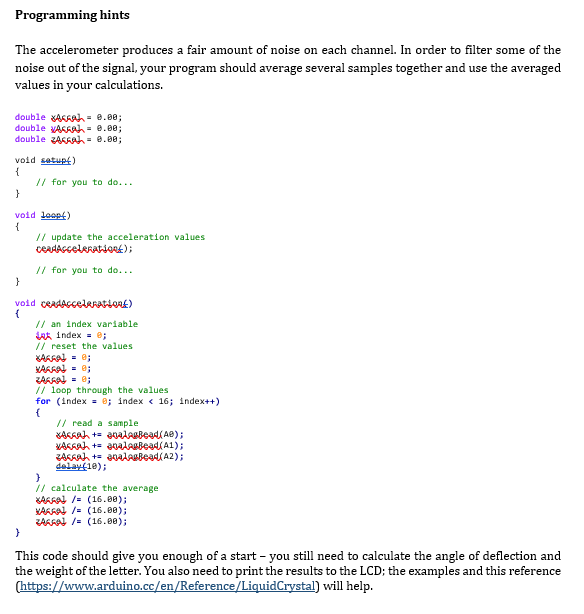
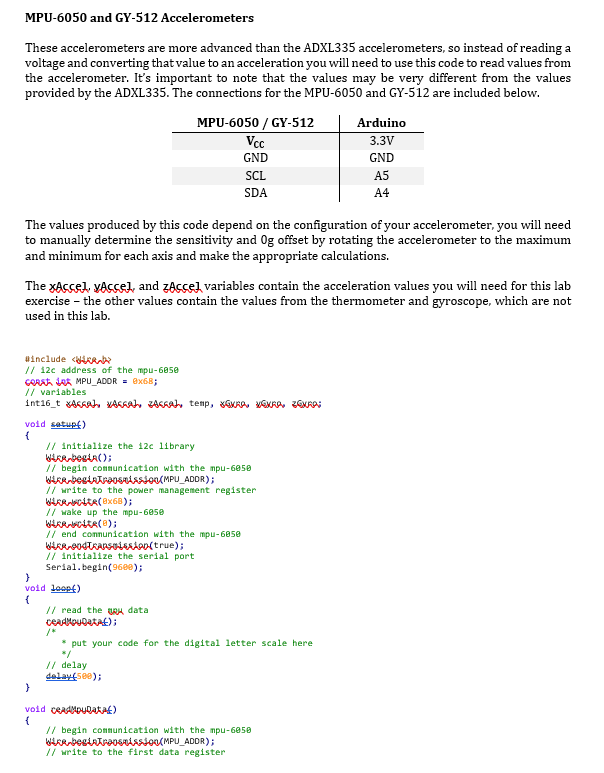
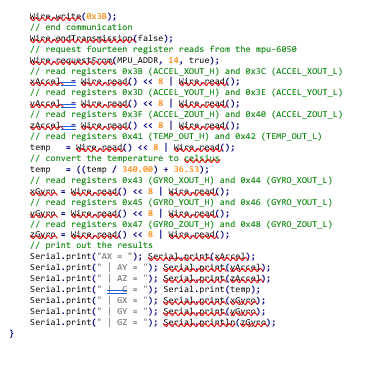
1) Acknowledge that you have read and understood the warning concerning damage to your accelerometer 2) Connect your accelerometer to your Arduino ADXL335 Arduino 3.3V GNDGND A0 A2 If you are using the MPU-6050 or GY-512, read the last page for important instructions 3) Add his ine to your setup function: analogReference (EXTERNAL) 4) Connect your Arduino's pin to the 3.3V pin, this will change the analog reference from 5.0V to the same 3.3V used by the accelerometer and should give you more accurate results. Make sure that you don't accidentally connect the 3.3V pin to GND, doing so will damage your Arduino 5) Write a program that prints the X, Y, and Z accelerations to the serial monitor every 250 msecs 6) Read page 3, page 10, and page 12 of the ADXL335 datasheet (http://bit.ly/23Qic4) 7) Using information from the datasheet and the progranm from part #3, fill in this table (g) Axis Raw Value (counts) Voltage (mVAcceleration x-(X = +1g) X-(X-1g) Y+ (Y = +1g) Z. (Z=.lg) 1) Acknowledge that you have read and understood the warning concerning damage to your accelerometer 2) Connect your accelerometer to your Arduino ADXL335 Arduino 3.3V GNDGND A0 A2 If you are using the MPU-6050 or GY-512, read the last page for important instructions 3) Add his ine to your setup function: analogReference (EXTERNAL) 4) Connect your Arduino's pin to the 3.3V pin, this will change the analog reference from 5.0V to the same 3.3V used by the accelerometer and should give you more accurate results. Make sure that you don't accidentally connect the 3.3V pin to GND, doing so will damage your Arduino 5) Write a program that prints the X, Y, and Z accelerations to the serial monitor every 250 msecs 6) Read page 3, page 10, and page 12 of the ADXL335 datasheet (http://bit.ly/23Qic4) 7) Using information from the datasheet and the progranm from part #3, fill in this table (g) Axis Raw Value (counts) Voltage (mVAcceleration x-(X = +1g) X-(X-1g) Y+ (Y = +1g) Z. (Z=.lg)
Step by Step Solution
There are 3 Steps involved in it

Get step-by-step solutions from verified subject matter experts
 Study Help