







Question: PROGRAM: OLD SCHOOL Monthly Cell Phone Bill: This program is to generate an old school monthly cell phone bill for an old school cell
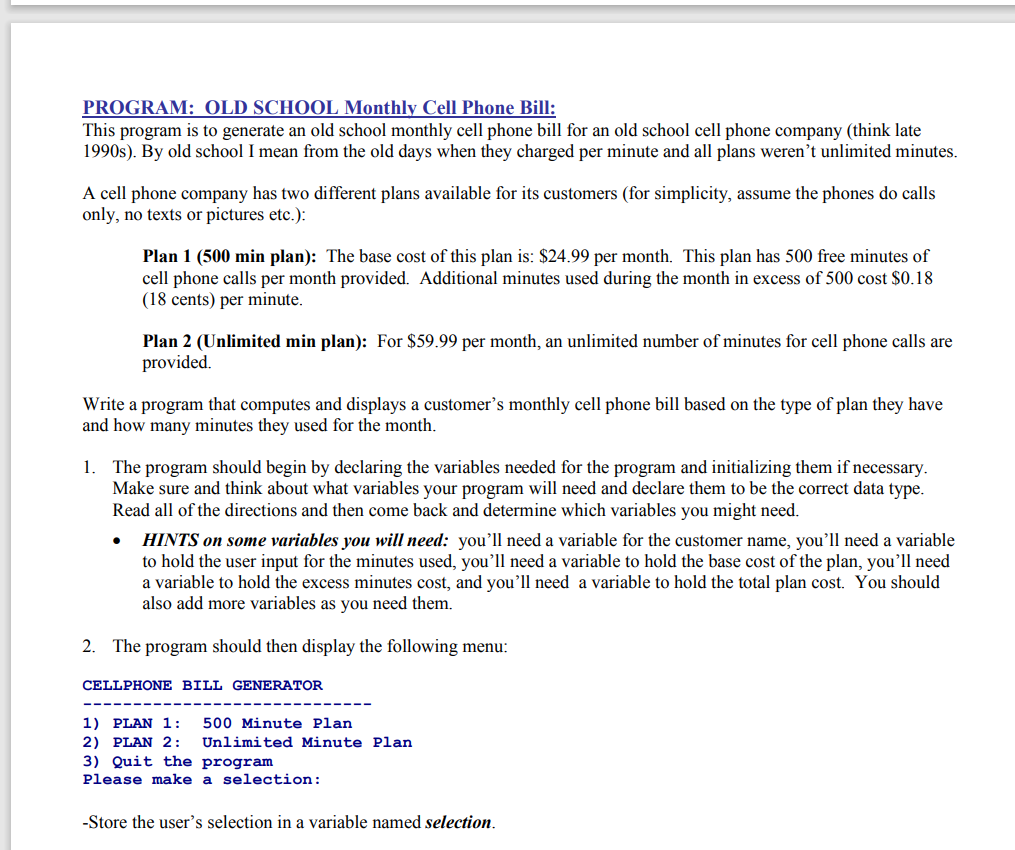
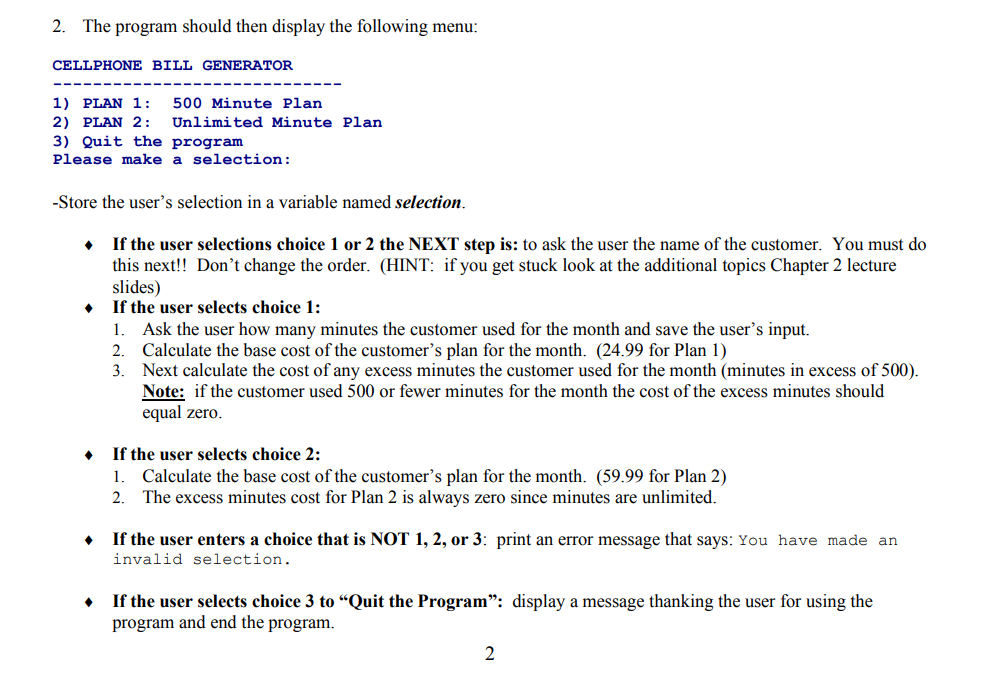
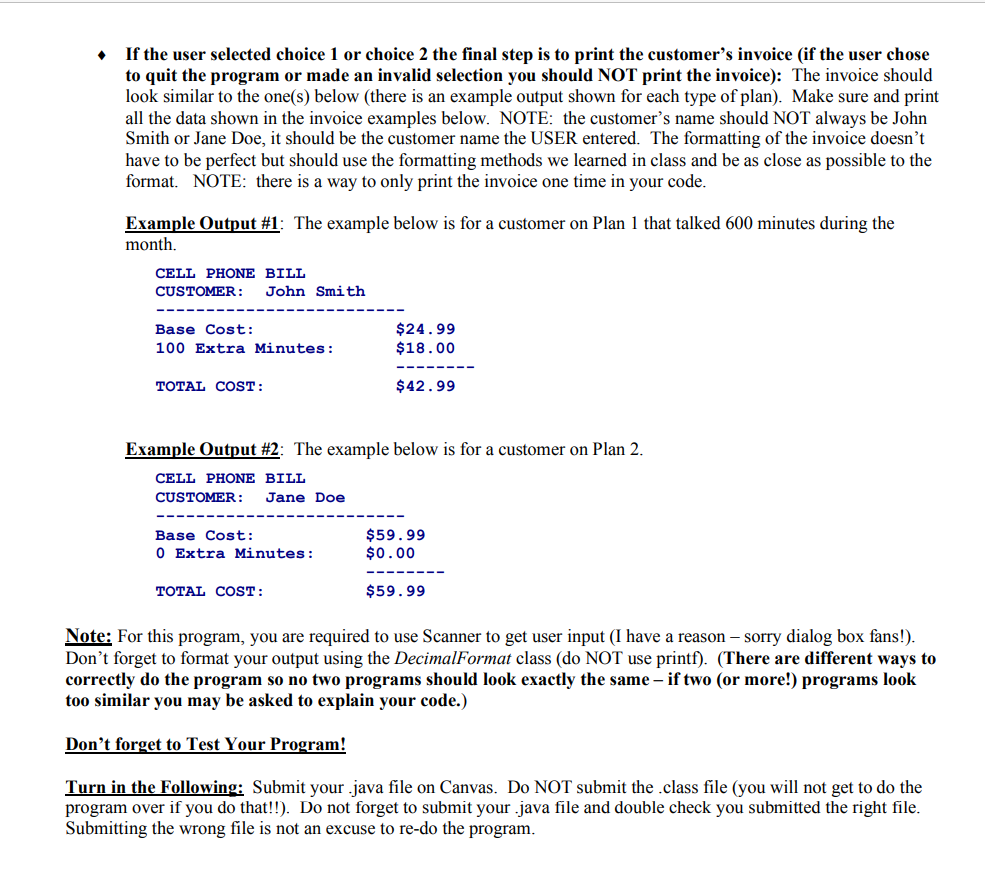
PROGRAM: OLD SCHOOL Monthly Cell Phone Bill: This program is to generate an old school monthly cell phone bill for an old school cell phone company (think late 1990s). By old school I mean from the old days when they charged per minute and all plans weren't unlimited minutes. A cell phone company has two different plans available for its customers (for simplicity, assume the phones do calls only, no texts or pictures etc.): Plan 1 (500 min plan): The base cost of this plan is: $24.99 per month. This plan has 500 free minutes of cell phone calls per month provided. Additional minutes used during the month in excess of 500 cost $0.18 (18 cents) per minute. Plan 2 (Unlimited min plan): For $59.99 per month, an unlimited number of minutes for cell phone calls are provided. Write a program that computes and displays a customer's monthly cell phone bill based on the type of plan they have and how many minutes they used for the month. 1. The program should begin by declaring the variables needed for the program and initializing them if necessary. Make sure and think about what variables your program will need and declare them to be the correct data type. Read all of the directions and then come back and determine which variables you might need. HINTS on some variables you will need: you'll need a variable for the customer name, you'll need a variable to hold the user input for the minutes used, you'll need a variable to hold the base cost of the plan, you'll need a variable to hold the excess minutes cost, and you'll need a variable to hold the total plan cost. You should also add more variables as you need them. 2. The program should then display the following menu: CELLPHONE BILL GENERATOR 1) PLAN 1: 500 Minute Plan 2) PLAN 2: 3) Quit the program Please make a selection: Unlimited Minute Plan -Store the user's selection in a variable named selection. 2. The program should then display the following menu: CELLPHONE BILL GENERATOR 1) PLAN 1: 2) PLAN 2: 3) Quit the program Please make a selection: 500 Minute Plan Unlimited Minute Plan -Store the user's selection in a variable named selection. If the user selections choice 1 or 2 the NEXT step is: to ask the user the name of the customer. You must do this next!! Don't change the order. (HINT: if you get stuck look at the additional topics Chapter 2 lecture slides) If the user selects choice 1: 1. Ask the user how many minutes the customer used for the month and save the user's input. Calculate the base cost of the customer's plan for the month. (24.99 for Plan 1) Next calculate the cost of any excess minutes the customer used for the month (minutes in excess of 500). Note: if the customer used 500 or fewer minutes for the month the cost of the excess minutes should equal zero. 2. 3. If the user selects choice 2: 1. Calculate the base cost of the customer's plan for the month. (59.99 for Plan 2) 2. The excess minutes cost for Plan 2 is always zero since minutes are unlimited. If the user enters a choice that is NOT 1,2, or 3: print an error message that says: You have made an invalid selection. If the user selects choice 3 to "Quit the Program": display a message thanking the user for using the program and end the program. 2 If the user selected choice 1 or choice 2 the final step is to print the customer's invoice (if the user chose to quit the program or made an invalid selection you should NOT print the invoice): The invoice should look similar to the one(s) below (there is an example output shown for each type of plan). Make sure and print all the data shown in the invoice examples below. NOTE: the customer's name should NOT always be John Smith or Jane Doe, it should be the customer name the USER entered. The formatting of the invoice doesn't have to be perfect but should use the formatting methods we learned in class and be as close as possible to the format. NOTE: there is a way to only print the invoice one time in your code. Example Output #1: The example below is for a customer on Plan 1 that talked 600 minutes during the month. CELL PHONE BILL CUSTOMER: John Smith Base Cost: 100 Extra Minutes: TOTAL COST: Base Cost: 0 Extra Minutes: $24.99 $18.00 Example Output # 2: The example below is for a customer on Plan 2. CELL PHONE BILL CUSTOMER: Jane Doe TOTAL COST: $42.99 $59.99 $0.00 $59.99 Note: For this program, you are required to use Scanner to get user input (I have a reason - sorry dialog box fans!). Don't forget to format your output using the DecimalFormat class (do NOT use printf). (There are different ways to correctly do the program so no two programs should look exactly the same - if two (or more!) programs look too similar you may be asked to explain your code.) Don't forget to Test Your Program! Turn in the Following: Submit your java file on Canvas. Do NOT submit the .class file (you will not get to do the program over if you do that!!). Do not forget to submit your java file and double check you submitted the right file. Submitting the wrong file is not an excuse to re-do the program.
Step by Step Solution
There are 3 Steps involved in it
Heres the program with variable declarations and menu display Python Declare variables customername minutesused 0 basecost 00 excessminutescost 00 totalplancost 00 selection 0 Initialize base cost bas... View full answer

Get step-by-step solutions from verified subject matter experts
 Study Help