







Question: Program should be constructed as described in instructions and should output as in the example. I will leave feedback. Thanks The goal of this part
Program should be constructed as described in instructions and should output as in the example. I will leave feedback. Thanks The goal of this part is to reinforce the concept of queues and their applications. To keep the assignment You selected: Option
You entered: Eva, can I see bees in a cave?
Judgment: Palindrome
You selected: Option
You entered: You can cage a swallow, can't you, but you can't swallow a cage, can you
Judgment: Palindrome
You selected: Option
You entered: Straw? No too stupid a fad. I put soot on warts.
Judgment: Palindrome
You selected: Option
You entered: Straw? No too stupid a fad. I put soot on warts.
Judgment: Not Palindrome
The user can continue to run the program until option is selected.
Sure, here's an assignment for students to implement the insertion sort algorithm in Java. This assignment will
help students understand the basics of sorting algorithms and how to implement them.
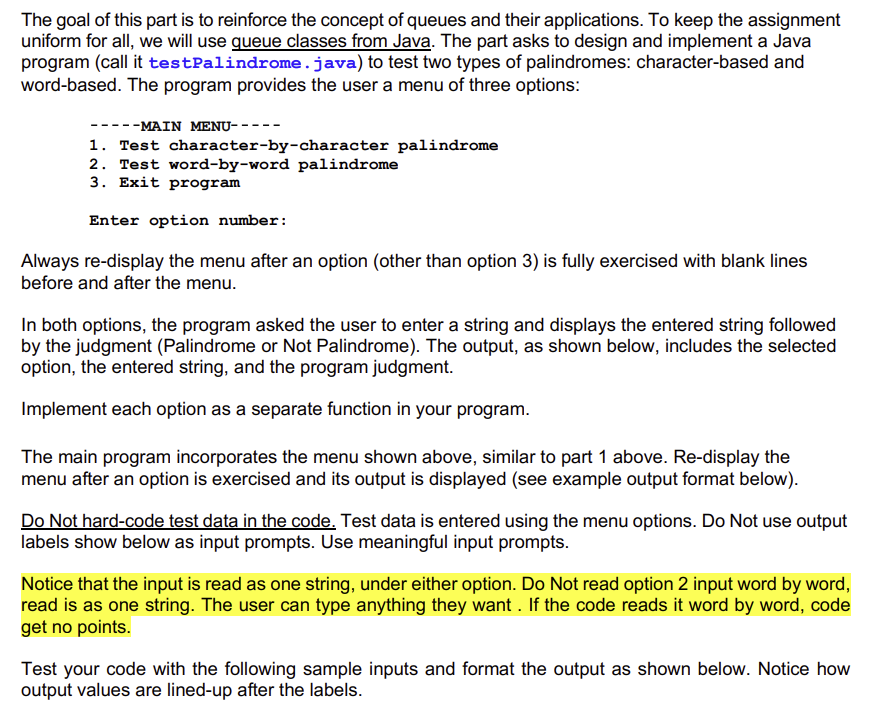
uniform for all, we will use queue classes from Java. The part asks to design and implement a Java
program call it testPalindrome. java to test two types of palindromes: characterbased and
wordbased. The program provides the user a menu of three options:
MAIN MENU
Test characterbycharacter palindrome
Test wordbyword palindrome
Exit program
Enter option number:
Always redisplay the menu after an option other than option is fully exercised with blank lines
before and after the menu.
In both options, the program asked the user to enter a string and displays the entered string followed
by the judgment Palindrome or Not Palindrome The output, as shown below, includes the selected
option, the entered string, and the program judgment.
Implement each option as a separate function in your program.
The main program incorporates the menu shown above, similar to part above. Redisplay the
menu after an option is exercised and its output is displayed see example output format below
Do Not hardcode test data in the code. Test data is entered using the menu options. Do Not use output
labels show below as input prompts. Use meaningful input prompts.
Notice that the input is read as one string, under either option. Do Not read option input word by word,
read is as one string. The user can type anything they want. If the code reads it word by word, code
get no points.
Test your code with the following sample inputs and format the output as shown below. Notice how
output values are linedup after the labels.
Step by Step Solution
There are 3 Steps involved in it
1 Expert Approved Answer
Step: 1 Unlock

Question Has Been Solved by an Expert!
Get step-by-step solutions from verified subject matter experts
Step: 2 Unlock
Step: 3 Unlock
 Study Help