







Question: Programming Assignment #4-CheckoutDriver New Concepts introduced from previous assignment: JOptionPane for input Creating a User defined Java Class that is not a mai program, no
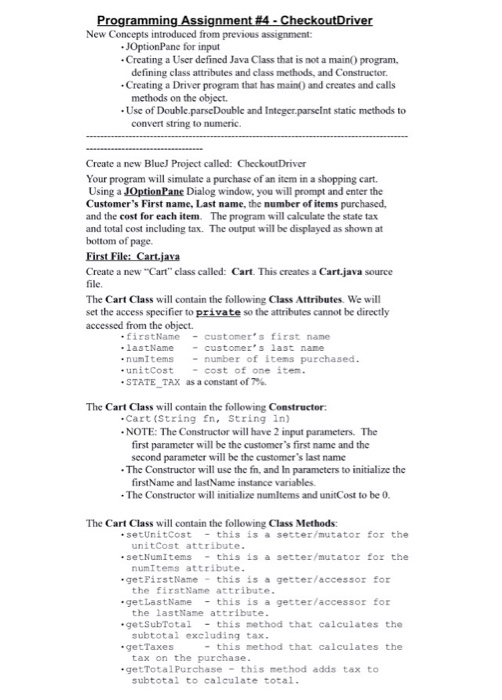
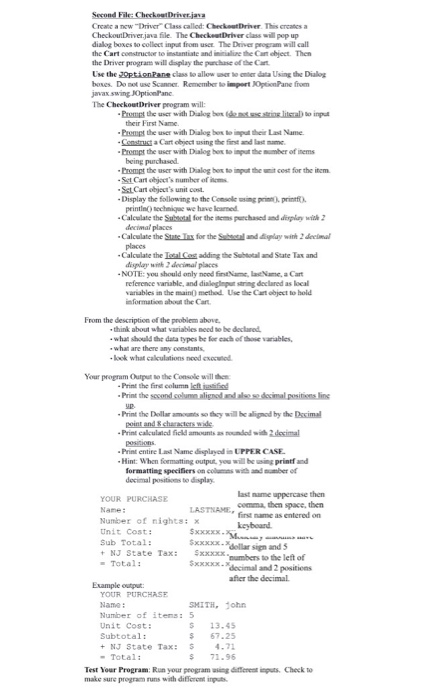
Programming Assignment #4-CheckoutDriver New Concepts introduced from previous assignment: JOptionPane for input Creating a User defined Java Class that is not a mai program, no defining class attributes and class methods and Constructor. .Creating a Driver program that has main0 and creates and calls methods on the object. Use of Double-parseDouble and Integerparselnt static methods to convert string to numeric. Create a new BlueJ Project called: CheckoutDriver Your program will simulate a purchase ofan item in a shopping cart. Using a Dialog window, you will prompt and enter the Customer's First name, Last name, the number of items purchased. and the cost for each item. The program will calculate the state tax and total cost including tax. The output will be displayed as shown at bottom of page. Create a new "Cart class called: Cart. This creates a Cart java source file, The Cart Class will contain the following Class Attributes. We will set the access specifier to private so the attributes cannot be directly accessed from the object. firstName customer's first name lastName customer's last name numItems number of items purchased unit cost cost of one item. .STATE TAX as a constant of The Cart Class will contain the following Constructor: Cart (String fn, String ln) .NOTE: The Constructor will have 2 input parameters. The first parameter will be the customer's first name and the second parameter will be the customer's last name The Constructor will use the fin, and In parameters to initialize the firstName and lastName instance variables. The Constructor will initialize numltems and unitCost to be 0. The Cart Class will contain the following Class Methods: set UnitCost this is a setter/mutator for the unit Cost attribute setNurm Items this is a setter/mutator for the numItems attribute FirstName this is a getter/accessor for get the first Name attribute .get LastName this is a getter/accessor for the lastName attribute .get SubTotal this method that calculates the subtotal excluding tax. this method that calculates the .get Taxes tax on the purchase. getTotal Purchase this method adds tax to subtotal to calculate total
Step by Step Solution
There are 3 Steps involved in it

Get step-by-step solutions from verified subject matter experts
 Study Help