







Question: Programming Assignment #5 implements a simple Blog integrating HTML, Apache, and PHP. First, an administrative page (created in HTML and named admin.html ) that is
Programming Assignment #5 implements a simple Blog integrating HTML, Apache, and PHP. First, an administrative page (created in HTML and named admin.html) that is independent of the Nunavut Tribal Society Website is implemented as displayed below:
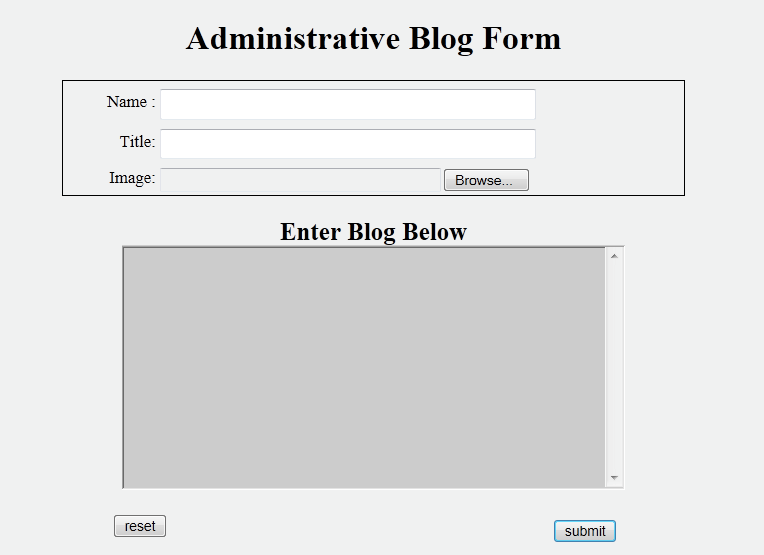
The central concept is that only the managers of the website can access this form, and only they can enter the data in the form above. For this blog, there are multiple people who are allowed to enter Blog data Jim Davis, Jerry Jones, and Joe Smith are examples of these people. They are allowed to enter their names on the first field Name.
The Title field allows the manager to enter the title (or heading) for the blog entry.
The Image field allows the manager to upload an image for their blog entry. Each uploaded image must be stored under the following path within the htdocs folder:
images/blog
The Blog entry is entered in the textarea beneath the heading Enter Blog Below. There is no limit for the amount of text that can be entered within this textarea.
Pressing the submit button will invoke the following url for the action attribute within the form element of admin.html:
http://localhost:8090/process.php
This is the name/port # that Ill be running apache on, so please change yours to match the above before submitting your assignment .
An example of completing this form with example data is shown below:
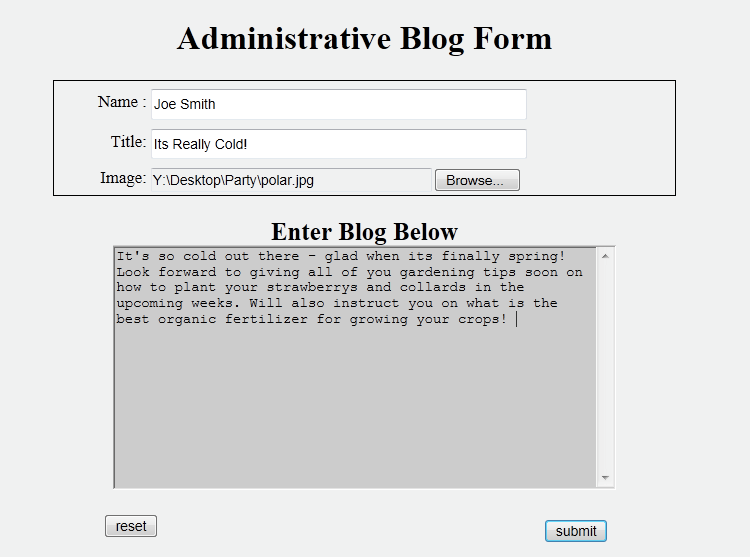
Note: Text needs to be entered in the TextArea
The uploaded image is an example of a polar bear as shown below:
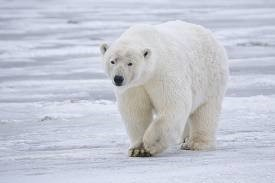
polar.jpg
The process.php script will parse the form data and store it in a delimited record within a file named blog.txt. You can choose any delimiter you like to separate the fields within the record. A semi-colon delimited record is used in the example below for 3 Blog entries (note the date in the form of month-day-year format as the last field)
Note: This is just example text you can enter any text you want using the form shown on page 1.
Jerry Jones;Caribou Crossing Time!!; It's spring time and its time for the Caribou to cross the Yukon river again! The Caribou will be on their way to their summer grazing lands so it will be the last we will see of them until December when they will return. They will be crossing the large frozen river this coming week so you don't want to miss it!;03-10-17
Jim Davis;Spring Festival At Pond Inlet; The spring festival at Pond Inlet is starting on Saturday - You don't want to miss this one. Many scheduled events such as snowmobile racing, ice fishing contests and glacier climbing will all take place. Not to mention all the traditional foods at the main pavilion downtown. Activities start at 9am and go on all weekend till night fall Sunday night. ;03-11-17
Joe Smith;The Polar Bears Are Gone;The last polar bear left Churchill yesterday. Springtime brings many new things and the long harsh winter is finally over. But with the spring thaw comes the annual migration of the polar bears. The polar bears are headed to their summer hunting grounds around Hudson Bay. The last tourist also left today. Jim has been coming to Churchill for 35 years and staying the entire season photographing the beautiful bears. He'll look forward to coming back next October.;03-12-17
The fields for the records are given below:
field0 Name
field1 Title
field2- image to be uploaded
field3 Blog text as entered in the textarea
field4 Current date in the form of month-day-year
These records shown above were created by filling in the example data within the admin.html form 3 separate times and pressing submit. Each time the submit button was pressed, a separate record is appended to the blog.txt.
Also note that the most recent entry should appear at the bottom of the file, while the earlier entries should precede it in the order that they were created.
You can use the PHP date function to format the current date as shown above.
At any time, a follower of your blog can access the Visitors navigation menu from the Nunavut Tribal Society Homepage (index.html) as shown below:

Pressing Visitors results in the following menu displayed:
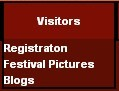
Pressing Blogs will load the blog.php resulting in the following operations:
1. All records (and all the fields for each record) is extracted from the blog.txt file.
2. The fields are formatted in displaying the Blog as shown below:
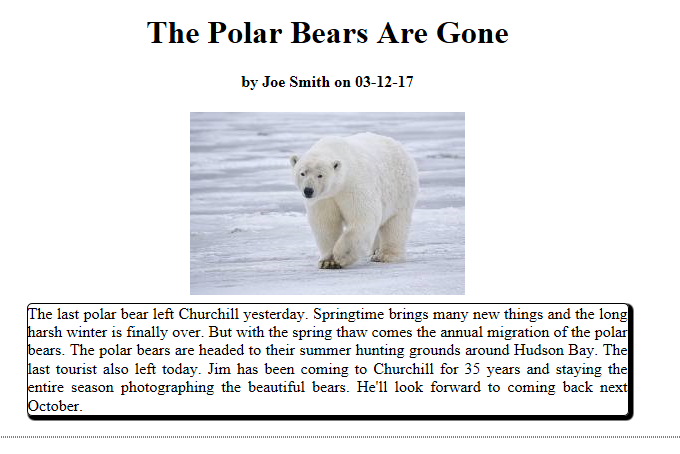
Note that this is the most recent Blog (last entry in the blog.txt file). The 2nd most recent Blog for this example is shown below:
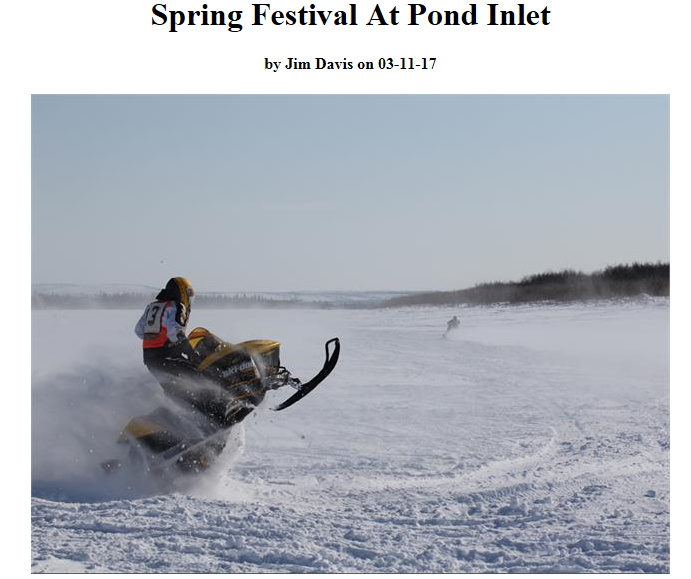

And the earliest blog entry is shown below:
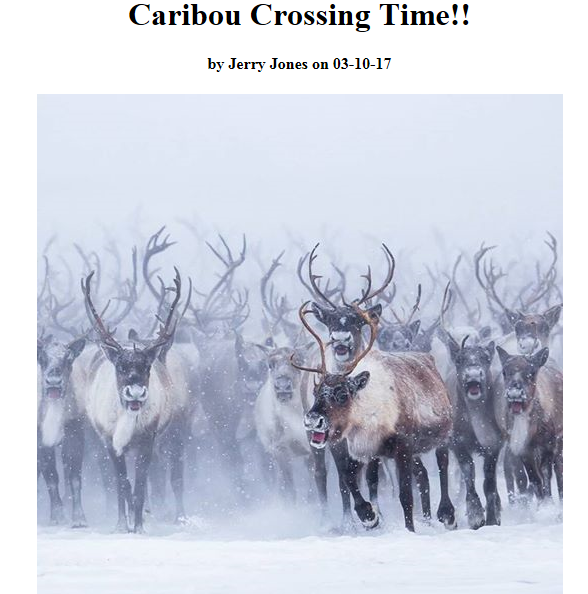

Note the formatting of the saved data. All blog entries should be viewed by scrolling down the page from most recent at the top to earliest at the bottom..
Example Images
The images used for this example are included in images.zip. You can use these images for testing your Blog if you like.
Name: Title Image reset Administrative Blog Form Browse Enter Blog Below submit Name: Title Image reset Administrative Blog Form Browse Enter Blog Below submit
Step by Step Solution
There are 3 Steps involved in it

Get step-by-step solutions from verified subject matter experts
 Study Help