







Question: Programming Exercise # 1 : 1 . Use Notepad to create a new text file named ex 1 2 _ 1 . asm with
Programming Exercise #:
Use Notepad to create a new text file named exasm" with the following text in it Be sure to replace YourFullName with your real full name.
;exasm
;Student: YourFullName
Next to the above lines, use one of the provided sample codes in the lecture note as example, write a bit DOS program that will create a directory named "Narumi" in the default drive of your DOSBox. Note: The instructions for using DOSBox are available in a previous lecture.
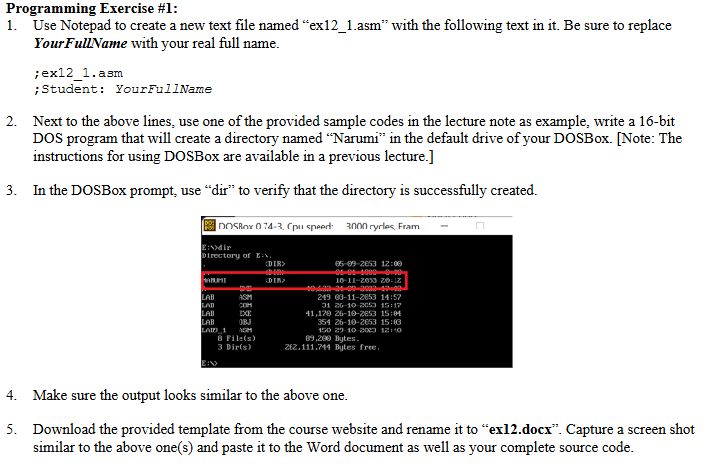
In the DOSBox prompt, use "dir" to verify that the directory is successfully created.
Make sure the output looks similar to the above one.
Download the provided template from the course website and rename it to "exldocx". Capture a screen shot similar to the above ones and paste it to the Word document as well as your complete source code.
Step by Step Solution
There are 3 Steps involved in it
1 Expert Approved Answer
Step: 1 Unlock

Question Has Been Solved by an Expert!
Get step-by-step solutions from verified subject matter experts
Step: 2 Unlock
Step: 3 Unlock
 Study Help