







Question: Programming in C language to be run on code blocks on Windows W131583/5 Documentl e Mailngi Revie ie Help t Problem Description You are required
Programming in C language to be run on code blocks on Windows
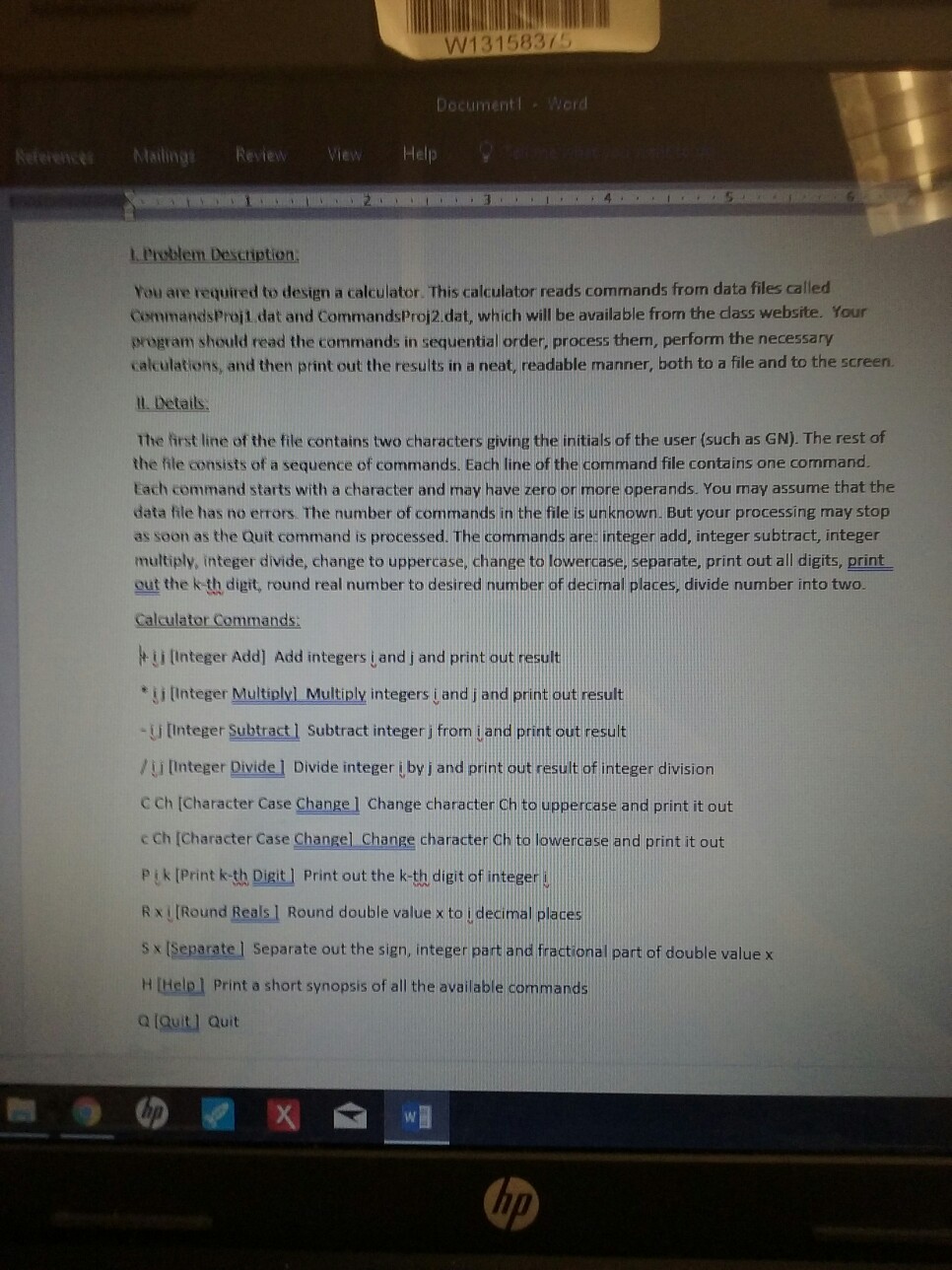
W131583/5 Documentl e Mailngi Revie ie Help t Problem Description You are required to design a calculator. This calculator reads commands from data files called CommandsProjt dat and CommandsProj2.dat, which will be available from the dass website. Your program should read the commands in sequential order, process them, perform the necessary calculations, and then print out the results in a neat, readable manner, both to a file and to the screen. ll. Details The first line of the file contains two characters giving the initials of the user (such as GN). The rest of the file consists of a sequence of commands. Each line of the command file contains one command. tach command starts with a character and may have zero or more operands. You may assume that the data file has no errors. The number of commands in the file is unknown. But your processing may stop as soon as the Quit command is processed. The commands are: integer add, integer subtract, integer multiply, integer divide, change to uppercase, change to lowercase, separate, print out all digits, print out the k th digit, round real number to desired number of decimal places, divide number into two. Ca man t i [Integer Add] Add integers jand j and print out result ji Integer Multiplyl Multiply integers i and j and print out result -U Integer Subtract ] Subtract integer j from jand print out result / u [Integer Divide ] Divide integer j by j and print out result of integer division C Ch [Character Case Change] Change character Ch to uppercase and print it out c Ch [Character Case Changel Change character Ch to lowercase and print it out Pik [Print k-th Digit] Print out the k-th digit of integer s R [Round Realsl Round double value x to i decimal places s x [Separate l Separate out the sign, integer part and fractional part of double value x H [Helpl Print a short synopsis of all the available commands a (Quit] Quit W131583/5 Documentl e Mailngi Revie ie Help t Problem Description You are required to design a calculator. This calculator reads commands from data files called CommandsProjt dat and CommandsProj2.dat, which will be available from the dass website. Your program should read the commands in sequential order, process them, perform the necessary calculations, and then print out the results in a neat, readable manner, both to a file and to the screen. ll. Details The first line of the file contains two characters giving the initials of the user (such as GN). The rest of the file consists of a sequence of commands. Each line of the command file contains one command. tach command starts with a character and may have zero or more operands. You may assume that the data file has no errors. The number of commands in the file is unknown. But your processing may stop as soon as the Quit command is processed. The commands are: integer add, integer subtract, integer multiply, integer divide, change to uppercase, change to lowercase, separate, print out all digits, print out the k th digit, round real number to desired number of decimal places, divide number into two. Ca man t i [Integer Add] Add integers jand j and print out result ji Integer Multiplyl Multiply integers i and j and print out result -U Integer Subtract ] Subtract integer j from jand print out result / u [Integer Divide ] Divide integer j by j and print out result of integer division C Ch [Character Case Change] Change character Ch to uppercase and print it out c Ch [Character Case Changel Change character Ch to lowercase and print it out Pik [Print k-th Digit] Print out the k-th digit of integer s R [Round Realsl Round double value x to i decimal places s x [Separate l Separate out the sign, integer part and fractional part of double value x H [Helpl Print a short synopsis of all the available commands a (Quit] Quit
Step by Step Solution
There are 3 Steps involved in it

Get step-by-step solutions from verified subject matter experts
 Study Help