







Question: Programming intelliJ using a Maven i cannot get the @Test method to work as you can see in the screenshots. also assertEquals is not working.
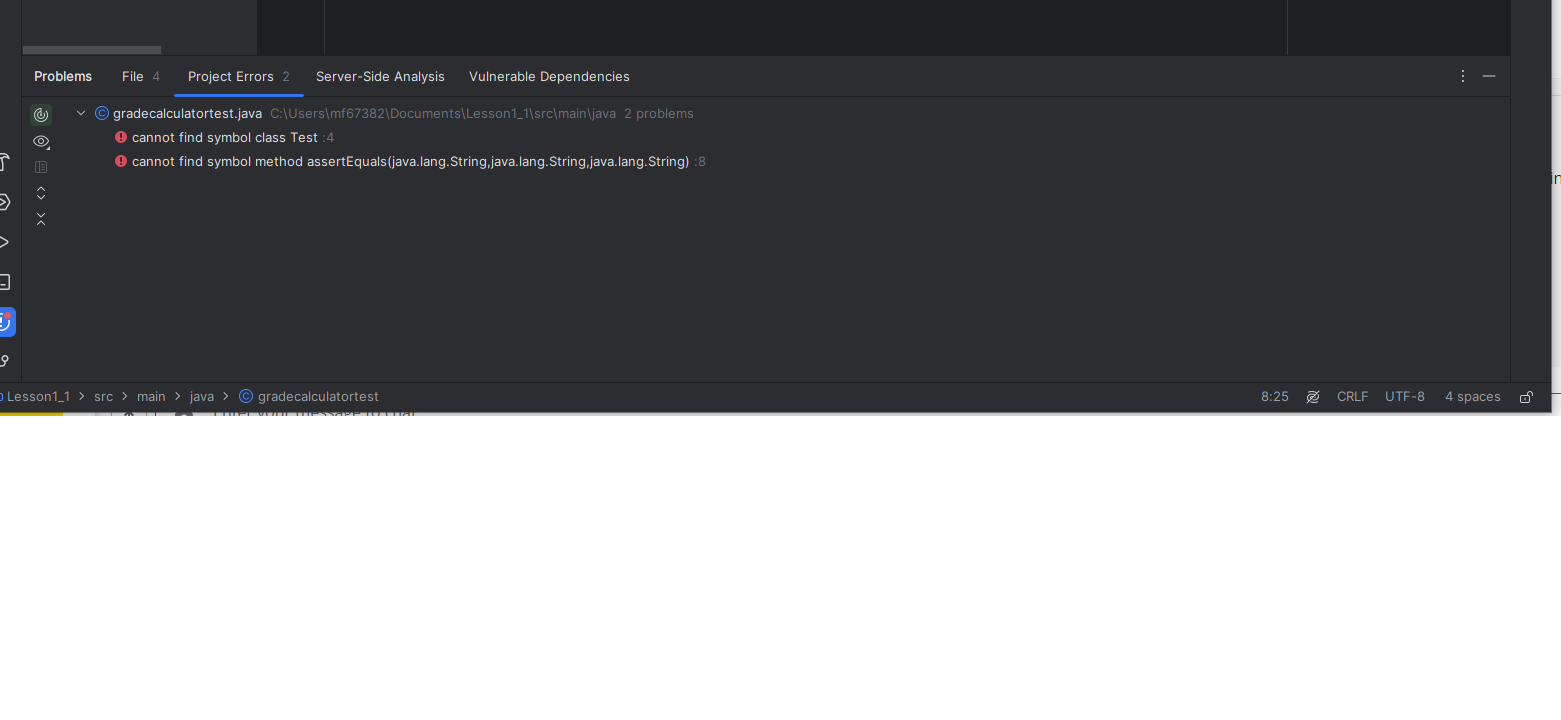
Programming intelliJ using a Maven i cannot get the @Test method to work as you can see in the screenshots. also assertEquals is not working. Can you help me figure out why the @Test is not working and get this to run in intelliJ????
C gradecalculatortest.java
cannot find symbol class Test :
cannot find symbol method assertEqualsjavalang.String,java.lang.String,java.lang.String :
Lesson
Version control
JUnit
Project
m pom.xml Unknown
C GradeCalculator.java
C gradecalculatortest.java
c JUnit.java
Main.java
Lesson
Version control vv
JUnit
Project
m pom.xml Unknown
GradeCalculator.java
gradecalculatortest.java
G JUnit.java
Main.java
c GradeCalculator
C gradecalculatorte
c JUnit
resources
test
java
target
gitignore
mpom.xml
External Libraries
Scratches and Consoles
public class GradeCalculat
C:UsersmfDocumentsLessonsrcmainjavaGradeCalculatorjava
@
float total ;
for int mark : marks
total mark;
float avg total marks.length;
if avg
return A;
else if avg && avg
return B;
else if avg && avg b
return C;
else
return D;
C: UsersmfDocumentsLessonsrcmainjavagradecalculatortest java::
java: cannot find symbol
symbol: class Test
location: class gradecalculatortest
Lesson src main java C GradeCalculator
Step by Step Solution
There are 3 Steps involved in it
1 Expert Approved Answer
Step: 1 Unlock

Question Has Been Solved by an Expert!
Get step-by-step solutions from verified subject matter experts
Step: 2 Unlock
Step: 3 Unlock
 Study Help