







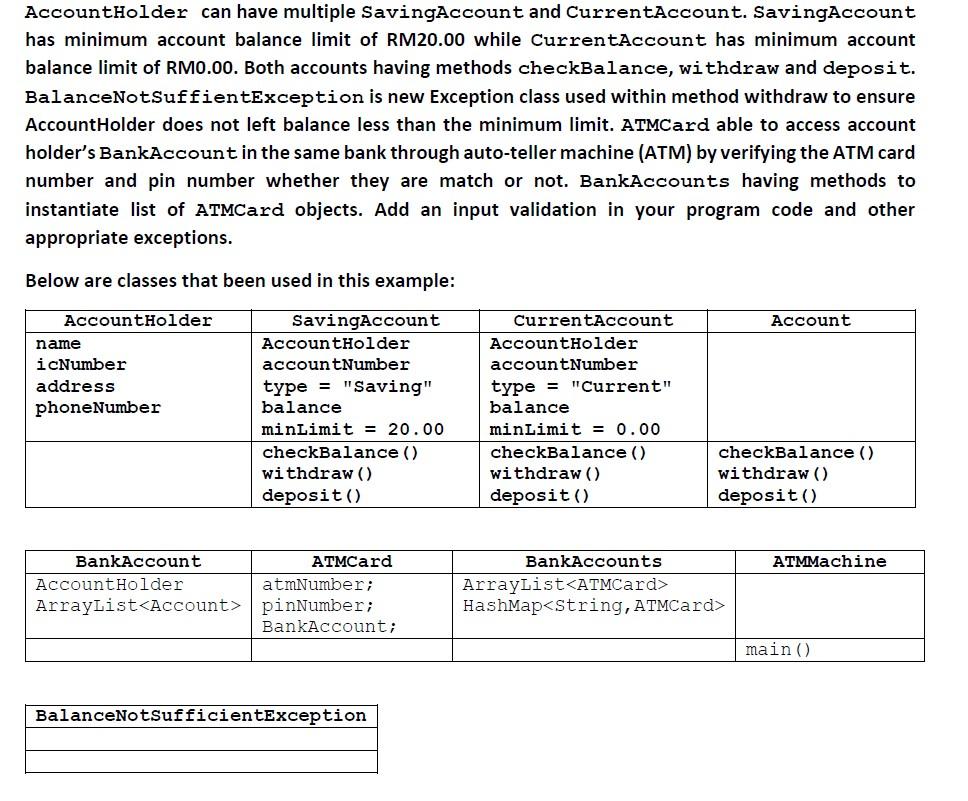
Question: programming java AccountHolder can have multiple SavingAccount and CurrentAccount. SavingAccount has minimum account balance limit of RM20.00 while CurrentAccount has minimum account balance limit of
programming java
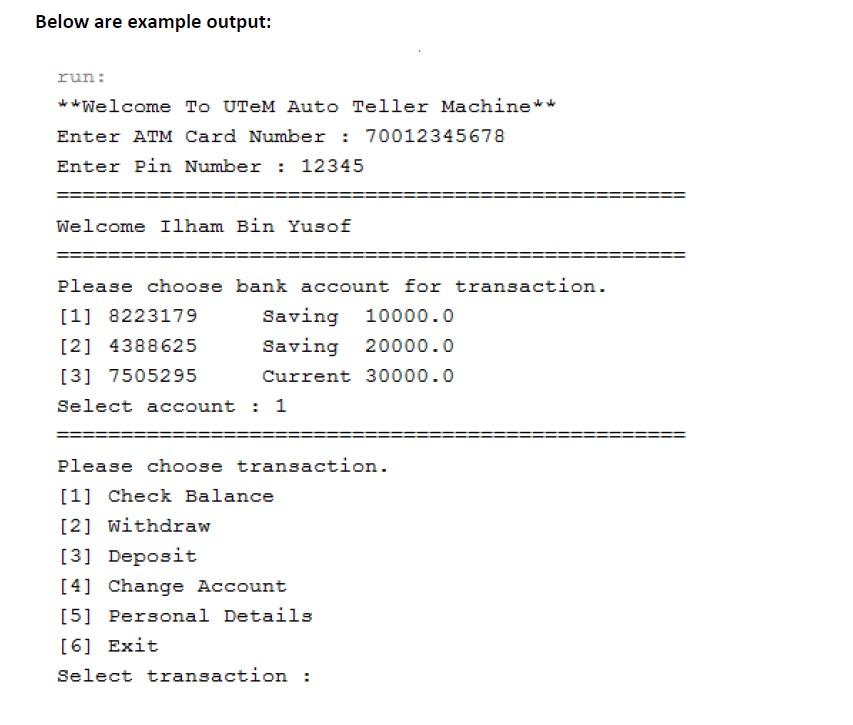
AccountHolder can have multiple SavingAccount and CurrentAccount. SavingAccount has minimum account balance limit of RM20.00 while CurrentAccount has minimum account balance limit of RM0.00. Both accounts having methods checkBalance, withdraw and deposit. BalanceNotSuffientException is new Exception class used within method withdraw to ensure Account Holder does not left balance less than the minimum limit. ATMCard able to access account holder's BankAccount in the same bank through auto-teller machine (ATM) by verifying the ATM card number and pin number whether they are match or not. BankAccounts having methods to instantiate list of ATMCard objects. Add an input validation in your program code and other appropriate exceptions. Below are classes that been used in this example: Account AccountHolder name icNumber address phone Number SavingAccount AccountHolder accountNumber type = "Saving" balance minLimit = 20.00 checkBalance () withdraw() deposit() CurrentAccount AccountHolder account Number type = "Current" balance minLimit = 0.00 checkBalance () withdraw() deposit() checkBalance () withdraw() deposit() ATMMachine BankAccount ATMCard AccountHolder atmNumber; ArrayList
Step by Step Solution
There are 3 Steps involved in it

Get step-by-step solutions from verified subject matter experts
 Study Help