







Question: Programming Language: C# ( C-Sharp ) Microsoft Visual Studio Assignment (Calculator Version 1)- Part 1 (switch) AC You will need to create two separate projects.
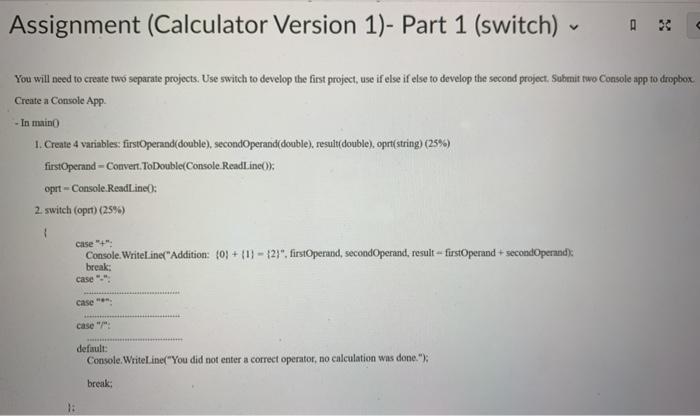
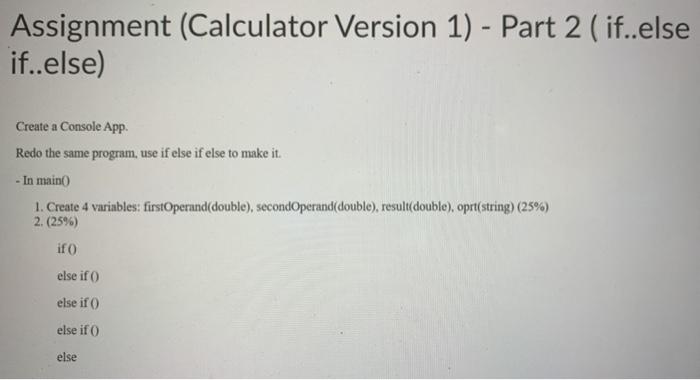
Assignment (Calculator Version 1)- Part 1 (switch) AC You will need to create two separate projects. Use switch to develop the first project, use if else if else to develop the second project. Submit iwo Console app to dropbox Create a Console App - In maino 1. Create 4 variables: firstOperand(double), secondOperand(double), result(double), oprt(string) (25%) firstOperand - Couvert.ToDouble(Console.ReadLine()) oprt - Console.ReadLine(): 2. switch (opt) (259) { case "+": Console.WriteLine("Addition: (0}+{1} - {2}", firstOperand, secondOperand, result - firstOperand secondOperand) break; case Case case"/" default: Console.WriteLine("You did not enter a correct operator, no calculation was done."); break; Assignment (Calculator Version 1) - Part 2 (if..else if..else) Create a Console App Redo the same program, use if else if else to make it. - In main 1. Create 4 variables: firstOperand(double), secondOperand(double), result(double), oprt(string) (25%) 2. (25%) if else if else if ) else if else
Step by Step Solution
There are 3 Steps involved in it

Get step-by-step solutions from verified subject matter experts
 Study Help