







Question: Programming Language: Java Make sure follow all requirements and step. It is very important. OutPut Example 1. Decimal to Binary : a) 65,535 b) 1,000,000
Programming Language: Java
Make sure follow all requirements and step. It is very important.
OutPut Example
1. Decimal to Binary :
a) 65,535 b) 1,000,000 c) 1,234,567,890
2. Decimal to Hexadecimal:
a) 65,535 b) 1,000,000 c) 1,234,567,890 3. Binary to Decimal: a) 0110 0101 1100 1101 1010 1110 0000 0101 b) 0111 1111 1111 1111 0010 0001 1101 0011 c) 0000 0000 0000 0000 0000 0000 0000 0010
4. Binary to Hexadecimal: a) 0110 0101 1100 1101 1010 1110 0000 0101 b) 0111 1111 1111 1111 0010 0001 1101 0011 c) 0010 1011 1010 1101 0111 0110 0011 1010
5. Hexadecimal to Decimal: a) 12345678 b) 2A3DF8A7 c) 00FF00FF
6. Hexadecimal to Binary: a) 12345678 b) 2A3DF8A7 c) 00FF00FF
Perform error checking on the user input displaying appropriate error messages if the user enters invalid data such as a value out of range for a conversion or inappropriate digits for the selected base. Add additional test data to show that your extra credit works properly. Your program should be able to deal with this invalid data in a robust manner without crashing.
Note 1: A Few Comments: Each class should be contained within its own source file.
Program output should be captured to a file, csis.txt, directly from your program, rather than cutting and pasting the output to the file.
All program output displayed in the terminal window should be sent to the output file.This includes the displayed menu, user prompts, as well as any input from the user.
Keep your methods small, usually performing a single task.
Your program should be a complete application including a main() method.
Keep main() small placing details in the methods of the classes that make up your object-oriented program.
There should be no user-defined static methods in your program other than main().
Do not use floats, doubles or scientific notation in your code.
Binary numbers should be output as 32 bits (i.e., display leading zeros) with a space separating nibbles as shown in the input data above.
You may build a GUI for the application although it is not required.
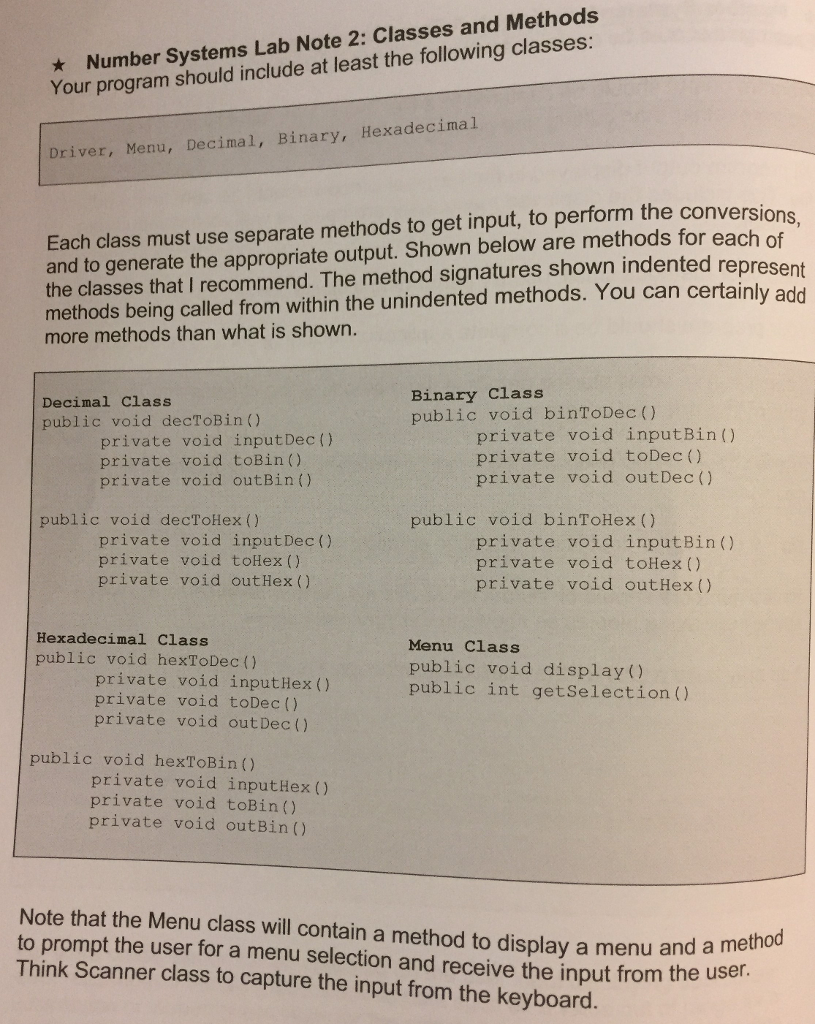
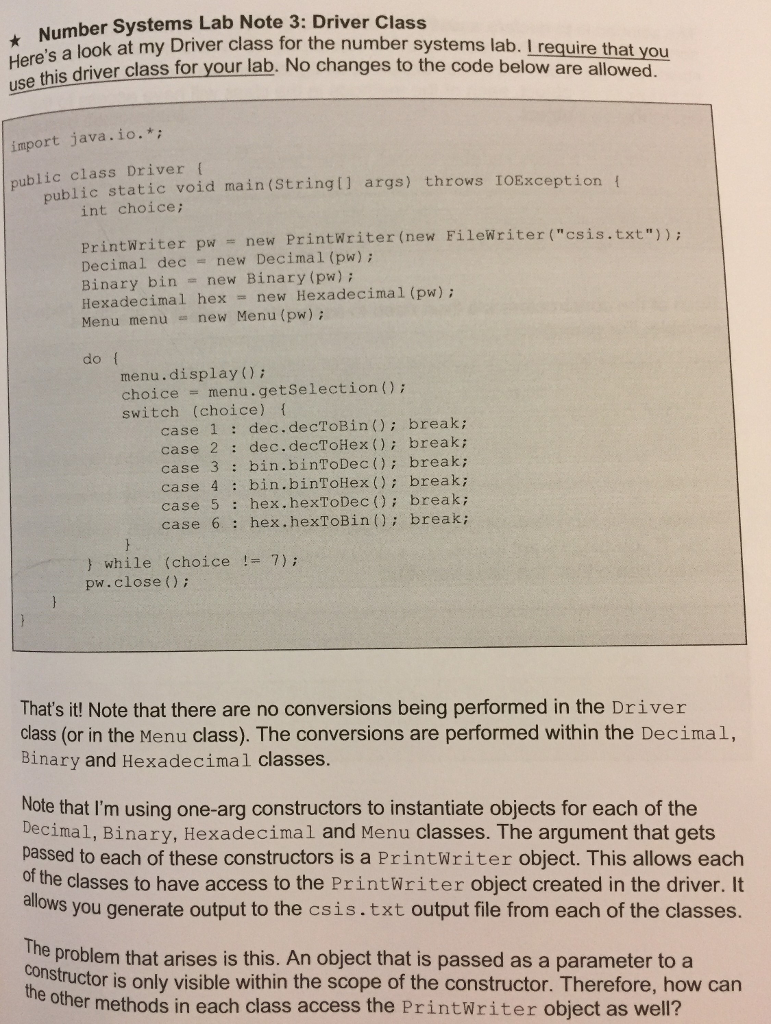
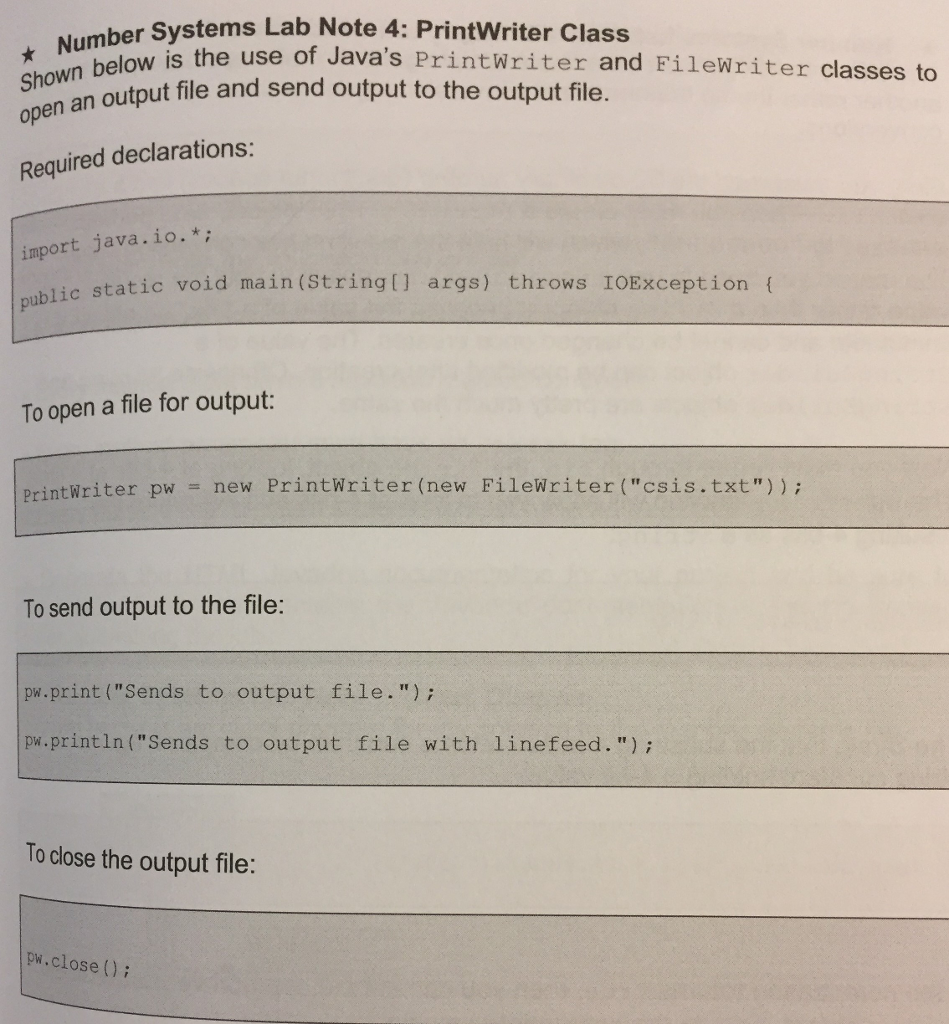
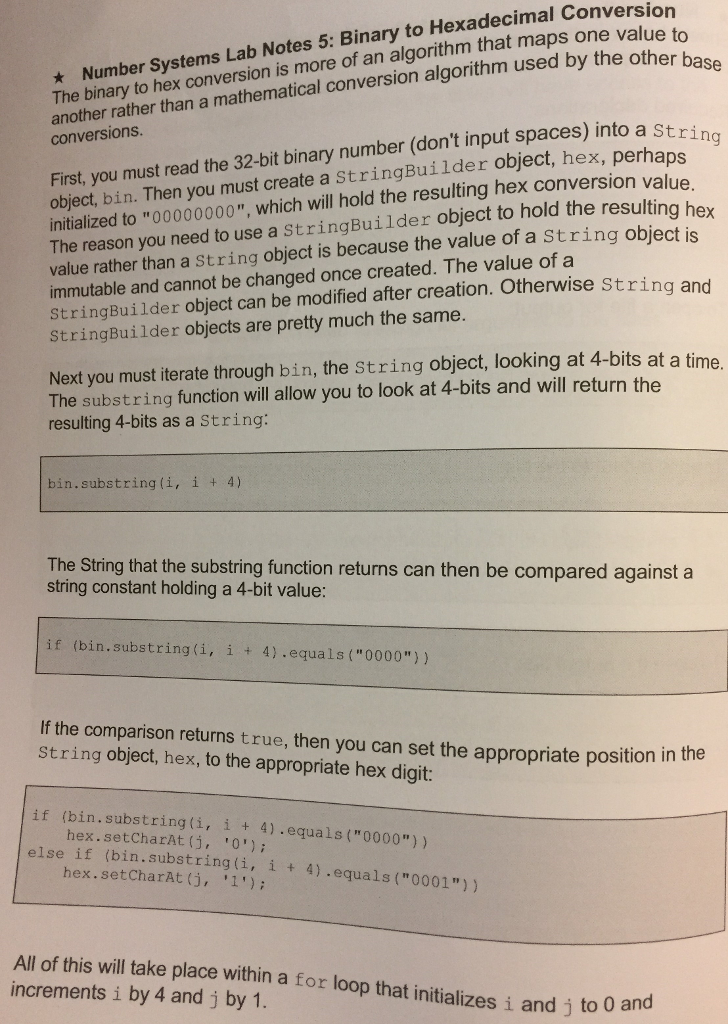
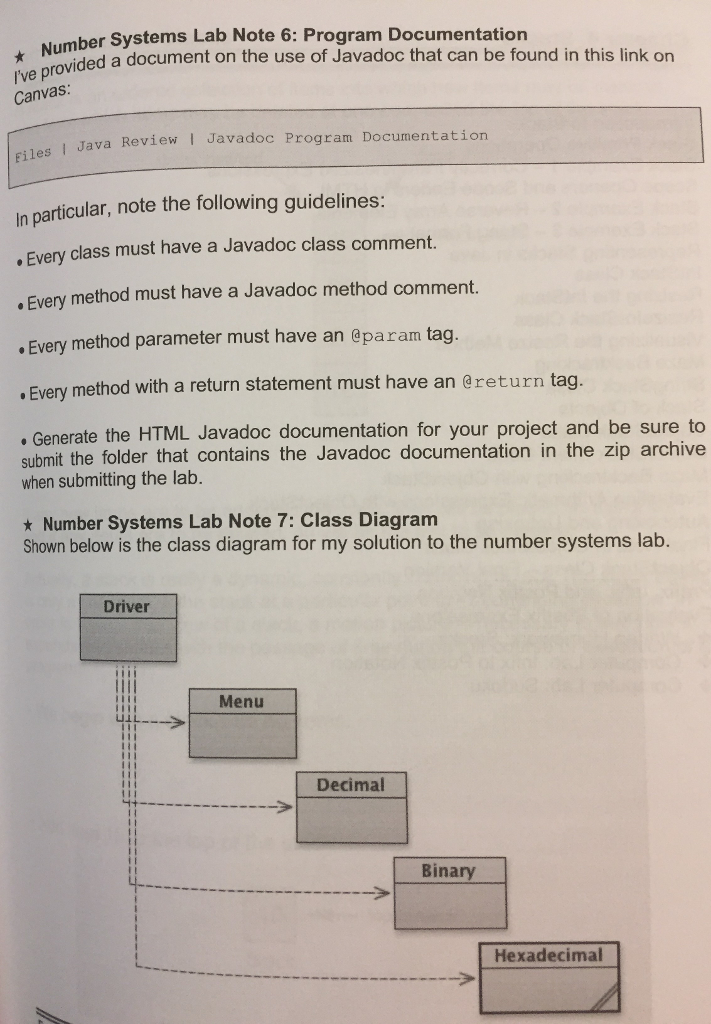
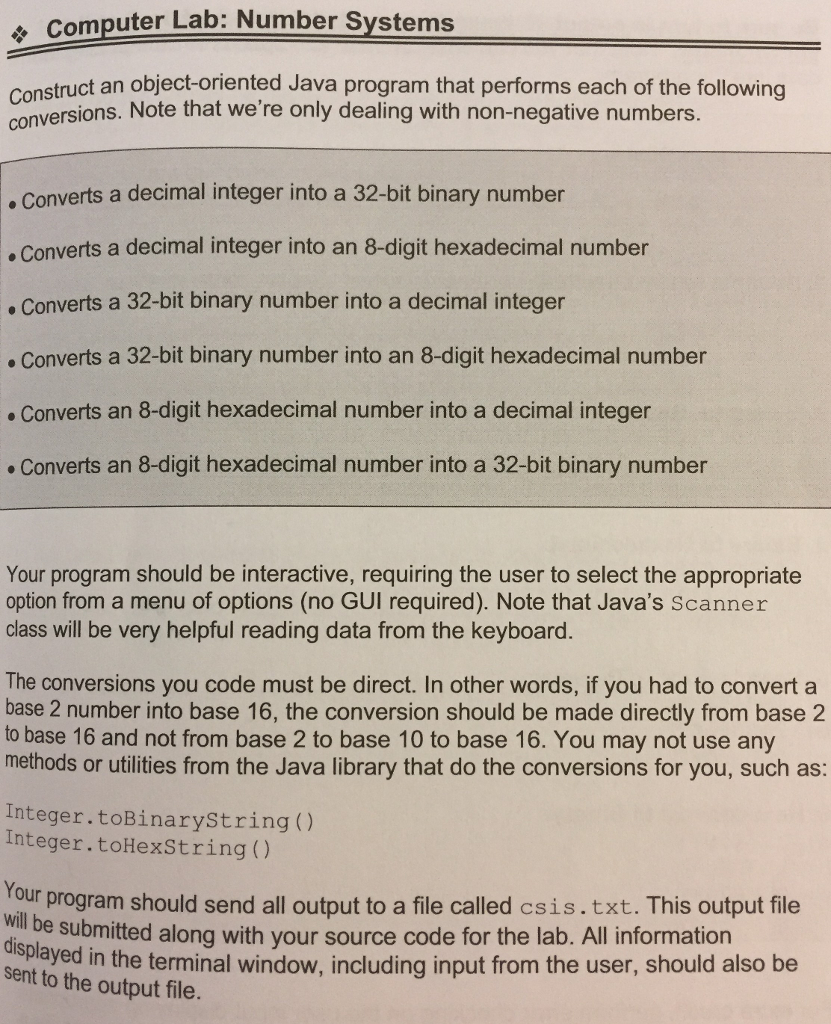
e Computer Lab: Number Systems Construct an object-oriented Java program that performs each of the following conversions. Note that we're only dealing with non-negative numbers. .Converts a decimal integer into a 32-bit binary number Converts a decimal integer into an 8-digit hexadecimal number Converts a 32-bit binary number into a decimal integer . Converts a 32-bit binary number into an 8-digit hexadecimal number Converts an 8-digit hexadecimal number into a decimal integer Converts an 8-digit hexadecimal number into a 32-bit binary number Your program should be interactive, requiring the user to select the appropriate option from a menu of options (no GUI required). Note that Java's Scanner class will be very helpful reading data from the keyboard. The conversions you code must be direct. In other words, if you had to convert a base 2 number into base 16, the conversion should be made directly from base 2 to base 16 and not from base 2 to base 10 to base 16. You may not use any methods or utilities from the Java library that do the conversions for you, such as: Integer.toBinaryString() Integer.toHexString () Your program should send all outout to a file called csis.txt. This output file will be submitted along with your source code for the lab. All information sent ay ed in the terminal window, including input from the user, should also be to the output file
Step by Step Solution
There are 3 Steps involved in it

Get step-by-step solutions from verified subject matter experts
 Study Help