



Question: Programming languange is C 2. No usage of global variables. All data must be passed or received via function parameters. 3. Write short and simple
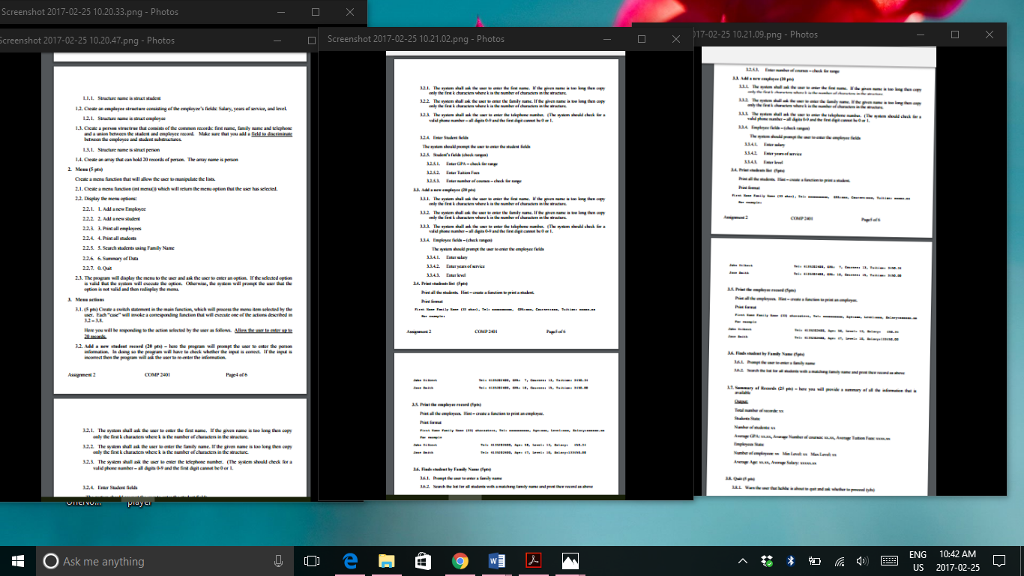
Programming languange is C
2. No usage of global variables. All data must be passed or received via function parameters.
3. Write short and simple functions.
4. Using separate files Create four C (*.c) files and four header files (*.h)
4.1. uni.c containing the main program (containing main(argc, argv)). 4.2. student files two files: student.c will contains all the functions for handling student records (e.g., entering student data, printing a student record or searching students by name); student.h will contain the declaration of functions (function prototype) and data.h
4.3. employee files two files employee.c and employee.h which will contain employee related data. Employee.h will contain the file data.h
4.4. data.h a file containing the declaration of the three structures (student, employee and person)
1) Suggestions
a) As you code your small helping functions write small test functions to ensure that the code is correct. This will allow you to focus on the logic of your program without worrying about the simple functions. In particular make sure that you have a few functions that check the validity of the input.
b) Create function for each menu option. The function should accept as input the array of person and the number of elements in the array.
Question 1
Tasks 1. Creating student, employee, person structures (10 pts)
Here you will create the structures to be used by the program. Make sure that you pack the structure as small as possible (reduce the footprint). Use bit fields to represent small ranges.
1.1 Create a student structure consisting of the students fields: GPA, number of courses, and tuition fees.
1.2. Create an employee structure consisting of the employees fields: Salary, years of service, and level.
1.2.1. Structure name is struct employee
1.3. Create a person structrue that consists of the common records: first name, family name and telephone and a union between the student and employee record. Make sure that you add a field to discriminate between the employee and student substructures.
1.3.1. Structure name is struct person
1.4. Create an array that can hold 20 records of person. The array name is person
2. Menu (5 pts)
Create a menu function that will allow the user to manipulate the lists.
2.1. Create a menu function (int menu()) which will return the menu option that the user has selected.
2.2. Display the menu options:
2.2.1. 1. Add a new Employee
2.2.2. 2. Add a new student
2.2.3. 3. Print all employees
2.2.4. 4. Print all students
2.2.5. 5. Search students using Family Name
2.2.6. 6. Summary of Data
2.2.7. 0. Quit
2.3. The program will display the menu to the user and ask the user to enter an option. If the selected option is valid that the system will execute the option. Otherwise, the system will prompt the user that the option is not valid and then redisplay the menu.
3. Menu actions
3.1. (5 pts) Create a switch statement in the main function, which will process the menu item selected by the user. Each case will invoke a corresponding function that will execute one of the actions described in 3.2
3.8. Here you will be responding to the action selected by the user as follows. Allow the user to enter up to 20 records.
3.2. Add a new student record (20 pts) here the program will prompt the user to enter the person information. In doing so the program will have to check whether the input is correct. If the input is incorrect then the program will ask the user to re-enter the information.
3.2.1. The system shall ask the user to enter the first name. If the given name is too long then copy only the first k characters where k is the number of characters in the structure.
3.2.2. The system shall ask the user to enter the family name. If the given name is too long then copy only the first k characters where k is the number of characters in the structure.
3.2.3. The system shall ask the user to enter the telephone number. (The system should check for a valid phone number all digits 0-9 and the first digit cannot be 0 or 1.
3.2.4. Enter Student fields The system should prompt the user to enter the student fields
3.2.5. Students fields (check ranges)
3.2.5.1. Enter GPA check for range
3.2.5.2. Enter Tuition Fees
3.2.5.3. Enter number of courses check for range
3.3. Add a new employee (20 pts)
3.3.1. The system shall ask the user to enter the first name. If the given name is too long then copy only the first k characters where k is the number of characters in the structure.
3.3.2. The system shall ask the user to enter the family name. If the given name is too long then copy only the first k characters where k is the number of characters in the structure.
3.3.3. The system shall ask the user to enter the telephone number. (The system should check for a valid phone number all digits 0-9 and the first digit cannot be 0 or 1.
3.3.4. Employee fields (check ranges) The system should prompt the user to enter the employee fields
3.3.4.1. Enter salary 3.3.4.2. Enter years of service
3.3.4.3. Enter level
3.4. Print students list (5pts) Print all the students. Hint create a function to print a student.
Print format; First Name Family Name (33 char), Tel: xxxxxxxxxx, GPA:xxx, Courses:xxx, Tuition: xxxxx.xx
For example:
John Dilbert Tel: 6135202600, GPA: 7, Courses: 13, Tuition: 3450.34
Jane Smith Tel: 6135202600, GPA: 10, Courses: 15, Tuition: 3450.00
3.5. Print the employee record (5pts)
Print all the employees. Hint create a function to print an employee.
Print format: First Name Family Name (33) characters, Tel: xxxxxxxxxx, Age:xxx, Level:xxx, Salary:xxxxxx.xx
For example ;
John Dilbert Tel: 6135202600, Age: 58, Level: 13, Salary: 450.34
Jane Smith Tel: 6135202600, Age: 47, Level: 10, Salary:133450.00
3.6. Finds student by Family Name (5pts)
3.6.1. Prompt the user to enter a family name
3.6.2. Search the list for all students with a matching family name and print their record as above
3.7. Summary of Records (25 pts)
here you will provide a summary of all the information that is available
Output:
Total number of records: xx
Students Stats:
Number of students: xx
Average GPA: xx.xx, Average Number of courses: xx.xx, Average Tuition Fees: xxxx.xx
Employees Stats:
Number of employees: xx Min Level: xx Max Level: xx
Average Age: xx.xx, Average Salary: xxxxx.xx
3.8. Quit (5 pts)
3.8.1. Warn the user that he/she is about to quit and ask whether to proceed (y)
Screenshot 2017-02-25 10.20.33 png Photos Screenshot 2017-02-25 10,20,47png Photos Ask me anything Screenshot 2017-02-25 10.21.02 png Photos 17-02-25 10.21.09 png Photos ENG 10:42 AM US 2017-02-25
Step by Step Solution
There are 3 Steps involved in it

Get step-by-step solutions from verified subject matter experts