







Question: Project #1 Create a batch script that will backup all of the files in a user's Documents folder. The scripts should 1. Create the following
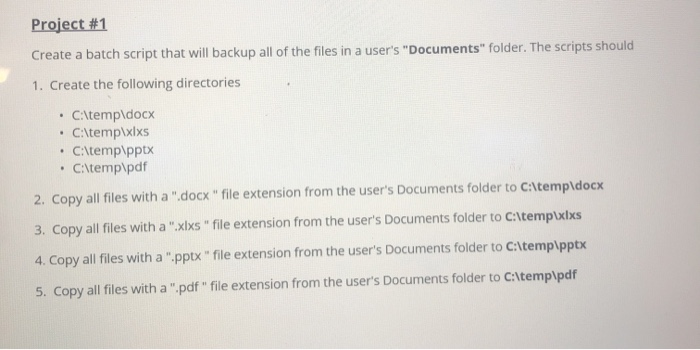
Project #1 Create a batch script that will backup all of the files in a user's "Documents" folder. The scripts should 1. Create the following directories C:\temp\docx C:\temp\xixs C:\temp\pptx C:\temp\pdf 2. Copy all files with a ".docx" file extension from the user's Documents folder to C:\temp\docx 3. Copy all files with a ".xlxs "file extension from the user's Documents folder to C:\templxlxs 4. Copy all files with a ".pptx" file extension from the user's Documents folder to C:\temp\pptx 5. Copy all files with a ".pdf" file extension from the user's Documents folder to C:\temp\pdf
Step by Step Solution
There are 3 Steps involved in it
1 Expert Approved Answer
Step: 1 Unlock

Question Has Been Solved by an Expert!
Get step-by-step solutions from verified subject matter experts
Step: 2 Unlock
Step: 3 Unlock
 Study Help