Question: Project 2.P2 - Searching Robots For the following problem, write a properly commented MATLAB script to perform the listed tasks. All Tiles should use the
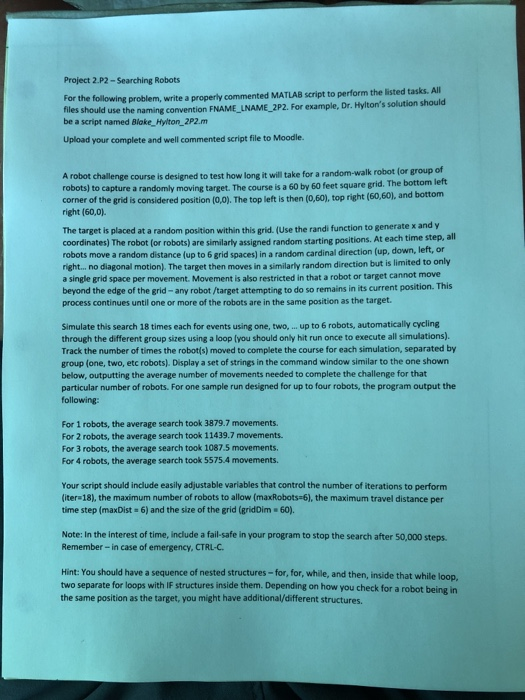
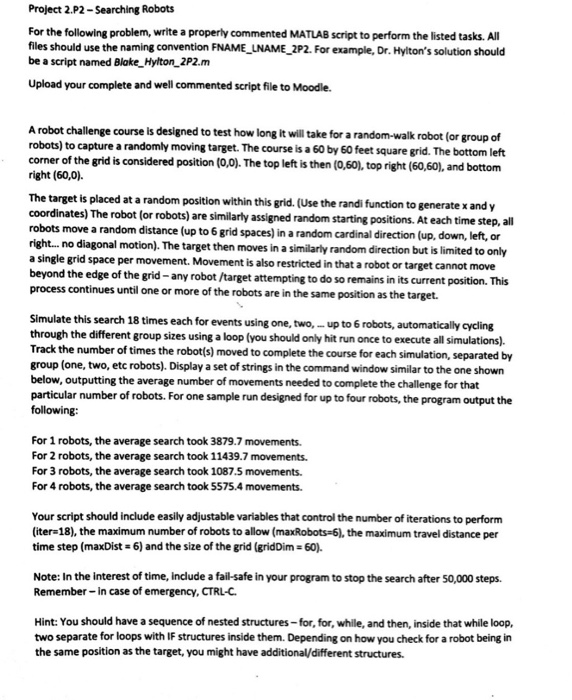
Project 2.P2 - Searching Robots For the following problem, write a properly commented MATLAB script to perform the listed tasks. All Tiles should use the naming convention FNAME_LNAME_2P2. For example, Dr. Hylton's solution should be a script named Blake_Hylton_2P2.m Upload your complete and well commented script file to Moodle. A robot challenge course is designed to test how long it will take for a random-walk robot for group of robots) to capture a randomly moving target. The course is a 60 by 60 feet square grid. The bottom left corner of the grid is considered position (0,0). The top left is then (0,60), top right (60,60), and bottom right (60,0). The target is placed at a random position within this grid. (Use the randi function to generate x and y coordinates) The robot (or robots) are similarly assigned random starting positions. At each time step, all robots move a random distance (up to 6 grid spaces) in a random cardinal direction (up, down, left, or right... no diagonal motion). The target then moves in a similarly random direction but is limited to only a single grid space per movement. Movement is also restricted in that a robot or target cannot move beyond the edge of the grid -any robot /target attempting to do so remains in its current position. This process continues until one or more of the robots are in the same position as the target. Simulate this search 18 times each for events using one, two, ... up to 6 robots, automatically cycling through the different group sizes using a loop Iyou should only hit run once to execute all simulations). Track the number of times the robot(s) moved to complete the course for each simulation, separated by group (one, two, etc robots). Display a set of strings in the command window similar to the one shown below, outputting the average number of movements needed to complete the challenge for that particular number of robots. For one sample run designed for up to four robots, the program output the following: For 1 robots, the average search took 3879.7 movements. For 2 robots, the average search took 11439.7 movements For 3 robots, the average search took 1087.5 movements. For 4 robots, the average search took 5575.4 movements. Your script should include easily adjustable variables that control the number of iterations to perform (iter 18), the maximum number of robots to allow (maxRobots 6), the maximum travel distance per time step (maxDist=6) and the size of the grid (grid Dim - 60). Note: In the Interest of time, include a fail-safe in your program to stop the search after 50,000 steps. Remember - in case of emergency, CTRL-C. Hint: You should have a sequence of nested structures - for,for, while, and then, inside that while loop, two separate for loops with IF structures inside them. Depending on how you check for a robot being in the same position as the target you might have additional/different structures. Project 2.P2 - Searching Robots For the following problem, write a properly commented MATLAB script to perform the listed tasks. All files should use the naming convention FNAME_LNAME_2P2. For example, Dr. Hylton's solution should be a script named Blake_Hylton_2P2.m Upload your complete and well commented script file to Moodle. A robot challenge course is designed to test how long it will take for a random-walk robot (or group of robots) to capture a randomly moving target. The course is a 60 by 60 feet square grid. The bottom left corner of the grid is considered position (0,0). The top left is then (0,60), top right (60,60), and bottom right (60,0) The target is placed at a random position within this grid. (Use the randi function to generate x and y coordinates) The robot (or robots) are similarly assigned random starting positions. At each time step, all robots move a random distance (up to 6 grid spaces) in a random cardinal direction (up, down, left, or right... no diagonal motion). The target then moves in a similarly random direction but is limited to only a single grid space per movement. Movement is also restricted in that a robot or target cannot move beyond the edge of the grid -any robot /target attempting to do so remains in its current position. This process continues until one or more of the robots are in the same position as the target. Simulate this search 18 times each for events using one, two, up to 6 robots, automatically cycling through the different group sizes using a loop (you should only hit run once to execute all simulations). Track the number of times the robot(s) moved to complete the course for each simulation, separated by group (one, two, etc robots). Display a set of strings in the command window similar to the one shown below, outputting the average number of movements needed to complete the challenge for that particular number of robots. For one sample run designed for up to four robots, the program output the following: For 1 robots, the average search took 3879.7 movements. For 2 robots, the average search took 11439.7 movements. For 3 robots, the average search took 1087.5 movements. For 4 robots, the average search took 5575.4 movements. Your script should include easily adjustable variables that control the number of iterations to perform (iter-18), the maximum number of robots to allow (maxRobots 6), the maximum travel distance per time step (maxDist=6) and the size of the grid (griddim - 60). Note: In the interest of time, include a fail-safe in your program to stop the search after 50,000 steps. Remember - In case of emergency, CTRL-C. Hint: You should have a sequence of nested structures-for, for, while, and then, inside that while loop. two separate for loops with IF structures inside them. Depending on how you check for a robot being in the same position as the target, you might have additional/different structures. Project 2.P2 - Searching Robots For the following problem, write a properly commented MATLAB script to perform the listed tasks. All Tiles should use the naming convention FNAME_LNAME_2P2. For example, Dr. Hylton's solution should be a script named Blake_Hylton_2P2.m Upload your complete and well commented script file to Moodle. A robot challenge course is designed to test how long it will take for a random-walk robot for group of robots) to capture a randomly moving target. The course is a 60 by 60 feet square grid. The bottom left corner of the grid is considered position (0,0). The top left is then (0,60), top right (60,60), and bottom right (60,0). The target is placed at a random position within this grid. (Use the randi function to generate x and y coordinates) The robot (or robots) are similarly assigned random starting positions. At each time step, all robots move a random distance (up to 6 grid spaces) in a random cardinal direction (up, down, left, or right... no diagonal motion). The target then moves in a similarly random direction but is limited to only a single grid space per movement. Movement is also restricted in that a robot or target cannot move beyond the edge of the grid -any robot /target attempting to do so remains in its current position. This process continues until one or more of the robots are in the same position as the target. Simulate this search 18 times each for events using one, two, ... up to 6 robots, automatically cycling through the different group sizes using a loop Iyou should only hit run once to execute all simulations). Track the number of times the robot(s) moved to complete the course for each simulation, separated by group (one, two, etc robots). Display a set of strings in the command window similar to the one shown below, outputting the average number of movements needed to complete the challenge for that particular number of robots. For one sample run designed for up to four robots, the program output the following: For 1 robots, the average search took 3879.7 movements. For 2 robots, the average search took 11439.7 movements For 3 robots, the average search took 1087.5 movements. For 4 robots, the average search took 5575.4 movements. Your script should include easily adjustable variables that control the number of iterations to perform (iter 18), the maximum number of robots to allow (maxRobots 6), the maximum travel distance per time step (maxDist=6) and the size of the grid (grid Dim - 60). Note: In the Interest of time, include a fail-safe in your program to stop the search after 50,000 steps. Remember - in case of emergency, CTRL-C. Hint: You should have a sequence of nested structures - for,for, while, and then, inside that while loop, two separate for loops with IF structures inside them. Depending on how you check for a robot being in the same position as the target you might have additional/different structures. Project 2.P2 - Searching Robots For the following problem, write a properly commented MATLAB script to perform the listed tasks. All files should use the naming convention FNAME_LNAME_2P2. For example, Dr. Hylton's solution should be a script named Blake_Hylton_2P2.m Upload your complete and well commented script file to Moodle. A robot challenge course is designed to test how long it will take for a random-walk robot (or group of robots) to capture a randomly moving target. The course is a 60 by 60 feet square grid. The bottom left corner of the grid is considered position (0,0). The top left is then (0,60), top right (60,60), and bottom right (60,0) The target is placed at a random position within this grid. (Use the randi function to generate x and y coordinates) The robot (or robots) are similarly assigned random starting positions. At each time step, all robots move a random distance (up to 6 grid spaces) in a random cardinal direction (up, down, left, or right... no diagonal motion). The target then moves in a similarly random direction but is limited to only a single grid space per movement. Movement is also restricted in that a robot or target cannot move beyond the edge of the grid -any robot /target attempting to do so remains in its current position. This process continues until one or more of the robots are in the same position as the target. Simulate this search 18 times each for events using one, two, up to 6 robots, automatically cycling through the different group sizes using a loop (you should only hit run once to execute all simulations). Track the number of times the robot(s) moved to complete the course for each simulation, separated by group (one, two, etc robots). Display a set of strings in the command window similar to the one shown below, outputting the average number of movements needed to complete the challenge for that particular number of robots. For one sample run designed for up to four robots, the program output the following: For 1 robots, the average search took 3879.7 movements. For 2 robots, the average search took 11439.7 movements. For 3 robots, the average search took 1087.5 movements. For 4 robots, the average search took 5575.4 movements. Your script should include easily adjustable variables that control the number of iterations to perform (iter-18), the maximum number of robots to allow (maxRobots 6), the maximum travel distance per time step (maxDist=6) and the size of the grid (griddim - 60). Note: In the interest of time, include a fail-safe in your program to stop the search after 50,000 steps. Remember - In case of emergency, CTRL-C. Hint: You should have a sequence of nested structures-for, for, while, and then, inside that while loop. two separate for loops with IF structures inside them. Depending on how you check for a robot being in the same position as the target, you might have additional/different structures









 Study Help