







Question: Project IRR 12.19% Using the pro forma statements for the previous project and your knowledge of sensitivity analysis determine the input to which the analysis
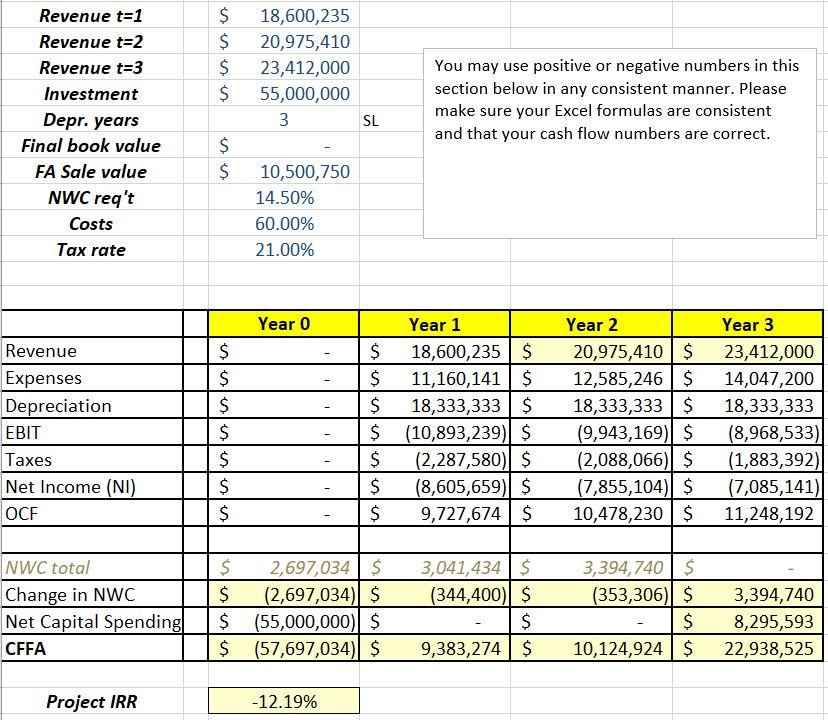
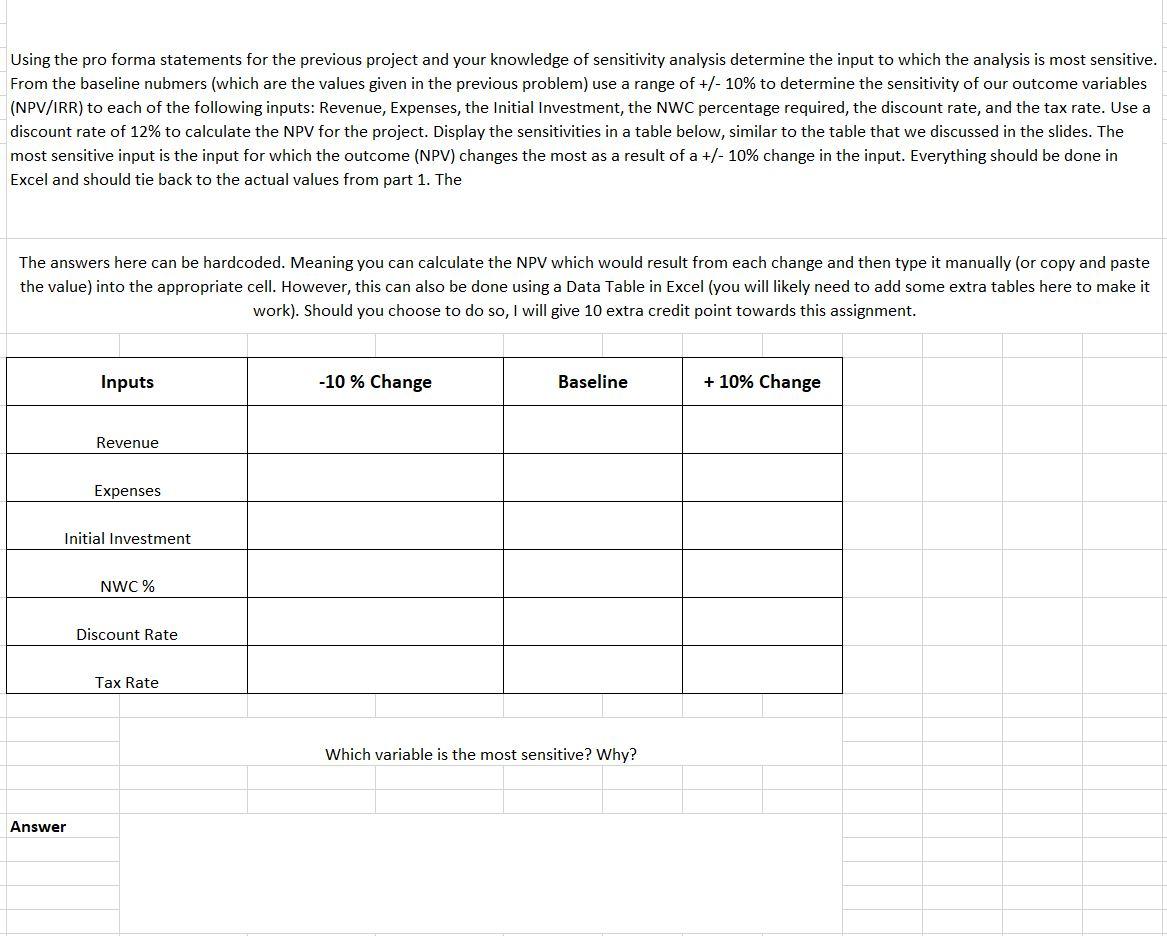
Project IRR 12.19% Using the pro forma statements for the previous project and your knowledge of sensitivity analysis determine the input to which the analysis is most sensitive. From the baseline nubmers (which are the values given in the previous problem) use a range of +/10% to determine the sensitivity of our outcome variables (NPV/IRR) to each of the following inputs: Revenue, Expenses, the Initial Investment, the NWC percentage required, the discount rate, and the tax rate. Use a discount rate of 12% to calculate the NPV for the project. Display the sensitivities in a table below, similar to the table that we discussed in the slides. The most sensitive input is the input for which the outcome (NPV) changes the most as a result of a +/10% change in the input. Everything should be done in Excel and should tie back to the actual values from part 1. The The answers here can be hardcoded. Meaning you can calculate the NPV which would result from each change and then type it manually (or copy and paste the value) into the appropriate cell. However, this can also be done using a Data Table in Excel (you will likely need to add some extra tables here to make it work). Should you choose to do so, I will give 10 extra credit point towards this assignment. Which variable is the most sensitive? Why? Project IRR 12.19% Using the pro forma statements for the previous project and your knowledge of sensitivity analysis determine the input to which the analysis is most sensitive. From the baseline nubmers (which are the values given in the previous problem) use a range of +/10% to determine the sensitivity of our outcome variables (NPV/IRR) to each of the following inputs: Revenue, Expenses, the Initial Investment, the NWC percentage required, the discount rate, and the tax rate. Use a discount rate of 12% to calculate the NPV for the project. Display the sensitivities in a table below, similar to the table that we discussed in the slides. The most sensitive input is the input for which the outcome (NPV) changes the most as a result of a +/10% change in the input. Everything should be done in Excel and should tie back to the actual values from part 1. The The answers here can be hardcoded. Meaning you can calculate the NPV which would result from each change and then type it manually (or copy and paste the value) into the appropriate cell. However, this can also be done using a Data Table in Excel (you will likely need to add some extra tables here to make it work). Should you choose to do so, I will give 10 extra credit point towards this assignment. Which variable is the most sensitive? Why
Step by Step Solution
There are 3 Steps involved in it

Get step-by-step solutions from verified subject matter experts
 Study Help