







Question: Project Part 1 - Program Specifications ( Chapter 2 ) You were recently hired as an intern for a local IT company. To test your
Project Part Program Specifications Chapter
You were recently hired as an intern for a local IT company. To test your designing and coding skills, the project manager is asking you to complete the following project. Note: This assignment is a review of Chapter This is phase Do not modify the instructions or add additional inputoutput
Playing a video game on a computer can give different experiences based on the performance capabilities of the computer's hardware. Design an IPO chart that will provide general recommendations for a player's computer hardware:
Complete the following for Phase :
The program will ask the user to enter:
The type of processor example: Intel Core iK
The clock speed of the graphics card in Megahertz MHzexample:
The clock speed of the processor in Megahertz MHzexample:
The number of cores example:
Is the hardware overclockfriendly? example: for yes for no
The program should display the following:
The program should display the following:
A string literat: "Computer Hardware Recommendation Tool."
The program should also display
the processor type
the GPU clock speed
the CPU clock speed
the number of cores
the overclockfriendly status
Please note: If this were a real gaming app, more requirements would be added or updated, such as using for processor clock speed instead of We are limiting the requirements for simplicity purposes.
Project IPO Chart Instructions
Step : Open a Word document. Save the document as ProjectLastname.
Step : Insert a table with one row and three columns see the sample algorithm on page of this document.
Step : Use the following column labels:
Step : Use the following column labels:
Column : Input
Column : Process
Column : Output
Step : Add another row to the table.
Step : Under the Output column, add variables that will hold the values displayed in the output. Note: when coding programs, always start by determining the output first. When you know the output variables, it's easier to determine input variables and other variables that will be needed to produce the output.
Step : Include the data types of all the variables in front of the variable names Example: double sum the data type is double and the variable name is sum
Step : Under the Input column, add variables that will hold the values entered the user.
Step : Create the algorithm in the Process section see the sample algorithm on page of this document
Step : Submit the document
Sample IPO Chart
Note: This is a sample. You must modify the IPO chart to fit the project specifications.
tableInputProcess,Outputtabledouble payAmountdouble raiseRatetableAlgorithmVariables not entered bythe user: NAStep : Enter the weeklypay:payAmountStep :Enter the raise rate:raiseRateStep :Display payAmountStep :Display raiseRatetableCurrent weekly pay is: payAmount Raise rate: raiseRate
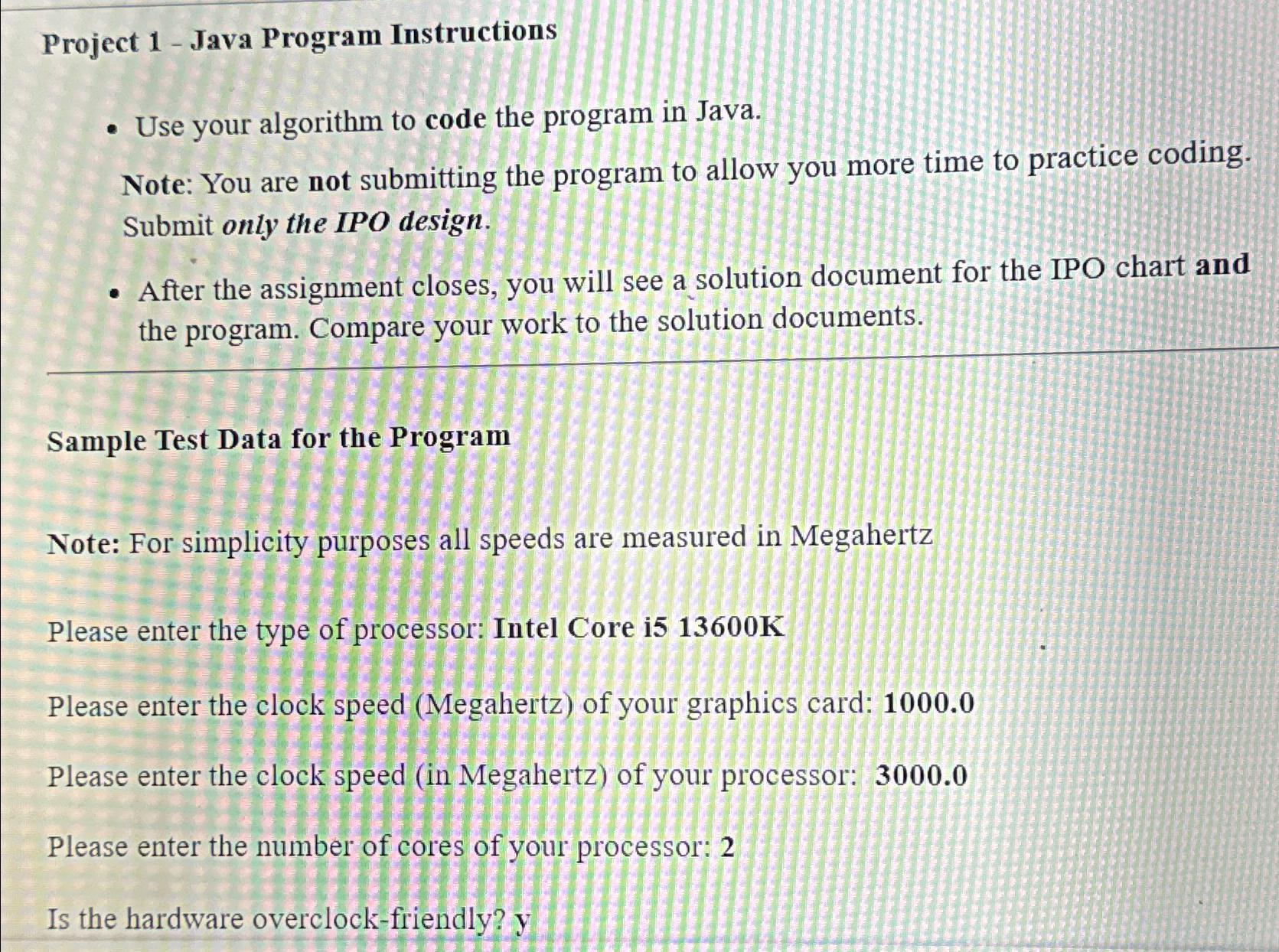
Project Java Program Instructions
Use your algorithm to code the program in Java.
Note: You are not submitting the program to allow you more time to practice coding. Submit only the IPO design.
After the assignment closes, you will see a solution document for the IPO chart and the program. Compare your work to the solution documents.
Sample Test Data for the Program
Note: For simplicity purposes all speeds are measured in Megahertz
Please enter the type of processor: Intel Core i
Please enter the clock speed Megahertz of your graphics card:
Please enter the clock speed in Megahertz of your processor:
Please enter the number of cores of your processor:
Is the hardware overclockfriendly?
Step by Step Solution
There are 3 Steps involved in it
1 Expert Approved Answer
Step: 1 Unlock

Question Has Been Solved by an Expert!
Get step-by-step solutions from verified subject matter experts
Step: 2 Unlock
Step: 3 Unlock
 Study Help