







Question: Project Requirements: Managing and analyzing data using MS Access and MS Excel Task l: By using Ms. Office Excel create two Work sheets and enter
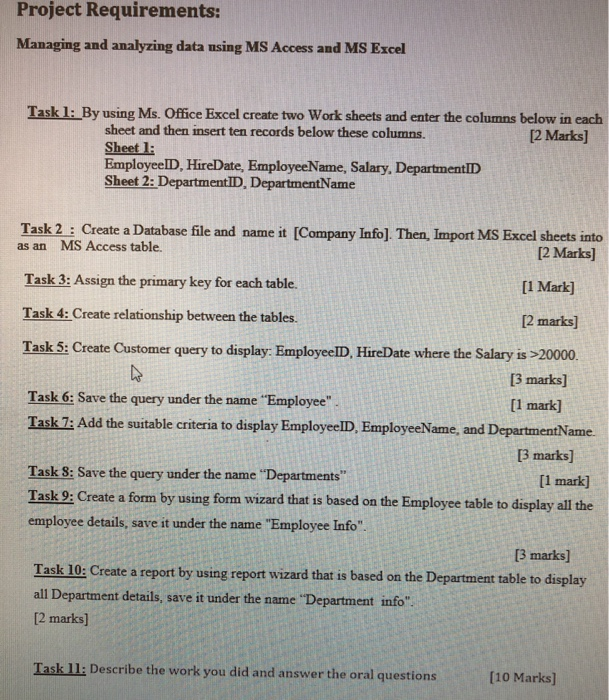
Project Requirements: Managing and analyzing data using MS Access and MS Excel Task l: By using Ms. Office Excel create two Work sheets and enter the columns below in each sheet and then insert ten records below these columns. Sheet l: EmployeelD, HireDate, EmployeeName, Salary, DepartmentlD Sheet 2: DepartmentID, DepartmentVame 2 Marks] Task 2 : Create a Database file and name it [Company Info] Then, Import MS Excel sheets into as an MS Access table. [2 Marks] Task 3: Assign the primary key for each table. [l Mark] [2 marks] Task 5: Create Customer query to display: EmployeelID, HireDate where the Salary is 20000 Task 4: Create relationship between the tables. 3 marks] Task 6: Save the query under the name "Employee Task 7: Add the suitable criteria to display EmployeeID, EmployeeName, and D [l mark] ame 3 marks] Task 8: Save the query under the name "Departments Task 9: Create a form by using form wizard that is based on the Employee table to display all the employee details, save it under the name "Employee Info" [1 mark] 3 marks] Task 10: Create a report by using report wizard that is based on the Department table to display all Department details, save it under the name "Department info" 2 marks] Task ll: Describe the work you did and answer the oral questions [10 Marks]
Step by Step Solution
There are 3 Steps involved in it

Get step-by-step solutions from verified subject matter experts
 Study Help