







Question: Project Using C# in Visual Studio Sort Last Name Method Bubble sort Processing In a loop for number of elements This project will use the
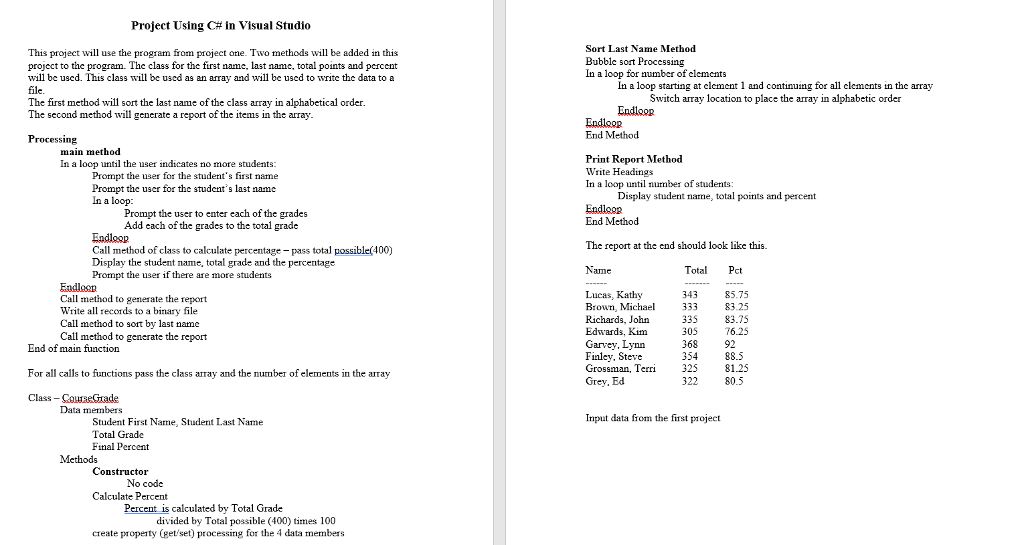
Project Using C# in Visual Studio Sort Last Name Method Bubble sort Processing In a loop for number of elements This project will use the program from project one. Two methods will be added in this project to the program. The class for the first name, last name, total points and percemt will be uscd. This class will be used as an array and wll be used to write the data to a file The first method will sort the last name of the class array in alphabetical order The second method will generate a report of the items in the array In a loop starting at element 1 and continuing for all elements in the array Switch array location to place the array in alphabetic order Endloop Endloop End Method Processing main method In a loop until the user indicates no more students: Print Report Method Write Headings In a loop until number of students: Prompt the user for the student's first name Prompt the user for the student's last name In a loop Display student name, total points and percent Prompt the user to enter each of the grades Add each of the grades to the total grade Endlagp End Method The report at the end should look like this. Call method of class to calculate percentage pass total possible(400) Display the student name, total grade and the percentage Prompt the user if there are more students Total Pct Eadloan Call method to generate the report Write all records to a binary file Call method to sort by last name Call method to generate the report Lucas, Kathy Brown, Michael33383.25 Richards, John 335 Edwards, Kim Garvey, Lynn Finley, Steve Grossman, Terri32581.25 Grey, Ed 343 85.75 83.75 305 76.25 368 354 88.5 End of main function For all calls to functions pass the class Class CourseGrade and the number ofelements in the array 322 80.5 Data members Input data from the first project Student First Name, Student Last Name Total Grade Final Percent Constructor No code Calculate Percent Percent is calculated by Total Grade divided by Total possible (400) tes 100 create property (et set) processing for the 4 data members
Step by Step Solution
There are 3 Steps involved in it

Get step-by-step solutions from verified subject matter experts
 Study Help