







Question: Prompt user for: first name: use Scanner .next() method to get input into String variable height in inches: use Scanner .nextDouble() method to get input
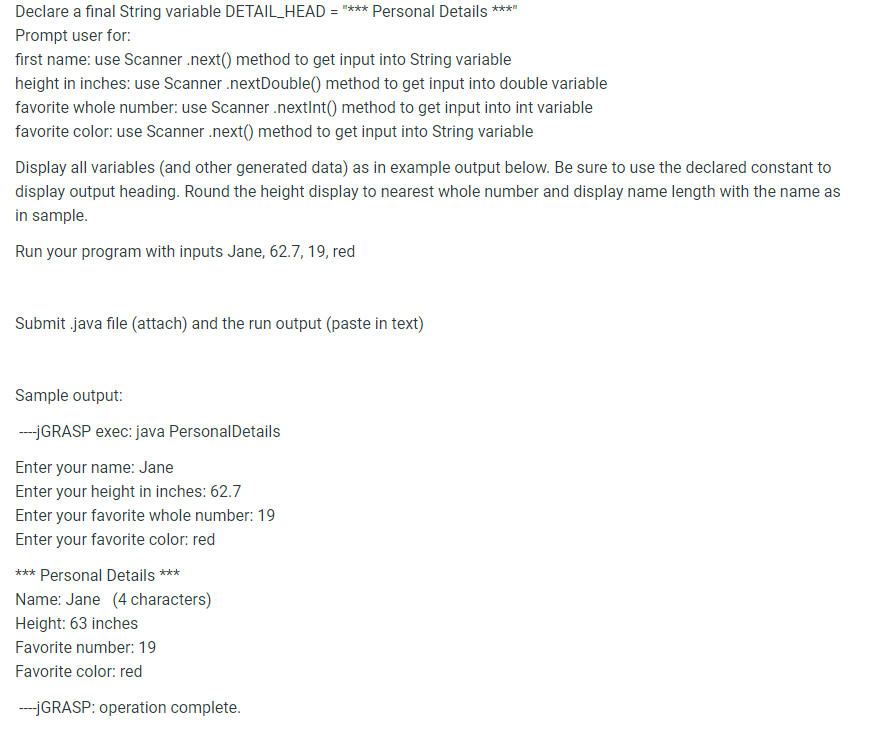
Prompt user for: first name: use Scanner .next() method to get input into String variable height in inches: use Scanner .nextDouble() method to get input into double variable favorite whole number: use Scanner .nextlnt 0 method to get input into int variable favorite color: use Scanner .next() method to get input into String variable Display all variables (and other generated data) as in example output below. Be sure to use the declared constant to display output heading. Round the height display to nearest whole number and display name length with the name as in sample. Run your program with inputs Jane, 62.7,19, red Submit .java file (attach) and the run output (paste in text) Sample output: -jGRASP exec: java PersonalDetails Enter your name: Jane Enter your height in inches: 62.7 Enter your favorite whole number: 19 Enter your favorite color: red Name: Jane ( 4 characters) Height: 63 inches Favorite number: 19 Favorite color: red -jGRASP: operation complete
Step by Step Solution
There are 3 Steps involved in it

Get step-by-step solutions from verified subject matter experts
 Study Help