







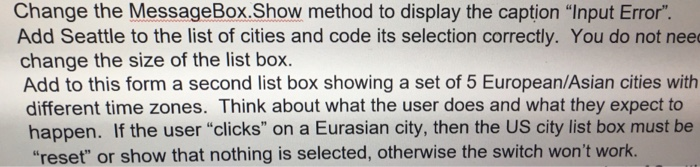
Question: promptiabel eltylistBox tineZoneLabel okButton exitButton Table 9 Control property settings Control Name promptLabel Property Settings Text: Select a city and I will give yose the
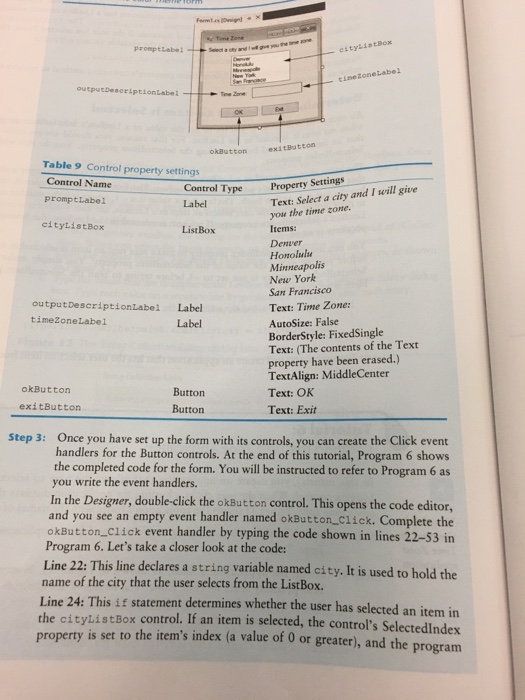
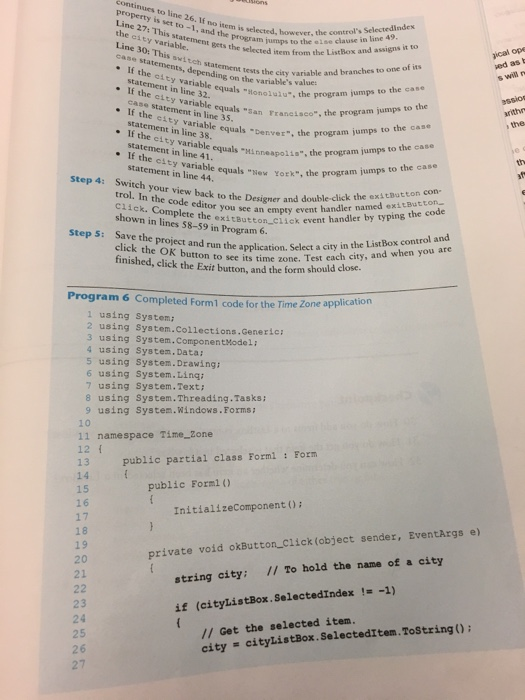
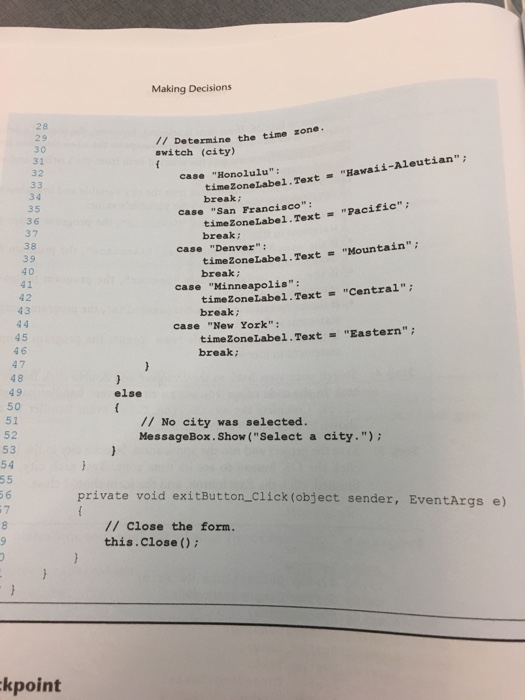
promptiabel eltylistBox tineZoneLabel okButton exitButton Table 9 Control property settings Control Name promptLabel Property Settings Text: Select a city and I will give yose the time zone. Items: Denver Honolulu Minneapolis New York San Francisco Text: Time Zone: AutoSize: False BorderStyle: FixedSingle Text: (The contents of the Text property have been erased.) TextAlign: MiddleCenter Text: OK ype Label citylistBox ListBox outputDescriptionLabel Label timeZoneLabel Label okButton Button Button exitButton Text: Exit Once you have set up the form with its controls, you can create the Click event handlers for the Button controls. At the end of this tutorial, Program 6 shows the completed code for the form. You will be instructed to refer to Program 6 as you write the event handlers. Step 3: In the Designer, double-click the okButton control. This opens the code editor, and you see an empty event handler named okButton Click. Complete the okButton Click event handler by typing the code shown in lines 22 Program 6. Let's take a closer look at the code: Line 22: This line declares a string variable named city. It is used to hold the -53 in name of the city that the user selects from the ListBox Line 24: This if statement determines whether the user has selected an item in the cityListBox control. If an item is selected, the control's Selectedlndex prope rty is set to the item's index (a value of 0 or greater), and the program
Step by Step Solution
There are 3 Steps involved in it

Get step-by-step solutions from verified subject matter experts
 Study Help